Kalkulador ng Edad
Enter your date of birth to instantly find your exact age in years, months and days — plus total days lived and a countdown to your next birthday.
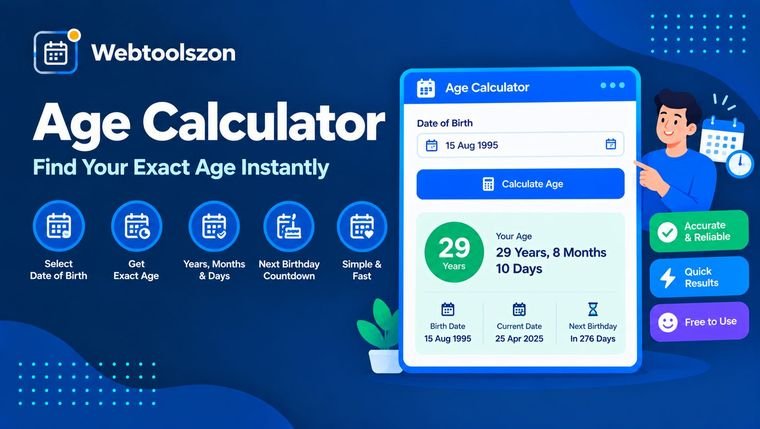
Enter your dates
Everything calculates in your browser.
Enter the day you were born.
Use today or choose any past/future date.
Your age
A complete breakdown from your birth date.
Mga pagsusuri
Everything you need to know about Age Calculator
How the calculation works, why exact ages matter, and how to read your results.
- Enter your birth date and get your exact age in years, months and days instantly.
- Everything runs locally in your browser — your birth date is never uploaded or stored.
- Change the "as of" date to calculate age on any past or future day, like a passport or eligibility deadline.
How to use Age Calculator
- Enter your date of birth into the birth date field.
- Leave "Calculate age as of" set to today, or pick a different date to check your age on any other day.
- Your exact age in years, months and days appears instantly, along with total days lived and a countdown to your next birthday.
Why calculate your exact age
Counting age by hand quickly gets messy — months have different lengths, leap years throw off simple subtraction, and forms for visas, school enrollment, or eligibility checks often ask for age "as of" a specific date rather than today.
This calculator handles that math for you entirely in your browser: it compares real calendar dates, so leap years and varying month lengths are accounted for automatically, and nothing you type is ever sent to a server.
Common reasons people check their exact age
| Reason | Pinakamainam para sa | Bakit sulit itong suriin |
|---|---|---|
| Eligibility forms | Visas, exams, enrollment | Many forms require age as of a specific cut-off date, not today. |
| Birthday planning | Milestone birthdays | See exactly how many days remain before a big birthday. Recommended |
| General curiosity | Fun facts | See your age in total days, weeks, or hours lived. |
Age Calculator without uploading anything
Everything happens on your own device: the date you type is read directly by JavaScript running in your browser, the age is calculated on the spot, and the result is displayed to you — no birth date, name, or other detail is ever transmitted to a server.
Because there's no upload involved, there's no file-size or bandwidth limit to worry about either — the only requirement is a modern browser.
Your birth date never leaves your device. The calculation is pure client-side JavaScript, with nothing logged or stored.
Need to convert a date format or work with text elsewhere? The Word Counter tool can help with other everyday text tasks.
Calendar age vs. simple day count — which should you use?
| Method | Pinakamainam para sa | Pakikipagpalitan |
|---|---|---|
| Calendar age (years/months/days) Good default | Everyday use, official forms, birthdays | Slightly more complex to compute by hand, but matches how people actually state their age. |
| Total elapsed days/hours | Milestones, novelty facts, precise durations | Not how age is normally expressed, but useful for exact elapsed time. |
This tool shows both: a calendar-style age (the number you'd tell someone) alongside total days, weeks, months and hours lived, so you get whichever number you actually need.
What people use Age Calculator for
- Official formsWorking out age as of a visa, exam, or enrollment cut-off date.
- Birthday planningCounting down the days to a milestone birthday.
- Legal & eligibility checksConfirming age thresholds for contracts, licenses, or age-restricted services.
- Fun factsSeeing exactly how many days, weeks, or hours you've been alive.
- Comparing two datesFinding the gap in years and months between any two dates, not just birthdays.
Paano Gumagana ang Kasangkapang Ito
The calculator runs live in your browser via JavaScript: it reads the two dates you enter, computes the calendar difference between them, and renders the result — nothing is uploaded, stored, or logged.
Last updated: September 12, 2026.
Nakatulong ba ang gabay na ito?
Mas maraming kasangkapan sa kahon
Labing-apat pang libreng kasangkapan na hindi nangangailangan ng API key ang makikita sa homepage.
Tagabibilang ng mga salita
Mga live na bilang ng salita, karakter, pangungusap, at talata.
Tagapag-ayos ng Laki ng Larawan
Baguhin ang laki ng mga larawang JPG, PNG, at WEBP ayon sa pixels o porsyento.
Larawan sa PDF
Pag-isahin ang mga imahe sa isang PDF na maaaring i-download.
Tagapag-format ng JSON
Pagandahin, paliitin, at i-validate ang JSON na may mga pahiwatig ng error.
Tagabuo ng password
Mga malalakas na random na password na may pasadyang mga patakaran.