
નિબંધો અને લેખો
શિક્ષક, સંપાદક અથવા ક્લાયન્ટે માંગેલા શબ્દોની શ્રેણીની અંદર જ રહો અને એક નજરમાં જુઓ કે ડ્રાફ્ટ કેટલી લાંબી છે.
તમારો લખાણ પેસ્ટ કરો અથવા ટાઇપ કરો અને શબ્દો, અક્ષરો, વાક્યો, અનુચ્છેદો અને પંક્તિઓ તરત અપડેટ થતા જુઓ, સાથે જ વાંચન અને બોલવાની સમય, તમારા સૌથી વધુ ઉપયોગમાં લેવાતા શબ્દો અને કોઈપણ અક્ષર મર્યાદા માટેનું માપદંડ પણ. આ બધું તમારા બ્રાઉઝરમાં જ થાય છે, તેથી તમારું લખાણ તમારા ઉપકરણ પર જ રહે છે.
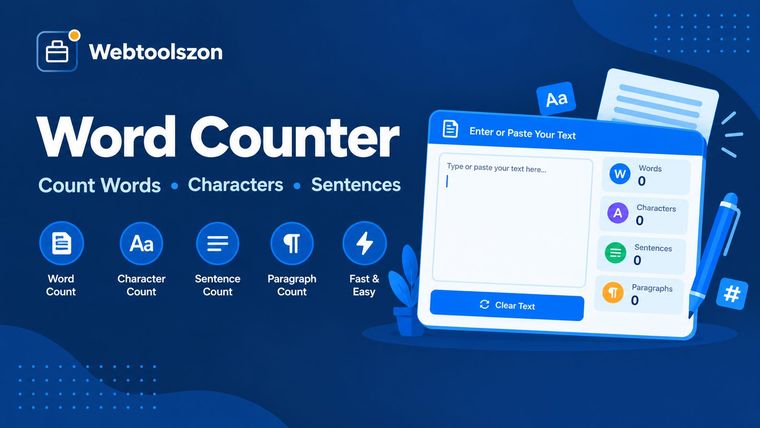
દરેક સંખ્યા શું અર્થ ધરાવે છે અને તેને કેવી રીતે ઉપયોગ કરવું.
શબ્દ ગણક તમને બતાવે છે કે કોઈ લખાણ કેટલી લાંબી છે. તમારું લખાણ પેસ્ટ કરો અથવા ટાઇપ કરો, અને તમને તરત જ શબ્દો, અક્ષરો, વાક્યો અને અનુચ્છેદોની સંખ્યા મળશે, સાથે જ તેને વાંચવામાં કે ઉચ્ચારવામાં કેટલો સમય લાગશે તે પણ જાણી શકાય છે.
જ્યારે પણ કોઈ મર્યાદા હોય, ત્યારે તે ખૂબ ઉપયોગી છે: શબ્દ મર્યાદાવાળું નિબંધ, ટૂંકું રાખવું પડતું મેટા વર્ણન, અક્ષર મર્યાદાવાળું પોસ્ટ અથવા સમયસીમામાં ફિટ થવું પડતું ભાષણ.
તે તમારા બ્રાઉઝરમાં ચાલે છે અને તમે ટાઇપ કરતા જ અપડેટ થાય છે.
શિક્ષક, સંપાદક અથવા ક્લાયન્ટે માંગેલા શબ્દોની શ્રેણીની અંદર જ રહો અને એક નજરમાં જુઓ કે ડ્રાફ્ટ કેટલી લાંબી છે.
પ્રકાશિત કરતા પહેલા શીર્ષકો, મેટા વર્ણનો, કેપ્શન અને સંદેશાઓને અક્ષર મર્યાદાની અંદર રાખો.
સ્ક્રિપ્ટને ઉચ્ચારવા માટે કેટલો સમય લાગે છે તે તપાસો, જેથી ટોક અથવા વોઇસઓવર તેના નિર્ધારિત સમયગાળામાં ફિટ થાય.
શબ્દો એ અક્ષરો અથવા લાઇન બ્રેક્સથી અલગ થયેલા અક્ષરોના સમૂહો છે, જેમાં ઓછામાં ઓછું એક અક્ષર અથવા અંક હોય છે, અને તે મોટાભાગના વર્ડ પ્રોસેસર્સની ગણતરી સાથે મેળ ખાતું છે. અક્ષરોમાં સ્પેસ અને લાઇન બ્રેક્સનો સમાવેશ થાય છે, અને 'નો-સ્પેસ' ગણતરીમાં તે બધાને બહાર રાખવામાં આવે છે. સ્પેસ વિના લખાતી ભાષાઓ માટે, બ્રાઉઝરની પોતાની શબ્દ ઓળખવાની પદ્ધતિનો ઉપયોગ થાય છે.
વાક્યો પૂર્ણવિરામ, પ્રશ્નચિહ્ન અને વિસ્મયચિહ્ન પછી જ્યારે તેની પછી અવકાશ કે લખાણનો અંત આવે ત્યારે ગણવામાં આવે છે. પરિચ્છેદો ખાલી પંક્તિથી અલગ થયેલા બ્લોક હોય છે, અને પંક્તિઓ તમે જેમ જેમ ટાઇપ કરો તેમ ગણાય છે. e.g. જેવી સંક્ષેપશબ્દો એક વધારાનું વાક્ય ઉમેરવા માટે ઉપયોગમાં લેવાય છે, તેથી વાક્યોની સંખ્યાનો આંકડો અંદાજરૂપ છે.
વાંચન સમય દર મિનિટે 238 શબ્દોનો ઉપયોગ કરે છે અને બોલવાની સમય દર મિનિટે 150 શબ્દોનો ઉપયોગ કરે છે. સરેરાશ શબ્દ લંબાઈ એ અક્ષરો અને અંકોની સંખ્યાને શબ્દોની સંખ્યાથી ભાગ આપવાથી મળે છે. કીવર્ડ સૂચિ દરેક શબ્દ કેટલીવાર આવે છે તે ગણે છે, અક્ષરોના મોટા-નાના સ્વરૂપોને અવગણતા.
તમારો લખાણ તમારા બ્રાઉઝરમાં જ ગણાય છે. તે અપલોડ, સંગ્રહિત કે લોગ થતું નથી, અને જ્યારે તમે પૃષ્ઠ બંધ કરો કે રિફ્રેશ કરો ત્યારે તે ગાયબ થઈ જાય છે.
વાક્યગણનાઓ અંદાજરૂપ છે, કારણ કે સંક્ષેપો અને અસામાન્ય વિરામચિહ્નો કોઈપણ સરળ નિયમને ગૂંચવી શકે છે. વાંચન અને બોલવાની સમયગાળો સરેરાશ છે, અને X જેવા પ્લેટફોર્મ્સ લિંક્સ અને ઇમોજીઓને પોતાની રીતે ગણે છે, તેથી તેમની કુલ સંખ્યા અહીંની સાદી અક્ષરગણનાથી અલગ હોઈ શકે છે.
હા. તમે જેમ જેમ ટાઇપ કરો છો, ગણતરી તમારા બ્રાઉઝરમાં જ થાય છે. તમે જે કંઈ પેસ્ટ કરો છો કે લખો છો તે સર્વર પર મોકલવામાં, સાચવવામાં કે લોગ કરવામાં આવતું નથી, અને એકવાર તમે પૃષ્ઠ બંધ કરો ત્યારે તેમાંની કોઈપણ નકલ રહેતી નથી.
શબ્દ એ અક્ષરોનો કોઈપણ સમૂહ છે, જેને અંતરે (સ્પેસ) અથવા પંક્તિ વિરામ (લાઇન બ્રેક) દ્વારા અલગ કરવામાં આવે છે અને જેમાં ઓછામાં ઓછું એક અક્ષર અથવા અંક હોય છે, જે રીતે મોટાભાગના વર્ડ પ્રોસેસર્સ ગણતરી કરે છે. એકલ ડેશ (-) શબ્દ ગણાતો નથી, જ્યારે well-known અને 2026 બંને એક-એક શબ્દ ગણાય છે. ચીની, જાપાનીઝ અને થાઇ ભાષાઓ, જેઓ જગ્યા (સ્પેસ) વડે લખાતી નથી, માટે સાધન બ્રાઉઝરના પોતાના શબ્દ શોધનનો ઉપયોગ કરે છે.
કેરેક્ટર્સ તમે જે પણ ટાઇપ કરો છો તે બધું ગણે છે, જેમાં સ્પેસ અને લાઇન બ્રેક સામેલ છે, અને દરેક લાઇન બ્રેક ફક્ત એકવાર ગણાય છે. સ્પેસ વિનાના કેરેક્ટર્સમાં દરેક સ્પેસ, ટેબ અને લાઇન બ્રેકને ગણવામાં આવતું નથી. ઇમોજી અને ઉચ્ચારચિહ્નવાળા અક્ષરો દરેક એક કેરેક્ટર તરીકે ગણાય છે.
વાક્ય પૂર્ણવિરામ, પ્રશ્નચિહ્ન અથવા વિસ્મૃતિચિહ્ન પર સમાપ્ત થાય છે, જેના પછી ખાલી જગ્યા કે લખાણનો અંત આવે છે, અને કોઈપણ બંધ ચિહ્ન વિનાનો અંતિમ લખાણ પણ ગણાય છે. પરિચ્છેદ એ લખાણનો એક બ્લોક છે, જે આગળની લાઇનથી ખાલી પંક્તિ દ્વારા અલગ કરવામાં આવે છે. e.g. જેવી સંક્ષેપવાળી શબ્દો વધારાનું વાક્ય ઉમેરવા માટે ઉપયોગમાં લેવાય છે, તેથી વાક્યગણનાને અંદાજરૂપે જ લો.
વાંચન સમય તમારા શબ્દગણનને 238 શબ્દો પ્રતિ મિનિટથી વિભાજિત કરે છે, જે અંગ્રેજીમાં મૌનપણે વાંચતા વયસ્કો માટે સામાન્ય રીતે ઉલ્લેખિત સરેરાશ છે. વાસ્તવિક ઝડપ વિષય અને વાચક અનુસાર ઘણું બદલાય છે, તેથી તેને માત્ર એક અંદાજિય માર્ગદર્શક તરીકે ઉપયોગ કરો.
બોલવાની ગતિ તમારા શબ્દોની સંખ્યાને પ્રતિ મિનિટ 150 શબ્દોથી વિભાજિત કરે છે, જે ભાષણ કે વોઇસઓવર માટે આરામદાયક ગતિ છે. ઘણા વક્તાઓ 130–160 શબ્દો પ્રતિ મિનિટ વચ્ચે હોય છે, અને વિરામો, સ્લાઇડ્સ અને પ્રશ્નો સમયમાં વધારો કરશે.
X પોસ્ટ, મેટા વર્ણન અથવા SMS જેવી કોઈ લક્ષ્ય પસંદ કરો, અને માપક દર્શાવે છે કે તમારી પાસે કેટલા અક્ષરો બાકી છે; જ્યારે તમે મર્યાદા પાર કરો ત્યારે તે લાલ થઈ જાય છે. તમે તમારી પોતાની મર્યાદા પણ સેટ કરી શકો છો. ગણતરી સામાન્ય અક્ષરોની સંખ્યા પર આધારિત છે, તેથી લિંક્સ કે ઇમોજી અલગ રીતે ગણતી પ્લેટફોર્મ કુલ સંખ્યા અલગ બતાવી શકે છે.
તેમાં તમે સૌથી વધુ વાપરતા શબ્દોની યાદી આપવામાં આવે છે, દરેક શબ્દ કેટલી વાર આવે છે અને તે તમારા લખાણમાં કેટલો હિસ્સો ધરાવે છે તે દર્શાવે છે. આથી તમે અતિઉપયોગ થયેલા શબ્દો ઓળખી શકો છો અને કોઈ વિષયસંબંધિત શબ્દ પૂરતીવાર આવે છે કે નહીં તે તપાસી શકો છો. 'સામાન્ય શબ્દોને અવગણો' ચિહ્નિત કરો જેથી 'the', 'and', 'of' જેવા ભરણ શબ્દોને છોડી શકાય.
કોઈ નિશ્ચિત મર્યાદા નથી. બધું તમારા ઉપકરણ પર જ ચાલે છે, તેથી ખૂબ લાંબા લખાણો, જેમ કે આખું પુસ્તક, ફોન પર થોડી ધીમી ગતિએ અપડેટ થઈ શકે છે. વિશાળ પેસ્ટ કરેલા લખાણો માટે, તમે ટાઇપિંગ બંધ કર્યા પછી પૃષ્ઠ થોડીવાર રાહ જુએ છે અને ત્યારબાદ ગણતરી શરૂ કરે છે.
હોમપેજ પર API કીની જરૂરિયાત વગરના દસોથી વધુ મફત સાધનો છે.
મેળ ખાતું કોઈ પ્રશ્ન નથી.
આ સાધન વિશે તમારા વિચારો અન્ય મુલાકાતીઓ સાથે વહેંચો.