
Mga website at mga app
Piliin ang kulay ng tatak, ng background, at ng accent, pagkatapos ay idikit nang direkta sa mga CSS variable, sa Tailwind, o sa isang Android theme.
Pumili ng pangunahing kulay at iskema, at makakuha ng balanseng paleta ng 3 hanggang 8 kulay. I-lock ang mga gusto mo, suriin kung gaano kalinaw ang puti at itim na teksto sa bawat isa, pagkatapos ay kopyahin ang mga code bilang CSS variables, Tailwind, Android colors.xml o Jetpack Compose. Lahat ay tumatakbo sa iyong browser, at ang mga na-save na paleta ay nananatili sa iyong device.
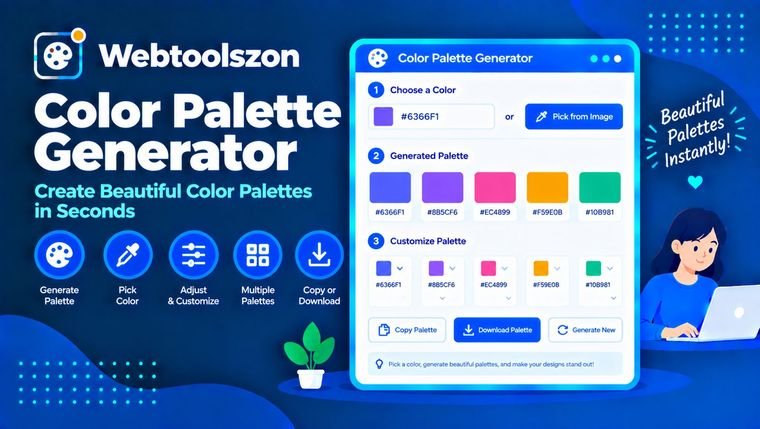
I-lock ang mga kulay na gusto mo, pagkatapos pindutin ang Generate para baguhin ang iba. I-click ang hex code para kopyahin ito. I-click ang palette at pindutin ang Space para mag-generate.
Walang naka-save na palette pa. Pindutin ang I-save ang palette para mag-save ng isa sa aparatong ito.
Matutunan kung paano gumagana ang mga paleta ng kulay, suriin ang kontrast ng teksto, at ilapat ang iyong paleta sa isang totoong proyekto.
Ang paleta ng kulay ay isang maliit na hanay ng mga kulay na maganda ang pagkakatugma. Binubuo ito ng mga taga-disenyo mula sa gulong ng kulay: pumili ng isang panimulang kulay, pagkatapos ay pumili ng iba pang mga lilim sa nakapirming anggulo mula rito upang maging balansado ang resulta sa halip na magulo.
This generator does that for you. Choose a base colour and a scheme, lock the colours you like, and export the result as CSS, Tailwind, Android XML or Jetpack Compose code. Each swatch also shows its RGB and HSL values and how readable white and black text would be on it. Hex values are base 16: the Binary to Decimal Converter shows how they relate to ordinary numbers.
Piliin ang kulay ng tatak, ng background, at ng accent, pagkatapos ay idikit nang direkta sa mga CSS variable, sa Tailwind, o sa isang Android theme.
Kumuha ng magkatugmang hanay ng mga kulay para sa presentasyon, post sa social media, o disenyo para sa pagpi-print nang hindi hula-hula.
Gumawa ng magkakaiba ngunit magkakasundong kulay para sa mga serye ng datos, at suriin ang kontrasta upang manatiling nababasa ang mga label.
| Isang balak | Paano ito itinayo | Damhin at gamitin |
|---|---|---|
| Katulad | Magkatabing kulay, 30° ang pagitan | Kalma at natural. Maganda para sa mga background at banayad na UI. |
| Monohromátiko | Isang kulay, iba't ibang liwanag | Malinis at magkakaugnay. Ligtas para sa minimal na disenyo. |
| Nagkakaugnay | Dalawang magkasalungat na kulay, 180° ang pagitan | Mataas na kontrast. Maganda para sa isang matinding accent na kulay. |
| Split complementary | Isang kulay at ang dalawa sa tabi ng kabaligtaran nito | Magkakaiba ngunit hindi kasing-tensiyon kumpara sa komplementaryo. |
| Triadiko | Tatlong kulay, 120° ang pagitan | Masigla at balansyado. Kailangan ng isang nangingibabaw na kulay. |
| Tetradiko (kwadrado) | Apat na kulay, 90° ang pagitan | Mayaman at magkakaiba. Pinakamainam kung may isang pangunahing kulay. |
Isang bilang mula 1:1 (magkatulad) hanggang 21:1 (itim sa puti) na naghahambing sa liwanag ng dalawang kulay.
Hindi bababa sa 4.5:1 para sa normal na teksto at 3:1 para sa malalaking teksto (mga 24 px, o 19 px na makapal). Ito ang karaniwang legal at praktikal na target.
Hindi bababa sa 7:1 para sa karaniwang teksto. Isang mas mahigpit na antas na nakakatulong sa mga taong may mababang paningin.
Mga isa sa labindalawang lalaki ay may ilang uri ng kakulangan sa paningin ng kulay. Ipares ang kulay sa mga label, icon, o pattern upang hindi mawala ang kahulugan.
Sa Android Studio, i-paste ang XML sa res/values/colors.xml, o idagdag ang mga linya ng Compose sa iyong Color.kt file. Kasama sa halagang Compose ang buong-opacity na alpha prefix na FF.
Ang mga palette ay nilikha sa iyong browser. Ang mga naka-save na palette ay iniimbak sa lokal na imbakan ng iyong browser sa iyong aparato at hindi kailanman ina-upload.
Ang mga kulay ay ipinapakita sa sRGB na espasyo ng kulay, at nag-iiba ang hitsura depende sa screen. Ang mga paleta ay mga mungkahi batay sa teorya ng kulay, hindi kapalit ng pagsubok sa totoong mga gumagamit. Hindi sinusuri ng kasangkapang ito ang pagiging madaling makita para sa mga kulang sa paningin sa kulay maliban sa kontraste.
Pumili ng pangunahing kulay at ng paleta ng kulay, at gagawing hanay ng magkakabagay na kulay ng tool ang pangunahing kulay gamit ang gulong ng kulay. Pindutin ang Generate para sa bagong random na base, o i-lock ang mga kulay na gusto mo at i-generate ang iba.
Ang analohikal na paleta ay gumagamit ng magkakalapit na kulay para sa kalmadong itsura. Ang komplementaryong paleta ay pinagtutugma ang magkasalungat na kulay para sa kontrasteng epekto. Ang split complementary at triadic na paleta ay gumagamit ng tatlong pantay na ipinamamahaging kulay, ang tetradic naman ay apat, at ang monochromatic ay nananatili sa isang kulay habang binabago ang liwanag nito.
Pindutin ang Lock sa ilalim ng anumang swatch. Mananatiling nakapirming ang mga kulay kapag pinindot mo ang Generate, binago ang base, o binago ang scheme. Ang pag-edit ng swatch gamit ang Edit button ay nagla-lock din dito.
Bawat swatch ay nagpapakita ng ratio ng kontraste para sa puting teksto at para sa itim na teksto sa kulay na iyon. Hinihiling ng WCAG ang hindi bababa sa 4.5:1 para sa karaniwang teksto (AA), 7:1 para sa mas mahigpit na antas na AAA, at 3:1 para sa malalaking teksto.
HEX listahan, mga CSS variable, mga SCSS variable, isang JSON array, isang Tailwind config, isang Android colors.xml file at mga halaga ng kulay sa Jetpack Compose, para madikit mo ang paleta nang direkta sa iyong proyekto.
Oo. Ang pagkopya ng link ay lumilikha ng web address na muling nagbubukas ng parehong mga kulay, ang Pag-download ng PNG ay nagse-save ng imahe ng paleta, at ang Pag-save ng paleta ay nag-iimbak ng hanggang 12 paleta sa browser na ito.
Nag-iiba-iba ang mga screen sa liwanag, katumpakan ng kulay, at profile ng kulay. Inilalarawan ng mga Hex code ang kulay nang numerikal, ngunit nakadepende ang hitsura nito sa display. Suriin ang mahahalagang kulay sa mga aparatong gagamitin ng iyong madla.
Maraming disenyo ang gumagana nang maayos sa lima: isang pangunahing kulay, isa o dalawang sumusuportang kulay, isang magaan na tono ng background, at isang madilim na tono ng teksto. Pinapayagan ka ng kasangkapang ito na pumili mula sa 3 hanggang 8.
Libre ito. Ang mga palette ay nilikha sa iyong browser. Ang mga na-save na palette ay nananatili sa lokal na imbakan ng iyong device at hindi kailanman ina-upload.
Oo. Idagdag ang ?colors=1f3a5f-ff5733-00aa88 sa address ng pahina na may 2 hanggang 8 hex code na pinaghiwalay ng mga gulis, nang walang tandang #.
Ang homepage ay naglalaman ng dose-dosenang karagdagang libreng kasangkapan na hindi nangangailangan ng API key.
I-convert ang teksto sa uppercase, camelCase, title case, snake_case at iba pa.
Buksan ang kasangkapanBilangin ang mga salita, karakter, pangungusap, at oras ng pagbabasa habang nagta-type ka.
Buksan ang kasangkapanAlisin ang sobrang puwang at ayusin ang magulong pagitan ng mga linya.
Buksan ang kasangkapanIhambing ang dalawang teksto linya-sa-linya upang makita kung ano ang nagbago.
Buksan ang kasangkapanWalang katugmang tanong.
Ibahagi ang iyong mga saloobin tungkol sa kasangkapang ito sa iba pang mga bisita.