Color Palette Generator
Pick a base color and instantly generate a harmonious 5-color palette — monochromatic, analogous, complementary, triadic, or fully random.
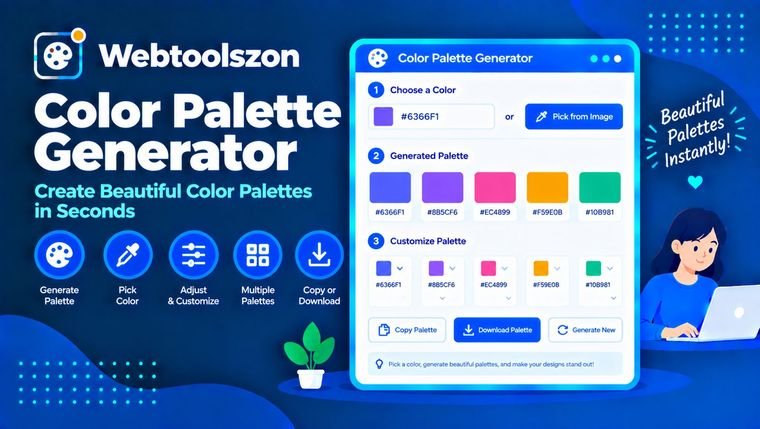
Base color
Your palette
Click a swatch to copy its hex code. Lock a swatch to keep it when regenerating.
Reviews
Everything you need to know about Color Palette Generator
How each harmony type is built, and how to pick the right one for your project.
- Pick a base color and harmony type — five matching colors appear instantly.
- Everything runs locally in your browser — no colors are ever uploaded.
- Lock the swatches you like before regenerating to keep fine-tuning the rest.
How to use Color Palette Generator
- Choose a starting color using the color picker or by typing a hex code.
- Select monochromatic, analogous, complementary, triadic, or random.
- Click any swatch to copy its hex code, or lock colors you like and regenerate the rest.
Why generate a color palette
Picking colors that actually work well together is harder than it looks — random guesses often clash, and manually calculating complementary or triadic hues means understanding color theory and doing hue-wheel math by hand.
This tool applies that math for you instantly in your browser: pick a base color and a harmony type, and you get five colors that follow an established color-theory relationship.
Choosing a harmony type
| Harmony | Best for | Why it's worth checking |
|---|---|---|
| Monochromatic Safe default | Clean, cohesive UI or branding | Uses one hue at different lightness levels, so it's hard to get wrong. |
| Analogous | Calm, natural-feeling designs | Neighboring hues on the color wheel blend smoothly. |
| Complementary | High-contrast accents, calls to action | Opposite hues create strong visual contrast — use sparingly. |
| Triadic | Playful, vibrant designs | Three evenly spaced hues give variety while staying balanced. |
Color Palette Generator without uploading anything
Every color calculation — the hue-wheel math, the lightness adjustments, the random generation — runs directly in your browser using JavaScript. Nothing is sent to a server, logged, or stored.
Because there's no upload involved, there's no limit on how many palettes you can generate or how many times you regenerate.
Your colors never leave your device. Palette generation is pure client-side JavaScript, with nothing logged or stored.
Building out a full design? The Case Converter tool can help format your CSS variable names to match.
Guided palettes vs. fully random
| Approach | Best for | Trade-off |
|---|---|---|
| Guided harmony (monochromatic/analogous/complementary/triadic) Good default | Branding, UI design, anything that needs to look intentional | Colors follow color-theory rules, so they reliably work together. |
| Fully random | Brainstorming, inspiration, unexpected combinations | More variety, but you'll need to eyeball whether the result actually works. |
Start with a guided harmony type for anything client-facing, and switch to random when you just want ideas to react to.
What people use Color Palette Generator for
- Web & UI designBuilding a cohesive color system for a website or app.
- BrandingExploring color options for a logo or brand identity.
- Graphic designFinding complementary colors for posters, slides, or social graphics.
- Data visualizationPicking distinct, harmonious colors for charts and graphs.
- Art & illustrationGetting quick color-scheme inspiration for a painting or drawing.
How This Tool Works
Colors are generated live in your browser via JavaScript by converting your base color to HSL, applying standard color-theory offsets for the chosen harmony type, and converting back to hex — nothing is uploaded, stored, or logged.
Last updated: September 13, 2026.
Was this guide helpful?
More tools in the box
Fourteen more free, no-API-key tools live on the homepage.
Word Counter
Live word, character, sentence and paragraph counts.
Image Resizer
Resize JPG, PNG and WEBP images by pixels or percent.
Image to PDF
Combine images into a single downloadable PDF.
JSON Formatter
Beautify, minify and validate JSON with error hints.
Password Generator
Strong random passwords with custom rules.