
دانلودها را تأیید کنید
یک فایل دانلودشده را هش کنید و آن را با چکسام ارائهشده توسط ناشر مقایسه کنید تا مطمئن شوید که خراب نشده است.
متن را تایپ یا پیست کنید، یا یک فایل را انتخاب کنید و هشهای MD5، SHA-1، SHA-256، SHA-384 و SHA-512 آن را بهطور همزمان ببینید. هشی را که دریافت کردهاید پیست کنید تا ببینید آیا مطابقت دارد یا خیر. هشگذاری روی دستگاه شما انجام میشود، بنابراین متن و فایلهای شما هرگز آپلود نمیشوند.
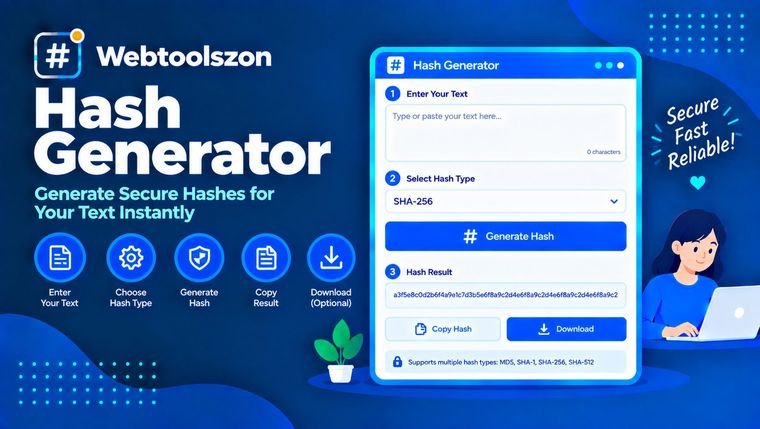
توضیحی ساده از MD5 و SHA، نحوهٔ تأیید یک فایل و کاربرد هشها.
تابع هش هر ورودی، چه یک کلمه و چه یک فایل کامل، را به یک اثر انگشت کوتاه با طول ثابت تبدیل میکند. همین ورودی همیشه همان هش را تولید میکند و حتی یک تغییر یککاراکتری هشی کاملاً متفاوت به همراه دارد.
این امر هشها را برای بررسی اینکه یک فایل بدون تغییر رسیده است، شناسایی فایلهای تکراری، ایجاد کلیدهای کش و مقایسه دادهها بدون اشتراکگذاری خودِ دادهها مفید میسازد.
یک فایل دانلودشده را هش کنید و آن را با چکسام ارائهشده توسط ناشر مقایسه کنید تا مطمئن شوید که خراب نشده است.
برای APIها، امضاها و فیکسچرها، چکسامهای سریع، کلیدهای کش یا مقادیر آزمایشی ایجاد کنید.
دو فایل با هش SHA-256 یکسان، از نظر عملی، یک فایل واحد هستند.
MD5 یک هش هگزادسیمال ۳۲ کاراکتری و SHA-1 یک هش ۴۰ کاراکتری ارائه میدهد. هر دو برای تشخیص تخریب تصادفی مناسب هستند، اما میتوان برخوردها را عمداً ایجاد کرد، بنابراین از آنها برای هیچ موضوع امنیتی استفاده نکنید. SHA-256 (۶۴ کاراکتر)، SHA-384 (۹۶) و SHA-512 (۱۲۸) به خانواده SHA-2 تعلق دارند و امروزه انتخابهای امنی هستند.
هَش رمزگذاری نیست: نمیتوان آن را معکوس کرد تا نسخهٔ اصلی را بازیابی کرد. همچنین برای ذخیرهسازی گذرواژهها کافی نیست. برای این کار از هَش گذرواژهٔ کند و دارای نمک مانند bcrypt، scrypt یا Argon2 استفاده کنید.
متن و فایلها در مرورگر شما با ابزارهای داخلی آن هش میشوند. هیچچیز بارگذاری، ذخیره یا ثبت نمیشود.
فایلهای بسیار بزرگ در حافظه خوانده میشوند، بنابراین ممکن است فایلی چند گیگابایتی روی تلفن یا کامپیوتر قدیمیتر با خطا مواجه شود. MD5 و SHA-1 برای سازگاری نمایش داده شدهاند و نباید برای امنیت استفاده شوند.
هَش اثرانگشتیای با طول ثابت است که از روی دادهها محاسبه میشود. یک ورودی یکسان همیشه همان هَش را تولید میکند و حتی تغییر اندکی در ورودی، هَش را بهطور کامل تغییر میدهد.
برای بیشتر موارد از SHA-256 استفاده کنید، از جمله بررسی دانلودها. MD5 و SHA-1 تنها برای تشخیص تغییرات تصادفی مناسب هستند، نه برای امنیت.
خیر. هَش یک تابع یکطرفه است. افراد میتوانند ورودی را حدس بزنند و هَشها را با هم مقایسه کنند، به همین دلیل هنوز هم میتوان گذرواژههای ضعیف را پیدا کرد.
روی «File» کلیک کنید، فایل دانلودشده را انتخاب کنید و هش SHA-256 را با هش موجود در صفحه ناشر مقایسه کنید. هش منتشرشده را در کادر مقایسه بچسبانید تا مطابقت یا عدم مطابقت را ببینید.
معمولاً ورودی تنها با یک فاصله، یک پایان خط یا کدگذاری متن متفاوت است. این ابزار متن را دقیقاً به صورت UTF-8 و بدون هیچگونه کوتاهسازی هش میکند.
خیر. MD5 سریع است و برخوردهای شناختهشدهای دارد. به جای هش ساده، گذرواژهها را با bcrypt، scrypt یا Argon2 ذخیره کنید.
MD5 دارای ۳۲ کاراکتر هگزادسیمال است، SHA-1 دارای ۴۰ کاراکتر، SHA-256 دارای ۶۴ کاراکتر، SHA-384 دارای ۹۶ کاراکتر و SHA-512 دارای ۱۲۸ کاراکتر است.
خیر. همه چیز در داخل مرورگر شما هش میشود و هیچ چیزی از دستگاه شما خارج نمیشود.
صفحهٔ اصلی دهها ابزار رایگان دیگر را ارائه میدهد که به کلید API نیاز ندارند.
تصاویر JPG، PNG و WebP را در مرورگر خود فشرده کنید.
ابزار را باز کنیداز یک تصویر یا متن، فایلهای PNG و ICO فاوآیکون بسازید.
ابزار را باز کنیددادههای CSV را به JSON تمیز تبدیل کنید.
ابزار را باز کنیداعداد اعشاری را به دودویی تبدیل کنید.
ابزار را باز کنیدسؤال مطابقی وجود ندارد.
نظرات خود را در مورد این ابزار با سایر بازدیدکنندگان به اشتراک بگذارید.