
इन्वेंटरी और संपत्ति लेबल
शेल्फ़, बॉक्स, उपकरण या लैपटॉप को Code 128 या Code 39 बारकोड से लेबल करें ताकि स्टॉक गिनती और चेक-आउट एक ही स्कैन में हो जाएँ।
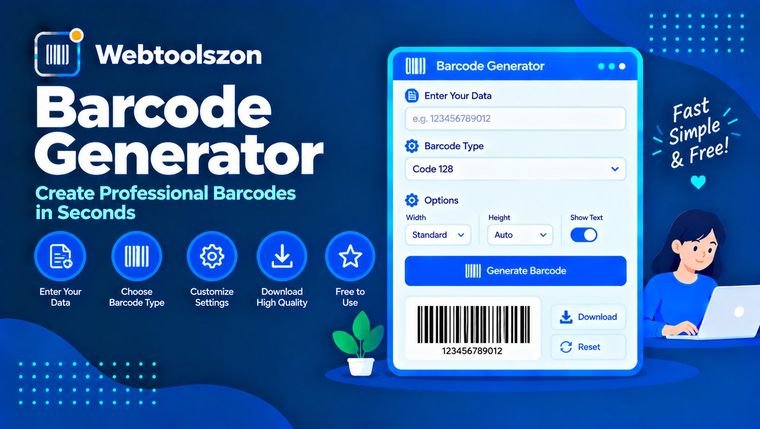
एक मान टाइप करें, बारकोड का प्रकार चुनें, और तुरंत स्कैन करने योग्य बारकोड प्राप्त करें। EAN और UPC चेक डिजिट्स आपके लिए स्वचालित रूप से गणना किए जाते हैं, और आप PNG डाउनलोड करने से पहले या एक तीक्ष्ण, स्केलेबल SVG डाउनलोड करने से पहले आकार, क्विट ज़ोन और रंग बदल सकते हैं। सब कुछ आपके ब्राउज़र में ही ड्रा किया जाता है, इसलिए आपके द्वारा दर्ज किए गए मान कभी भी आपके डिवाइस से बाहर नहीं जाते।
सही बारकोड प्रारूप चुनें, चेक डिजिट्स को समझें, और ऐसे प्रिंट कोड बनाएं जो पहली बार में ही स्कैन हों।
एक बारकोड डेटा के छोटे हिस्से को बार और रिक्तियों के पैटर्न में बदल देता है, जिसे स्कैनर एक सेकंड के अंश में पढ़ सकता है। स्कैनर प्रत्येक बार और रिक्ति की चौड़ाई मापता है, चौड़ाइयों को वापस अक्षरों में बदलता है, और इस टेक्स्ट को उस ऐप को भेजता है जो सुन रहा हो, जैसे कि कैश रजिस्टर, स्टॉक सिस्टम या पुस्तकालय डेस्क।
यह जनरेटर आपके ब्राउज़र में सीधे छह सामान्य रैखिक प्रारूपों को दिखाता है: कोड 128, कोड 39, EAN-13, UPC-A, EAN-8 और इंटरलीव्ड 2 ऑफ 5। एक प्रकार चुनें, अपना मान टाइप करें और बारकोड आपके टाइप करते ही अपडेट हो जाता है। आप इसे दस्तावेज़ों और लेबल के लिए PNG के रूप में डाउनलोड कर सकते हैं, या किसी भी आकार में स्पष्ट दिखने वाले SVG के रूप में। यदि आप काम करते समय संख्याएँ हाथ से परिवर्तित कर रहे हैं, तो बाइनरी से दशमलव कनवर्टर भी मदद कर सकता है।
बारकोड उन सभी जगहों पर दिखाई देते हैं जहाँ अन्यथा किसी व्यक्ति को कोड टाइप करना या आँखों से पढ़ना पड़ता।
शेल्फ़, बॉक्स, उपकरण या लैपटॉप को Code 128 या Code 39 बारकोड से लेबल करें ताकि स्टॉक गिनती और चेक-आउट एक ही स्कैन में हो जाएँ।
प्रिंट किए गए या स्क्रीन पर दिखने वाले पास पर ऑर्डर नंबर, सदस्य आईडी या वाउचर कोड डालें, जिसे कर्मचारी दरवाजे पर स्कैन कर सकते हैं।
पैकेजिंग डिज़ाइनों पर EAN या UPC बारकोड का मॉकअप बनाएं, कार्टन के लिए ITF कोड प्रिंट करें, या स्कैनर ऐप के लिए परीक्षण डेटा तैयार करें।
प्रत्येक प्रारूप के अपने अक्षर सेट और लंबाई के नियम होते हैं। यदि आप सुनिश्चित नहीं हैं, तो Code 128 का उपयोग करें: यह लगभग किसी भी पाठ को संभालता है और संक्षिप्त है।
| प्रकार | यह क्या एन्कोड करता है | आम लंबाई | सामान्य उपयोग |
|---|---|---|---|
| कोड 128 | प्रिंट करने योग्य ASCII: अक्षर, अंक, विराम चिह्न | कोई भी, छोटा सबसे अच्छा है | शिपिंग लेबल, इन्वेंटरी, आईडी |
| कोड 39 | 0-9, A-Z, रिक्त स्थान और - । $ / + % | कोई भी, लेकिन चौड़ा | उद्योग, रक्षा और ऑटोमोटिव लेबल |
| ईएएन-13 | केवल अंक | 12 अंक + जाँच अंक | विश्वभर में खुदरा उत्पाद |
| यूपीसी-ए | केवल अंक | 11 अंक + जाँच अंक | संयुक्त राज्य अमेरिका और कनाडा में खुदरा उत्पाद |
| ईएएन-8 | केवल अंक | 7 अंक + जाँच अंक | छोटे खुदरा पैकेज |
| आईटीएफ | केवल अंक, जोड़ों में | अंकों की सम संख्या | कार्टन और केस |
EAN या UPC संख्या का अंतिम अंक एक जाँच अंक होता है। इसे अन्य अंकों से इस प्रकार गणना किया जाता है कि स्कैनर किसी गलत पढ़ी या गलत टाइप की गई कोड को अस्वीकार कर सके। यह उपकरण आपके लिए इसे जोड़ता है, या यदि आप पूरा नंबर दर्ज करते हैं तो इसकी जाँच करता है।
कोड 128 एक अलग विधि का उपयोग करता है। इसका चेकसम प्रतीक मानों का भारित योग है, जिसे 103 से मोड्यूलो करके लिया जाता है, और इसे स्टॉप पैटर्न से पहले एक अतिरिक्त प्रतीक के रूप में एन्कोड किया जाता है। कोड 39 में एक वैकल्पिक मोड-43 चेक कैरेक्टर होता है, जिसे आप Size और colours के अंतर्गत चालू कर सकते हैं।
हर बारकोड को बारों के दोनों ओर खाली जगह की आवश्यकता होती है ताकि स्कैनर यह पहचान सके कि यह कहाँ से शुरू होता है। अधिकांश प्रकारों के लिए कम से कम 10 मॉड्यूल (सबसे पतले बार की चौड़ाई) रखें, और EAN व UPC के लिए 9 मॉड्यूल। इसे कभी भी क्रॉप न करें।
रिटेल EAN और UPC प्रतीकों को 100% आकार पर 0.33 मिमी मॉड्यूल के चारों ओर निर्दिष्ट किया जाता है और इन्हें 80% से 200% तक स्केल किया जा सकता है। 300 dpi पर, यह लगभग प्रति मॉड्यूल 4 पिक्सल होता है। इससे छोटे आकार पर सस्ते स्कैनर संघर्ष करने लगते हैं।
हल्के पृष्ठभूमि पर गहरे बार का उपयोग करें। सफेद पर काला सबसे अच्छा है। गहरे पृष्ठभूमि पर हल्के बार (उल्टे) और कम कंट्रास्ट वाले रंग संयोजन बारकोड के स्कैन न होने का सबसे आम कारण हैं।
पीएनजी दस्तावेज़ों और वेब पेजों के लिए ठीक है। एसवीजी एक वेक्टर फ़ाइल है: इसे बिना धुंधले किसी भी आकार में स्केल किया जा सकता है, जो प्रिंट शॉप्स और लेबल डिज़ाइनर्स चाहते हैं।
आपके मान को चयनित प्रकार के लिए मानक एन्कोडिंग तालिका का उपयोग करके बार और गैप की चौड़ाइयों की एक सूची में परिवर्तित किया जाता है। पेज उन चौड़ाइयों को आपके ब्राउज़र में एक SVG छवि के रूप में दिखाता है। उसी SVG को दोगुने आकार में कैनवास पर पेंट करके एक PNG उत्पन्न की जाती है।
सब कुछ आपके ब्राउज़र में ही उत्पन्न होता है। आप जो मान टाइप करते हैं वह कभी भी हमारे सर्वर पर नहीं भेजा जाता और कोई भी छवि अपलोड नहीं होती। केवल आपके आकार और रंग की पसंद आपके ब्राउज़र में याद रखी जाती हैं, ताकि अगली बार वे तैयार रहें; मान स्वयं सहेजा नहीं जाता।
केवल रैखिक (1D) बारकोड समर्थित हैं, QR कोड नहीं। कोड 128 केवल प्रिंट करने योग्य ASCII का समर्थन करता है, नियंत्रण वर्ण नहीं। यह उपकरण यह गारंटी नहीं दे सकता कि कोई स्कैनर किसी कोड को पढ़ेगा, इसलिए मुद्रित प्रतिलिपि का परीक्षण करें। यह उत्पाद संख्याएँ जारी या पंजीकृत नहीं करता।
कोड 128 सर्वश्रेष्ठ सामान्य-उद्देश्यीय विकल्प है क्योंकि यह किसी भी मुद्रणीय पाठ को एन्कोड करता है और संक्षिप्त रहता है। केवल उन खुदरा उत्पादों के लिए EAN-13 या UPC-A चुनें जिनके पास आधिकारिक संख्या हो, यदि कोई प्रणाली विशेष रूप से इसकी मांग करती हो तो Code 39 चुनें, और अंकों के कार्टन के लिए ITF चुनें।
हाँ। यह मुफ्त है, इसके लिए किसी खाते की आवश्यकता नहीं है और इसमें कोई वॉटरमार्क नहीं है। आप जो छवियाँ डाउनलोड करते हैं, वे आपके उपयोग के लिए हैं, उदाहरण के लिए लेबल, टिकट या पैकेजिंग मॉक-अप पर।
परीक्षण और मॉक-अप के लिए हाँ। दुकानों में बेचे जाने वाले उत्पादों के लिए नहीं। रिटेल नंबर GS1 सदस्य संगठनों के माध्यम से जारी किए जाते हैं, और कोई बनावटी नंबर पहले से ही किसी अन्य उत्पाद का हो सकता है।
EAN और UPC के लिए, दाईं ओर से क्रमशः 3, 1, 3, 1 के भार वाले अंकों को जोड़कर चेक डिजिट कुल योग को अगले 10 के गुणज तक पहुंचाती है। पूरी लंबाई से एक अंक कम दर्ज करें और टूल इसे आपके लिए जोड़ देगा, या सत्यापन के लिए पूरा नंबर दर्ज करें।
आपने अंकों की पूरी श्रृंखला दर्ज की है, लेकिन अंतिम अंक गणना किए गए चेक अंक से मेल नहीं खाता। संदेश दिखाता है कि वह अंक क्या होना चाहिए। यदि आपके पास केवल पहले अंक हैं, तो अंतिम अंक छोड़ दें और सही चेक अंक जोड़ दिया जाएगा।
आम कारण निम्नलिखित हैं: कम कंट्रास्ट, उलटे रंग, गायब शांत क्षेत्र, बहुत छोटा या धुंधला प्रिंटआउट, या छवि का फैलाव। सफेद पृष्ठभूमि पर गहरे बार का उपयोग करें, खाली मार्जिन बनाए रखें, बड़े आकार में प्रिंट करें और फिर से परीक्षण करें।
वर्ड दस्तावेज़ों, स्लाइड्स और वेब पेजों के लिए PNG का उपयोग करें। जब आपको बिना तीक्ष्णता खोए आकार बदलने की आवश्यकता हो, या जब कोई प्रिंटर या लेबल डिज़ाइनर वेक्टर फ़ाइल मांगे, तो SVG का उपयोग करें।
यह मानक Code 39 में नहीं है। यह उपकरण छोटे अक्षरों को बड़े अक्षरों में बदलता है और जब ऐसा करता है तो आपको बताता है। यदि आपको छोटे अक्षरों की आवश्यकता है, तो Code 128 का उपयोग करें।
नहीं। बारकोड पूरी तरह से आपके ब्राउज़र में ही उत्पन्न होता है और उसका मान कभी भी हमारे सर्वर पर नहीं भेजा जाता। केवल आपका आकार और रंग सेटिंग्स अगले बार के लिए आपके ब्राउज़र में सहेजी जाती हैं।
हाँ। पेज के पते में ?type=ean13&value=590123412345 जोड़ें। प्रकार code128, code39, ean13, upca, ean8 या itf हो सकता है।
होमपेज पर दर्जनों और मुफ्त टूल्स हैं जिन्हें API कुंजी की आवश्यकता नहीं होती।
टेक्स्ट को अपरकेस, कैमलकेस, टाइटलकेस, स्नेककेस और अन्य में परिवर्तित करें।
उपकरण खोलेंअतिरिक्त रिक्त स्थान हटाएँ और अव्यवस्थित पंक्ति रिक्ति को साफ़ करें।
उपकरण खोलेंदो पाठों की पंक्ति-दर-पंक्ति तुलना करें ताकि यह देखा जा सके कि क्या बदला है।
उपकरण खोलेंकिसी भी सूची या पाठ के खंड से दोहराई गई पंक्तियों को हटाएँ।
उपकरण खोलेंकोई मिलान वाला प्रश्न नहीं।
इस उपकरण पर अपने विचार अन्य आगंतुकों के साथ साझा करें।