
库存和资产标签
在货架、箱子、工具或笔记本电脑上贴上 Code 128 或 Code 39 条形码标签,这样盘点和结账只需扫描一次即可完成。
输入数值、选择条形码类型,即可立即生成可扫描的条形码。系统会自动为您计算 EAN 和 UPC 的校验位,您还可以在下载 PNG 或清晰可缩放的 SVG 文件之前,调整条形码的大小、静区和颜色。所有内容均在您的浏览器中生成,因此您输入的数值绝不会离开您的设备。
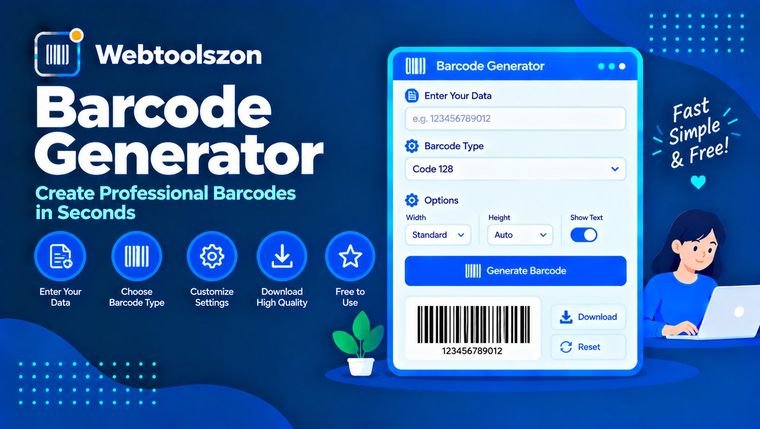
选择合适的条形码格式,了解校验位,并打印出一次即可成功扫描的条形码。
条形码将一段简短的数据转换为由条和空隙组成的图案,扫描仪能在瞬间读取这些图案。扫描仪会测量每条条和空隙的宽度,将宽度转换回字符,并将文本传递给正在接收数据的应用程序,例如收银机、库存系统或图书馆服务台。
该生成器可在您的浏览器中直接生成六种常见的线性条形码格式:Code 128、Code 39、EAN-13、UPC-A、EAN-8 和 Interleaved 2 of 5。选择一种格式,输入数值,条形码会实时更新。 您可以将其下载为 PNG 格式用于文档和标签,或下载为 SVG 格式,该格式在任何尺寸下都能保持清晰。如果您在操作过程中需要手动转换数字,二进制转十进制转换器或许也能帮上忙。
凡是人们原本需要手动输入或肉眼识别代码的地方,都会出现条形码。
在货架、箱子、工具或笔记本电脑上贴上 Code 128 或 Code 39 条形码标签,这样盘点和结账只需扫描一次即可完成。
在打印版或屏幕显示的通行证上标注订单号、会员ID或优惠券代码,以便工作人员在入口处进行扫描。
在包装设计中模拟EAN或UPC条形码,为纸箱打印ITF条形码,或为扫描应用生成测试数据。
每种格式都有其特定的字符集和长度规则。如果不确定,请使用 Code 128:它几乎可以处理任何文本,且占用空间小。
| 类型 | 它编码了什么 | 典型长度 | 常见用途 |
|---|---|---|---|
| Code 128 | 可打印的ASCII字符:字母、数字、标点符号 | 总之,简短为佳 | 运单、库存、ID |
| Code 39 | 0-9、A-Z、空格、-、.、$、/、+、% | 任意,但要宽 | 工业、国防和汽车标签 |
| EAN-13 | 仅限数字 | 12位数字 + 校验位 | 全球零售产品 |
| UPC-A | 仅限数字 | 11位数字 + 校验位 | 美国和加拿大的零售产品 |
| EAN-8 | 仅限数字 | 7位数字 + 校验位 | 小型零售包装 |
| ITF | 仅数字,成对出现 | 位数为偶数 | 纸箱和包装箱 |
EAN 或 UPC 编号的最后一位是校验位。它是根据其余各位数字计算得出的,以便扫描仪能够筛除被误读或输入错误的条码。本工具可为您自动添加该校验位,或者在您输入完整编号后对其进行验证。
Code 128 采用了一种不同的方法。其校验和是符号值的加权和(取模 103),并作为停止模式前的额外符号进行编码。Code 39 有一个可选的模 43 校验字符,您可以在“大小和颜色”选项下启用该功能。
每个条形码在条纹两侧都需要留出空白区域,以便扫描仪识别其起始位置。对于大多数类型的条形码,请保留至少 10 个模块(即最细条纹的宽度)的空白区域;对于 EAN 和 UPC 条形码,则保留 9 个模块。切勿裁剪掉这些空白区域。
零售用 EAN 和 UPC 条形码在 100% 尺寸下以 0.33 毫米为一个模块,其缩放比例可在 80% 至 200% 之间。在 300 dpi 分辨率下,每个模块约占 4 个像素。若小于此值,廉价扫描仪便难以准确识别。
请在浅色背景上使用深色条码。白色背景配黑色条码效果最佳。深色背景上的浅色条码(反色)以及低对比度的颜色组合,是条码无法扫描的最常见原因。
对于文档和网页而言,PNG 格式完全没问题。SVG 是一种矢量文件:它可以无损缩放至任意大小,这正是印刷厂和标签设计师所需要的。
系统会使用所选类型的标准编码表,将您的数值转换为一组柱形和缺口宽度的列表。页面会在您的浏览器中将这些宽度渲染为 SVG 图像。通过将同一 SVG 图像以两倍大小绘制到画布上,即可生成一张 PNG 图片。
所有内容均在您的浏览器中生成。您输入的数值绝不会发送至我们的服务器,也不会上传任何图片。只有您选择的尺码和颜色会被保存在浏览器中,以便下次使用;数值本身不会被保存。
仅支持线性(1D)条形码,不支持二维码。Code 128 仅支持可打印的 ASCII 字符,不支持控制字符。本工具无法保证特定扫描仪能够读取条形码,因此请先测试打印件。本工具不发放也不注册产品编号。
Code 128 是最佳的通用选择,因为它能编码任何可打印的文本,且条码结构紧凑。仅当零售产品拥有官方编号时才选择 EAN-13 或 UPC-A;如果系统有特定要求,则选择 Code 39;而对于由数字组成的条码,则应选择 ITF。
是的。该服务免费,无需注册账号,且无水印。您下载的图片可自由使用,例如用于标签、票据或包装效果图。
用于测试和样品制作,可以。但用于在商店销售的产品,则不行。零售编码由GS1成员组织发放,而自创的编码可能已被其他产品占用。
对于 EAN 和 UPC 条码,从右向左依次按 3、1、3、1 的权重对各位数字进行加总,然后将校验位调整为使总和达到下一个 10 的倍数。输入比完整长度少一位的数字,工具会自动为您补足;或者输入完整数字以进行验证。
您输入的数字长度与实际长度不符,且最后一位数字与计算出的校验位不一致。提示信息中显示了应为该校验位。如果您只输入了前几位数字,请省略最后一位,系统会自动补上正确的校验位。
常见原因包括对比度过低、颜色反转、缺少静区、打印件过小或模糊,以及图像被拉伸。请使用白色背景上的深色条纹,保留空白边距,以较大尺寸打印,然后再次测试。
对于 Word 文档、幻灯片和网页,请使用 PNG 格式。当需要调整大小而不失真时,或者打印机或标签设计师要求提供矢量文件时,请使用 SVG 格式。
标准Code 39不支持此功能。该工具会将小写字母转换为大写,并在转换时提示用户。如果需要小写字母,请使用Code 128。
不。条形码完全在您的浏览器中生成,其值绝不会发送至我们的服务器。只有您的尺码和颜色设置会保存在浏览器中,以便下次使用。
是的。请在页面地址后添加 ?type=ean13&value=590123412345。type 可以是 code128、code39、ean13、upca、ean8 或 itf。
该主页还提供了数十种无需 API 密钥即可使用的免费工具。
没有匹配的问题。
请与其他访客分享您对这款工具的看法。