फाभिकन जेनेरेटर
Upload any image to instantly generate a multi-size favicon.ico plus PNG icons for Apple touch and Android/PWA.
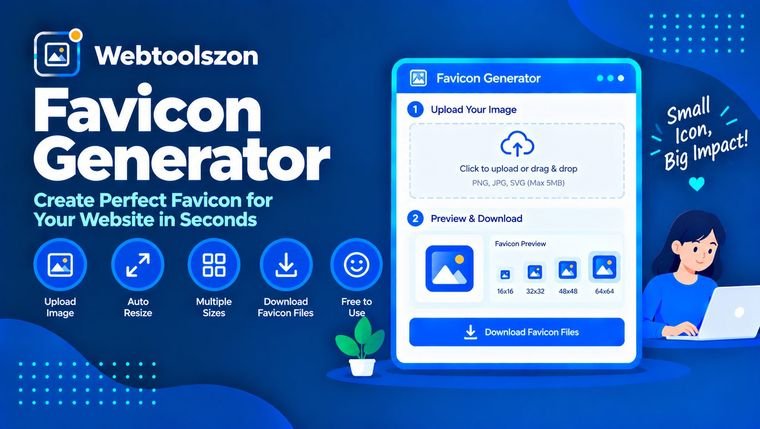
तपाईंको छवि
Drag & drop an image here
or browse your files — PNG, JPG, or WEBP
Icon sizes
Pick which sizes to generate — favicon.ico always includes 16/32/48px.
समीक्षाहरू
Everything you need to know about Favicon Generator
Which sizes you actually need, how the .ico format works, and how to add the icons to your site.
- Upload a square image and get a favicon.ico plus Apple/Android PNGs instantly.
- Everything runs locally in your browser — your image is never uploaded.
- Start with a square image at least 512×512px for the sharpest results at every size.
How to use Favicon Generator
- Drag and drop or choose an image file — ideally a square image at least 512×512 pixels.
- Select which icon sizes you need: the favicon.ico plus Apple touch and Android/PWA PNGs.
- Download favicon.ico directly, or grab all selected PNG sizes together as a ZIP file.
Why generate a favicon
A favicon is the small icon browsers show in tabs, bookmarks, and history — and the same underlying image now powers home-screen icons on phones and app-like PWA installs. Getting all the required sizes right by hand means exporting the same image over and over at different pixel dimensions, then packaging some of them into a single .ico file.
This tool does that in one pass: upload an image once, and it generates every common size, plus a properly packaged favicon.ico, right in your browser.
Which sizes you actually need
| Size | Used for | किन जाँच गर्नु लायक छ |
|---|---|---|
| 16/32/48px (.ico) Essential | Browser tabs, bookmarks, desktop shortcuts | The classic favicon — every browser expects this. |
| 180×180px | iOS "Add to Home Screen" | Apple devices look for this specific size and file name. |
| 192×192 & 512×512px | Android home screen, PWA install prompts | Required by most web app manifests for a crisp install icon. |
Favicon Generator without uploading your file
Your image is read directly by JavaScript in your browser using the Canvas API — resized, redrawn, and packaged into the .ico and .zip files entirely on your device. It's never transmitted to a server, logged, or stored.
Because nothing is uploaded, there's no server-side file-size cap; the only practical limit is how large an image your browser can comfortably load into memory.
Your image never leaves your device. Resizing and packaging happen entirely client-side, with nothing logged or stored.
Need to resize the source image first? The Image Resizer tool can help you prep it beforehand.
.ico vs. PNG — which do you actually need?
| ढाँचा | का लागि उत्तम | सन्तुलन |
|---|---|---|
| favicon.ico Always include this | Browser tabs and bookmarks | Bundles multiple sizes in one file, but isn't used for home-screen icons. |
| PNG icons (180/192/512px) | Home screen & PWA install icons | Needed separately for Apple/Android — a .ico alone isn't enough for these. |
Most sites need both: the .ico for the browser tab, and the PNG set referenced in your HTML `<link>` tags and web app manifest for home-screen icons.
What people use Favicon Generator for
- New websitesSetting up a complete favicon and touch-icon set from a logo.
- RebrandsSwapping out an old favicon everywhere it's referenced.
- PWAs & web appsGenerating the icon sizes a web app manifest requires.
- Static site generatorsProducing icon assets to drop straight into a project's public folder.
- Client workQuickly delivering a full icon set without design software.
यो उपकरणले कसरी काम गर्छ
Your image is resized on an HTML canvas at each selected resolution, then packaged into a standards-compliant .ico container (with embedded PNG frames) and, optionally, a .zip of individual PNGs — all generated live in your browser via JavaScript, with nothing uploaded, stored, or logged.
Last updated: September 14, 2026.
के यो मार्गदर्शिका उपयोगी थियो?
बक्समा थप उपकरणहरू
होमपेजमा चौधवटा थप निःशुल्क, API-कुञ्जी-रहित उपकरणहरू उपलब्ध छन्।
शब्द गणक
शब्द, अक्षर, वाक्य र अनुच्छेदको प्रत्यक्ष गणना।
छवि आकार परिवर्तनकर्ता
JPG, PNG र WEBP छविहरूलाई पिक्सेल वा प्रतिशत अनुसार आकार परिवर्तन गर्नुहोस्।
छविबाट PDF
छविहरूलाई एउटै डाउनलोड गर्न मिल्ने PDF मा संयोजन गर्नुहोस्।
जेसन फर्म्याटर
त्रुटि संकेतहरूसहित JSON लाई सुन्दर बनाउनुहोस्, सानो बनाउनुहोस् र मान्य गर्नुहोस्।
पासवर्ड जेनेरेटर
कस्टम नियमहरू सहितका बलियो यादृच्छिक पासवर्डहरू।