
Nya webbplatser
Skapa en enkel bokstav eller en emoji-ikon på en minut medan den riktiga logotypen fortfarande håller på att utformas.
Skriv in en eller två bokstäver eller en emoji, eller ladda upp din logotyp, så får du en färdig uppsättning favicon-filer: favicon.ico, 16×16, 32×32, 48×48, Apples touch-ikon på 180×180 samt appikonerna på 192×192 och 512×512. Kopiera HTML-koden så är du klar. Bilderna bearbetas i din webbläsare.
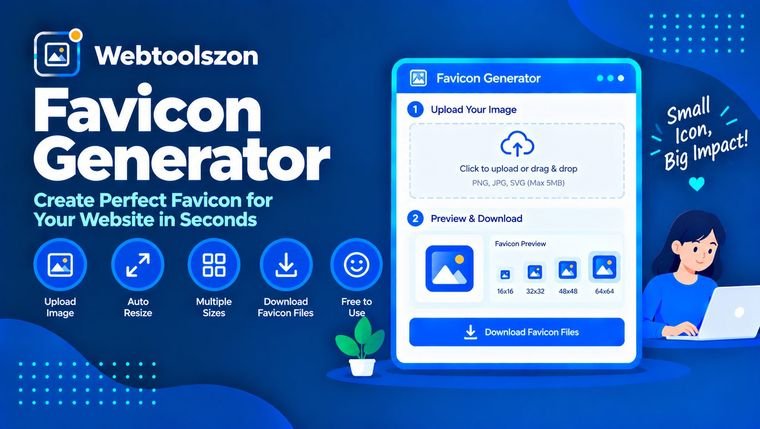
Vilka favicon-filer en webbplats behöver och hur man lägger till dem.
En favicon är den lilla ikonen som visas i webbläsarflikar, bokmärken och sökresultat bredvid webbplatsens namn. En bra favicon gör det lättare att hitta din flik bland många andra.
Den här generatorn ritar din ikon på en arbetsyta i alla storlekar du behöver och låter dig ladda ner varje fil, inklusive en favicon.ico-fil med flera storlekar, tillsammans med länktaggarna som du kan lägga till på din sida.
Skapa en enkel bokstav eller en emoji-ikon på en minut medan den riktiga logotypen fortfarande håller på att utformas.
Beskär en logotyp till en kvadrat och exportera alla storlekar som webbläsare och mobiltelefoner kräver.
Hämta de PNG-ikoner på 192 och 512 pixlar som krävs enligt manifestet för en webbapp, samt Apples touch-ikon.
favicon.ico är den klassiska filen i rotkatalogen på din webbplats. Det här verktyget sammanför versioner på 16, 32 och 48 pixlar i en enda ICO-fil. PNG-filerna i storlekarna 16×16 och 32×32 passar moderna webbläsare, och 32×32 ser skarpare ut på skärmar med hög upplösning. Filen apple-touch-icon.png i storleken 180×180 används när någon lägger till din webbplats på startskärmen på en iPhone eller iPad.
PNG-filerna i storlekarna 192×192 och 512×512 är de storlekar som Android och installerbara webbappar använder; ange dem i din webbapps manifest. Sökmotorer kan också visa en favikon i sökresultaten, och Google kräver en kvadratisk ikon vars storlek är en multipel av 48 pixlar, vilket filerna på 48 och 192 täcker.
Din bild ritas och anpassas i din webbläsare. Ingenting laddas upp, och filerna skapas på din enhet när du laddar ner dem.
ICO-filen innehåller endast bilder med 16, 32 och 48 pixlar. Bilderna beskärs till en centrerad kvadrat, så beskär din logotyp först om du behöver en annan del av den. Webbläsare lagrar ibland gamla favikoner i cacheminnet under lång tid, så det kan ta ett tag innan en ny ikon visas.
En favicon är den lilla ikonen som visas i webbläsarflikar, bokmärken och ibland i sökresultat, bredvid webbplatsens namn.
En favicon.ico (16, 32 och 48 pixlar), en PNG-bild på 32×32, en Apple Touch-ikon på 180×180 samt PNG-bilder på 192×192 och 512×512 om din webbplats kan installeras som en app. Det här verktyget skapar alla dessa filer.
Ladda upp filerna till din webbplats, vanligtvis till rotmappen, och klistra in de genererade länktaggarna i head-delen av din HTML-kod. Ändra sökvägarna om dina filer finns någon annanstans.
Ja. Välj ”Text” och skriv in en emoji eller ett eller två tecken. Välj en bakgrundsfärg och en form, så ritas ikonen åt dig.
En kvadratisk bild på minst 512×512 pixlar fungerar bäst, i formatet PNG, JPG eller WebP. Andra former beskärs till en centrerad kvadrat.
Ja. Avmarkera ”Fyll bakgrunden” så behåller en PNG-fil med transparens sin transparens. När det gäller text ritas bokstäverna på en transparent ikon.
Webbläsare lagrar favikoner i cachen i stor utsträckning. Prova att göra en hård uppdatering, rensa cachen eller öppna webbplatsen i ett privat fönster för att se den nya ikonen.
Nej. Ikonen skapas i din webbläsare och filerna genereras på din enhet.
På hemsidan finns ytterligare dussintals kostnadsfria verktyg som inte kräver någon API-nyckel.
Skapa UUID:er av typen v4, v7 och v5 i stor skala.
Öppna verktygetOmvandla CSV-data till ren JSON.
Öppna verktygetBeräkna försäljningspriser och rabattprocent.
Öppna verktygetMät antalet ord per minut och din noggrannhet.
Öppna verktygetIngen överensstämmande fråga.
Dela dina tankar om det här verktyget med andra besökare.