
Editing and style
Spot words you repeat too often, such as "very", "really" or "actually", and replace them with stronger choices.
Paste your text and get a ranked list of its words with counts and percentages. Switch to two-word or three-word phrases, skip common words, filter by length or count, and export the list as CSV. Your text never leaves your browser.
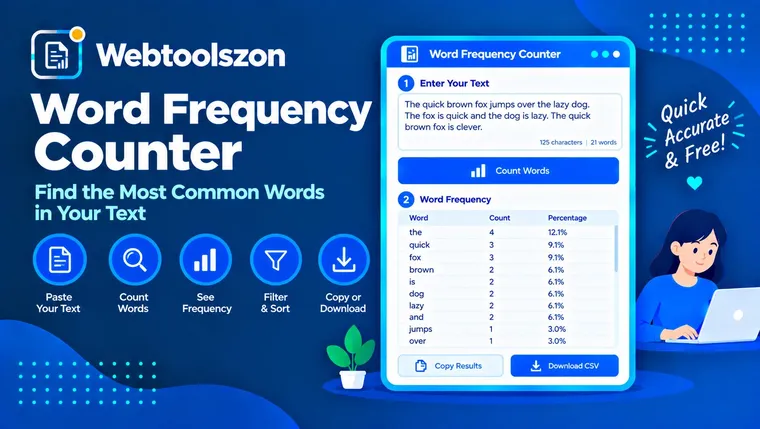
Learn how to find overused words and key terms in any text.
It counts how many times each word appears in a text and lists them from most to least common. You can also count two-word and three-word phrases, skip very common words, and set a minimum count.
Writers use it to catch overused words, students use it to study a text, and SEO writers use it to check which terms and phrases dominate a page. For simple totals of words and characters, use the Word Counter, and to see how long a text takes to read aloud, try the Reading Time Calculator.
Spot words you repeat too often, such as "very", "really" or "actually", and replace them with stronger choices.
See which words and phrases a page repeats, and compare your copy with a competitor or a topic brief.
Find the key terms of an essay, speech, survey answers or reviews, and compare vocabulary between two texts.
A word is a run of letters and numbers. Apostrophes and hyphens inside a word stay, so "don't" and "well-known" each count as one word, and "Don’t" with a curly apostrophe matches "don't".
Single words show individual terms. Two-word and three-word phrases show repeated expressions such as "lazy dog".
On, "The" and "the" count together. Off, they are separate entries.
Hides 78 filler words such as "the", "and" and "of" so the meaningful words rise to the top.
Filter out very short words, or show only words that appear at least a set number of times.
The Load sample text has 38 words. Here is what each setting does to it:
That second line explains a common surprise: the Share column divides by the words left after your filters, not by every word you pasted. The word total above the table still counts everything.
Your text is analysed in your browser. Nothing is sent to our server or stored. Only your option choices are remembered on your device.
Languages written without spaces, such as Chinese or Japanese, are not counted correctly. The common-word list is English only, and forms of a word like "run" and "running" are counted separately. Phrases can run across a full stop into the next sentence, and a decimal like 3.14 counts as two numbers, 3 and 14. The table shows at most 500 rows.
Paste your text into the box. The table lists every word with how many times it appears and its share of the text, from most to least common.
Yes. Change Count to two-word or three-word phrases to see repeated expressions, such as "lazy dog" or "the fox".
Tick Skip common words. The tool then ignores a built-in list of 78 very common English words so the meaningful terms rise to the top.
Not by default. "The" and "the" are counted together. Untick Ignore upper and lower case if you want them counted separately.
Yes. Press Copy as CSV to paste the table into a spreadsheet, or Download .csv to save it. The file has the columns rank, word, count and percent, but only for the rows listed, so set Show to All first for the full list.
Words are runs of letters and numbers. Apostrophes and hyphens inside a word are kept, so "don't" and "well-known" each count as one word. A decimal like 3.14 is split into 3 and 14.
It is each word's count divided by the words left after your filters. In the sample text, "fox" shows 13.2% with every word counted and 22.7% once Skip common words removes 16 of the 38.
Common and short words are removed before phrases are built, so words on either side of a removed word become neighbours. Phrases can also span the end of a sentence. Turn Skip common words off to get phrases as written.
It works for languages that put spaces between words, though the common-word list is English only. It is not accurate for Chinese, Japanese or Thai text.
No. Your text is analysed in your browser and never leaves your device. Only your option choices are remembered for next time.
The homepage features dozens more free tools that don't require an API key.
No matching question.
Share your thoughts on this tool with other visitors.