
Writing and editing
Fix headings typed in capitals, normalize article titles, or tidy a pasted document that used inconsistent capitalization.
Paste your text and pick a style: UPPERCASE, lowercase, Sentence case, a proper headline Title Case, or programming styles like camelCase, snake_case and kebab-case. The result updates instantly, keeps your line breaks, and can be copied or downloaded. Your text never leaves your browser.
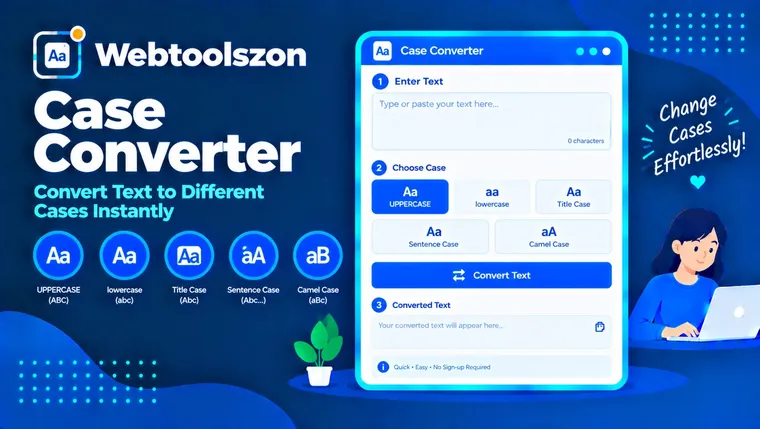
Choose a style to convert your text.
Learn what each case style is for, how Title Case decides, and how code styles split words.
A case converter changes the capital and small letters in your text. It saves you from retyping a heading that was typed in capitals, or turning a title into a variable name by hand.
This one has seven text styles, including UPPERCASE, lowercase, Sentence case and a proper Title Case, plus seven programming styles such as camelCase, snake_case and kebab-case. The result updates as you type, keeps your line breaks, and shows live counts of characters, words, lines and sentences. To clean up spacing afterwards, try the Whitespace Remover.
Fix headings typed in capitals, normalize article titles, or tidy a pasted document that used inconsistent capitalization.
Turn labels into variable names, database columns, file names, URL slugs and constants without retyping them.
Make short punchy text in capitals, or playful aLtErNaTiNg text for captions, memes and messages.
| Style | Example result | Typical use |
|---|---|---|
| UPPERCASE | HELLO WORLD | Emphasis, acronyms, labels |
| lowercase | hello world | Normalizing text, emails, tags |
| Sentence case | Hello world. This is new. | Normal writing, UI text |
| Title Case | The Quick Brown Fox Jumps Over the Lazy Dog | Headlines, article and book titles |
| camelCase | helloWorld | JavaScript, Kotlin and Java variables |
| PascalCase | HelloWorld | Class and component names |
| snake_case | hello_world | Python, Ruby, database columns |
| kebab-case | hello-world | URL slugs, CSS classes, file names |
| CONSTANT_CASE | HELLO_WORLD | Constants and environment variables |
The first and last word, nouns, verbs, adjectives, adverbs and longer words such as “Over”, “With” and “From”. Each part of a hyphenated word too, as in Well-Known.
Short articles, conjunctions and prepositions: a, an, the, and, but, or, for, nor, so, yet, as, at, by, in, of, on, per, to, up, via and vs.
The first word after a colon, question mark, exclamation mark, full stop or dash starts a new phrase, so it is capitalized.
AP, Chicago, APA and MLA each have slightly different rules. This tool follows a common headline style, so check against your own guide if you publish formally.
Programming styles first break your text into words, then join them in the new style. Spaces, hyphens, underscores and punctuation all count as breaks, and so does a change from a small letter to a capital. Runs of capitals are treated as one word until the next capitalized word begins, so XMLHttpRequest becomes xml_http_request.
Your text is converted in your browser. It is never sent to our server or stored. Only your selected style and options are remembered on your device.
Sentence and Title Case rules are designed for English. They cannot recognize proper nouns, and some languages, such as Turkish with its dotted and dotless i, follow different capitalization rules.
Paste your text in the box and choose UPPERCASE or lowercase. The result appears immediately in the second box, ready to copy.
Capitalize Each Word makes the first letter of every word a capital. Title Case follows headline style: small words such as a, the, and, of and to stay lowercase unless they are first or last, and a word after a colon is capitalized.
Sentence case capitalizes only the first letter of each sentence, and leaves the rest lowercase, just like normal writing. The tool also capitalizes the word “i” if that option is on.
They are naming styles for code. camelCase joins words with each word after the first capitalized, PascalCase capitalizes every word, snake_case joins lowercase words with underscores, and kebab-case joins them with hyphens. CONSTANT_CASE is snake_case in capitals.
The programming styles split the existing text into words, including at capital letters, so myHTTPServer becomes my_http_server. To get plain words with spaces, convert to lowercase after replacing the separators with spaces.
Yes. Letters such as é, ü, ñ and Cyrillic or Greek letters are converted correctly. Title Case and the small-word rules are written for English, so other languages may need a manual check.
Yes. Text styles keep every line break. The programming styles convert each line to its own name by default, and you can untick the line option to turn the whole text into a single name.
Words that already mix capital and small letters, such as iPhone, NASA or McDonald, are kept as typed, so brand names are not broken. You can switch this off. If your whole text is in capitals, every word is converted normally.
There is no fixed limit. Conversion happens in your browser, so very large texts of millions of characters may feel slow on older phones.
No. Your text never leaves your browser and is not stored. Only your chosen style and options are remembered for next time.
The homepage features dozens more free tools that don't require an API key.
Compare two texts line by line to see what has changed.
Open toolEstimate the reading time of an article at any reading speed.
Open toolCreate Code 128, Code 39, EAN, UPC and ITF barcodes as PNG or SVG.
Open toolConvert binary to decimal, hex and octal, with the steps shown.
Open toolNo matching question.
Share your thoughts on this tool with other visitors.