
Compare loan offers
Change the rate or the term and see the monthly payment and the total interest side by side before you sign.
Enter the loan amount, the yearly interest rate and the term to see what you will pay each month and in total. Add an extra monthly payment to see how much sooner you could be debt free, then scroll to the full repayment schedule. Everything is calculated in your browser.
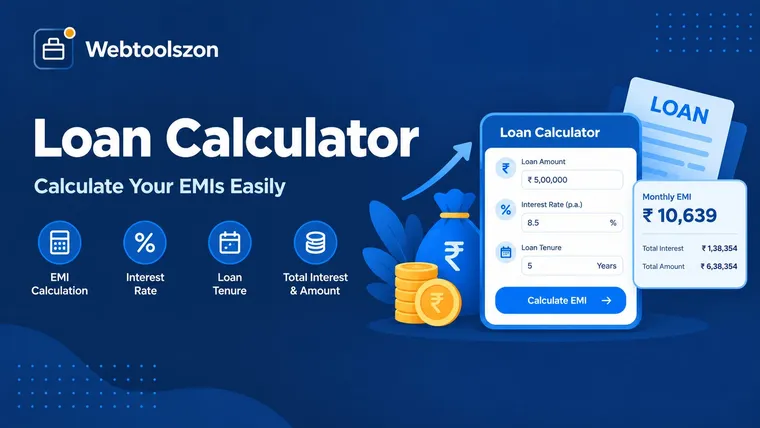
How a loan payment is worked out and how to read the schedule.
A loan calculator works out how much you pay each month on a loan and how much of what you pay is interest. It helps you see the real cost of borrowing before you agree to anything.
This one is built for fixed-rate loans with equal monthly payments. It shows your payment, the total interest, the date of your last payment and a full repayment schedule, and it lets you test what an extra monthly payment would save.
Change the rate or the term and see the monthly payment and the total interest side by side before you sign.
Check whether a car, a home or a course fits your monthly budget without surprises.
Add an extra monthly payment and see how many months and how much interest you could save.
For a fixed-rate loan with equal monthly payments, the payment is M = P × r ÷ (1 − (1 + r)−n). Here P is the loan amount, r is the monthly rate (the yearly rate divided by 12) and n is the number of monthly payments. With a 0% rate the payment is simply P ÷ n.
For example, a 10,000 loan at 12% a year over 3 years has r = 1% and n = 36, which gives a payment of about 332.14 a month and roughly 1,957 in total interest.
Each payment first covers the interest on the balance you still owe, and whatever is left reduces the principal. That is why early payments are mostly interest and later ones are mostly principal, and why an extra payment made early saves the most. The schedule at the bottom of the tool shows this month by month or year by year.
All calculations run in your browser on this page. The amounts you enter are not uploaded, stored or logged, and the CSV file is created on your device.
This calculator covers fixed-rate loans with monthly payments. Variable rates, interest-only periods, balloon payments, fees, insurance, taxes and lender-specific day counting are not included, so your lender's figures may differ slightly. The results are an estimate and not financial advice.
The payment comes from the standard amortization formula: the loan amount times the monthly rate, divided by one minus the monthly rate plus one raised to the power of minus the number of payments. With a 0% rate it is simply the loan amount divided by the number of payments.
It is a table of every payment showing how much goes to interest, how much reduces the loan balance and what you still owe afterwards. Early payments are mostly interest and later ones are mostly principal.
Yes. An extra payment goes straight to the loan balance, so you owe less interest every month after it and you finish sooner. Check that your lender does not charge a penalty for paying early.
Not exactly. The interest rate is the cost of borrowing the money, while APR also includes certain fees. This calculator uses the interest rate, so if you enter an APR the result is a close estimate rather than an exact figure.
Yes, for any fixed-rate loan with equal monthly payments. It does not cover variable rates, interest-only periods or balloon payments, and a mortgage payment may also include taxes and insurance that are not counted here.
Lenders may round differently, count days instead of whole months, charge fees, or include insurance and taxes in the payment. The date of the first payment can also change the interest in the first period.
The payment is the loan amount divided by the number of months, and the total interest is zero.
No. The calculation runs in your browser, and the amounts you enter never leave your device.
The homepage features dozens more free tools that don't require an API key.
No matching question.
Share your thoughts on this tool with other visitors.