
Typing Speed Test
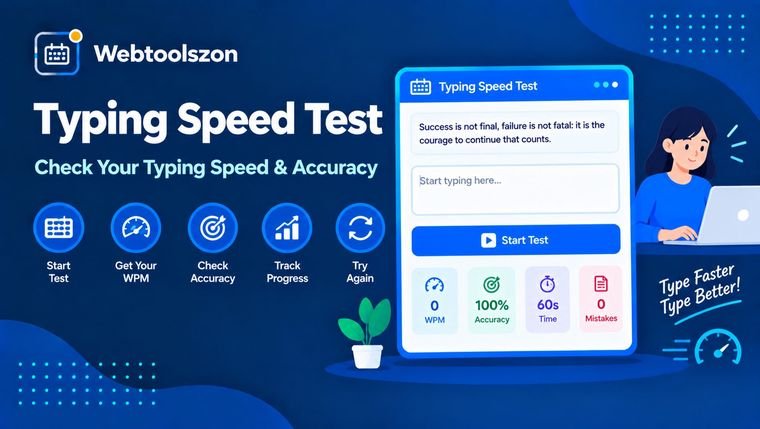
Pick a short, medium, or long prompt and type it as quickly and accurately as you can — mistakes are highlighted as you go, and your words-per-minute, accuracy, and error count update live.
Type this
Your results
Start typing in the box to begin. Results appear when you finish the prompt.
Reviews
How to take the typing speed test
- Pick a prompt length — Short, Medium, or Long — depending on whether you want a quick check or a longer typing test.
- Click into the typing box and start typing the prompt shown above it — the timer starts on your first keystroke, and each character is marked correct or wrong as you go.
- Type the entire prompt exactly as shown; the test finishes automatically once you reach the end.
- Check your words-per-minute, accuracy, and error count, then click "Try again" for a new prompt at the same length or a different one.
How WPM and accuracy are calculated
Words per minute is calculated using the standard convention of treating every 5 correctly typed characters as one "word," divided by how many minutes the test took — so typing 250 correct characters in exactly one minute works out to 50 WPM. Accuracy is simply the percentage of characters you typed that matched the prompt at the same position.
Typical typing speed benchmarks
| Skill level | Typical WPM |
|---|---|
| Beginner | 20–30 WPM |
| Average typist | 35–45 WPM |
| Most data entry job requirements | 40 WPM and up |
| Proficient / office worker | 50–70 WPM |
| Professional / transcriptionist | 80–100+ WPM |
Short, medium, or long: which prompt length should you pick?
The Short prompts finish in a matter of seconds and work well as a quick warm-up or a fast typing test for beginners still learning where the keys are. Medium is the default and gives a more representative WPM reading without asking for much time. Long prompts run closer to a full paragraph, which is a better test of stamina and consistency — useful if you're preparing for a job that lists a specific typing speed requirement, since a longer sample smooths out the small bursts of speed at the very start of a test.
Common reasons people take a typing speed test
Students and typing test beginners use it to track early progress as they learn the keyboard layout. Job seekers use it to check whether they meet the WPM requirement often listed for data entry, transcription, and administrative roles before an application or timed pre-employment test. Remote workers and anyone who spends the day in chat, email, or documents use it simply to see whether their day-to-day typing has gotten faster over time, and touch typing learners use the live mistake-highlighting to spot exactly which letters or key combinations keep tripping them up.
How to type faster without losing accuracy
- Learn touch typing first. Keeping your fingers on the home row (ASDF / JKL;) and typing without looking down removes the biggest source of lost time — searching for the next key.
- Slow down on new material. Speed on a familiar sentence doesn't transfer to speed on unfamiliar text; accuracy comes first, and speed follows with repetition.
- Don't fix every mistake mid-sentence. Stopping to backspace a single wrong letter costs more time than finishing the word and moving on, especially in a timed typing test.
- Practice in short, regular sessions. A few minutes a day builds muscle memory faster than one long session once a week.
FAQ
Is this typing speed test really free, with no sign-up?+
Yes. The tool runs entirely with JavaScript in your browser — there's no account, no API key, and no limit on how often you can use it.
How is WPM calculated?+
Words per minute is calculated as the number of correctly typed characters divided by 5 (the standard average word length), divided by the elapsed time in minutes.
How is accuracy calculated?+
Accuracy is the percentage of typed characters that exactly match the prompt at the same position, out of the total characters you typed.
What is a good typing speed?+
Average typists reach roughly 40 WPM, proficient typists reach 60-70 WPM, and professional typists or transcriptionists often exceed 80-100 WPM.
Can I retry with a new prompt?+
Yes, click "Try again" after finishing to load a new random prompt and reset the timer.
What's the difference between the Short, Medium, and Long prompts?+
They're the same test at different lengths. Short is a quick check, Medium is the standard default, and Long is closer to a full paragraph — useful for a more stable WPM reading or for practicing typing stamina.
What WPM do data entry and typing jobs usually require?+
Most listings ask for around 40 WPM as a baseline, with some data entry, transcription, or administrative roles asking for more depending on the position.
Is this a good typing test for beginners or kids learning to type?+
Yes. Start with a Short prompt, and use the live highlighting to see exactly which letters are typed incorrectly — that immediate feedback is one of the most useful parts of learning to type.
Does this test touch typing specifically?+
It measures overall typing speed and accuracy regardless of technique. It doesn't check hand position or finger placement, but consistently fast, accurate results are a good sign that touch typing habits are paying off.
Tools for Practice and Writing
How This Test Works
Keystrokes are timed and compared to the prompt live with JavaScript as you type, with WPM calculated from correctly typed characters over elapsed time — nothing you type is uploaded to a server or stored anywhere.
Last updated: August 28, 2026.
More tools in the box
Nine more free, no-API-key tools live on the homepage.
GPA Calculator
Calculate a weighted GPA from courses, credits and grades.
Tip Calculator
Calculate the tip on a bill and split it between diners.
Text Reverser
Flip text backward, reverse word order, or reverse each word.
Duplicate Line Remover
Strip out repeated lines from any list or block of text.
Whitespace Remover
Collapse extra spaces and clean up messy line spacing.