
Word games and puzzles
Mirror-writing puzzles, palindrome checks, and word games often need text flipped backwards on demand. Paste it in and get the reversed version instantly instead of working it out by hand.
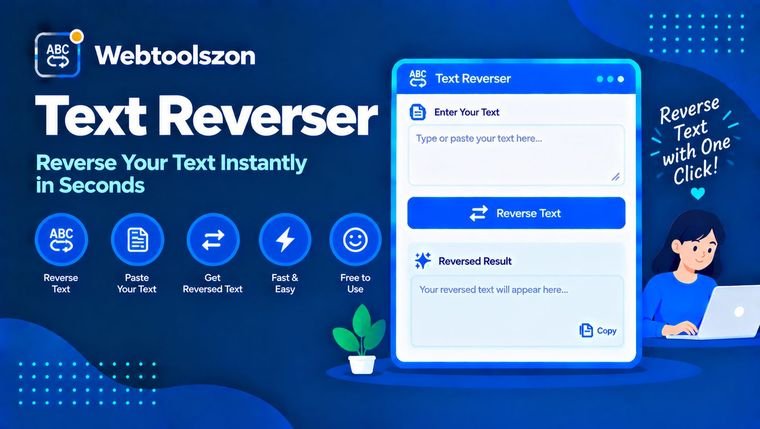
Flip any block of text backwards, reverse the order of its words, or reverse its lines — instantly, right in your browser.
Done. What next?
Your reverse mode is remembered on this device.
Every mode is free, with no sign-up and no limits.
| Feature | Included |
|---|---|
| Reverse all characters | ✓ |
| Reverse word order | ✓ |
| Reverse letters in each word | ✓ |
| Reverse line order | ✓ |
| Keep line breaks in place | ✓ |
| Load a .txt file | ✓ |
| Copy result or download as .txt | ✓ |
| Daily limit | None |
This tool runs entirely in your browser with plain JavaScript. No account and no payment are needed for anything on this page.
Everything you need to know about flipping text, words, and lines.
Reversing text by hand is tedious and error-prone the moment a sentence gets longer than a few words. This tool flips a whole block of text instantly — character by character, word by word, or line by line — so you get a clean, accurate result every time.
It's a free text reverser that runs entirely in your browser with plain JavaScript: no sign-up, no API key, and no limit on how much text you reverse in a session.
Reversing text comes up in more places than you'd expect, from puzzles to code testing.
Mirror-writing puzzles, palindrome checks, and word games often need text flipped backwards on demand. Paste it in and get the reversed version instantly instead of working it out by hand.
Developers use reversed strings as quick test cases for parsers, sorting functions, and string-handling code. Generate a reversed sample without writing a throwaway script.
Flipped or backwards text is a common way to create eye-catching captions, novelty messages, or a bit of wordplay for social posts.
The same input text looks very different depending on which reverse mode you pick.
| Mode | Input | Output |
|---|---|---|
| Reverse all characters | Hello World | dlroW olleH |
| Reverse word order | Hello World | World Hello |
| Reverse letters in each word | Hello World | olleH dlroW |
| Reverse line order | Line one<br>Line two | Line two<br>Line one |
Pick whichever mode matches what you're actually trying to do — reversing every character gives mirror-writing, while reversing word or line order keeps individual words readable.
"Reversing text" can mean several different things, and picking the right mode matters for a readable result.
Reversing every character flips the entire string back to front, turning readable words into mirror-writing. Reversing word order keeps each word spelled normally but flips the sequence they appear in — useful when you want the words themselves to stay legible.
Reversing line order treats each line (separated by a line break) as one unit and flips the order they appear in, without touching the text inside each line. It's handy for flipping a list, a poem, or log entries top to bottom.
Your text is processed with plain JavaScript running in your browser tab. Depending on the mode you pick, it's split into characters, words, or lines, that list is reversed, and the pieces are joined back together for the result box. Nothing you type is ever sent to a server.
Everything happens locally in your browser using plain JavaScript. Whatever text you paste in is never uploaded to a server — reversing sensitive or private text is just as safe as reversing a public one. Nothing you type is saved anywhere.
Character-level reversal treats emoji and some accented characters as separate code points, so a small number of complex characters can look slightly different after reversing. Extremely long input (hundreds of thousands of characters) may take a brief moment to process since everything runs in the browser rather than on a server.
Quick answers about reversing characters, words and lines.
Paste or type your text into the box, choose a reverse mode (characters, words, letters in each word, or lines), and the result appears instantly. Copy it or download it as a .txt file.
Reversing all characters flips the entire string back to front, turning words into mirror-writing. Reversing word order keeps each word spelled normally but flips the order they appear in.
Yes. Choose “Reverse line order” and each line (split at line breaks) keeps its own text intact, but the lines themselves appear in reverse order.
When reversing all characters, this keeps each line reversed on its own instead of merging the whole block into one continuous reversed string across line breaks.
Spaces and punctuation are treated as characters like any other, so a full character reversal moves them too. Word-order and line-order reversal leave punctuation inside each word or line untouched.
Yes for most text, though a small number of complex emoji or accented characters made of multiple code points can look slightly different after a full character reversal.
No. The tool runs entirely in your browser with plain JavaScript, so there's no account, no API key, and no cap on how many times you use it.
No. Reversing happens locally in your browser, and nothing you type is ever sent to a server or saved anywhere.
More free, no-API-key tools live on the homepage.
No matching question.
Tell other visitors what you thought of this tool.