
Sharing Wi-Fi with guests
A Wi-Fi code lets visitors join by scanning it, with no password to read out or mistype. Print one for the fridge, the guest room or the café counter.
Type a link, a Wi-Fi login, a contact card or any text and get a scannable QR code instantly. Pick your colours, add a logo, and download a PNG or a print-sharp SVG — nothing ever leaves your browser.
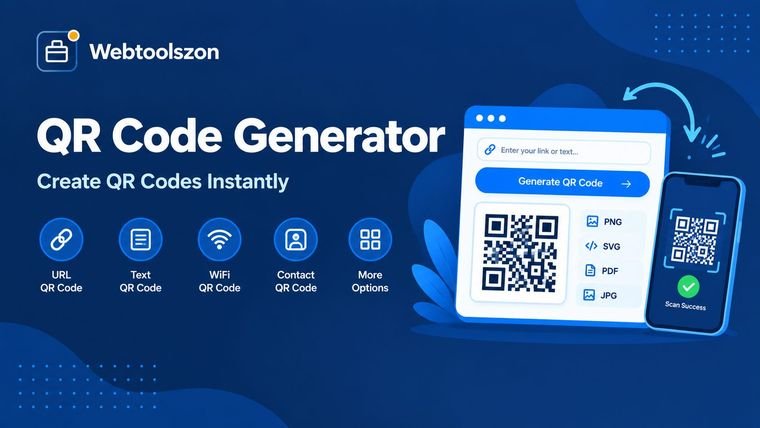
Add your content on the left and your QR code appears here.
Paste a list of links or text below and, with Premium, generate a QR code for every line using your current style, then download them all as a single ZIP.
Nothing here yet — QR codes you download will show up here.
No synced QR codes yet.
Everything you need to know about making QR codes that scan first time.
A QR code turns a link, a Wi-Fi login or a set of contact details into a pattern that any phone camera can read in a second. It saves people from typing long addresses, mistyping passwords or hunting for your number — and it works as well on a screen as on paper.
This free QR code generator builds the code right in your browser. There's no sign-up, no watermark, no expiry date and no limit on how many codes you make. Choose your colours, add a logo if you like, and download a PNG or a print-ready SVG.
QR codes are useful anywhere someone needs to get from the physical world to a screen, or to receive something without having it spelled out.
A Wi-Fi code lets visitors join by scanning it, with no password to read out or mistype. Print one for the fridge, the guest room or the café counter.
Link a printed menu, event page or sign-up form to a single scan. Use the SVG download so the code stays sharp on anything from a table tent to a banner.
A contact code saves your name, number, email and website straight into someone's address book — no retyping and no typos.
Every QR code is just text in a format that phones know how to act on. These are the formats this tool creates.
| Type | Encoded as | What a phone offers to do |
|---|---|---|
| Link | https://example.com | Open the page |
| Wi-Fi | WIFI:T:WPA;S:HomeNet;P:secret;; | Join the network |
| Contact | BEGIN:VCARD … END:VCARD | Save the contact |
mailto:hi@example.com?subject=Hello | Start a draft email | |
| SMS | SMSTO:+15550100199:Hi there | Start a text message |
| Phone | tel:+15550100199 | Place the call |
Exact behaviour varies a little between phones and camera apps, so scan the finished code on the devices your audience is likely to use before you print it.
A few ideas explain most of what makes a QR code easy to scan.
A static code stores your content inside the pattern itself. It can't be edited later, but it never expires and doesn't depend on anyone's server. A dynamic code stores a short redirect link instead, so the destination can change and scans can be counted, usually through a paid service. Everything this tool makes is static.
QR codes carry extra data so they can still be read when part of the pattern is dirty, scuffed or covered. Level L recovers about 7% of the code, M about 15%, Q about 25% and H about 30%. Higher levels are sturdier but make the pattern denser, so they need more room.
The blank margin around a code, called the quiet zone, helps scanners find its edges. The standard asks for at least four modules (the small squares) on every side, which is why the margin defaults to 4. For close-range scanning, print the code at least about 2 cm wide.
Scanners look for dark modules on a lighter background. Dark on light with strong contrast is the safest choice; light-on-dark and low-contrast pairs work on some phones and fail on others.
Your content is converted to bytes, split into blocks and protected with Reed–Solomon error-correction codes. The bits are laid out in a grid alongside the fixed finder, timing and alignment patterns, and one of eight mask patterns is chosen to keep the result easy to scan. The finished grid is drawn on a canvas for the PNG and written out as vector paths for the SVG, all inside your browser.
Everything happens in your browser. The text, Wi-Fi password, contact details and logo you enter are never uploaded, and the finished code is drawn on your own device. With no server in the middle, nobody can see or count your scans. Keep in mind that anyone who scans a Wi-Fi or contact code can read what's inside it.
These are static codes, so you can't edit one after printing it or see how often it's scanned. A single code holds at most about 2,950 characters of plain text, and far less at higher error-correction levels; accented letters, emoji and non-Latin scripts use two to four bytes each. This tool creates codes — it doesn't scan them.
Nine more free, no-API-key tools live on the homepage.
Turn any image into a full set of favicon sizes.
Open toolCut an image down to exactly the frame you need.
Open toolCount how often each word appears in a block of text.
Open toolConvert length, weight, and more between units instantly.
Open toolNo matching question.
Tell other visitors what you thought of this tool.