
Password Generator
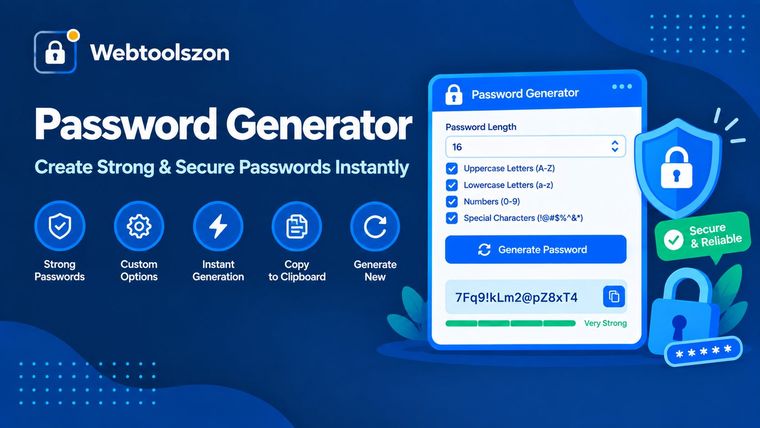
Create strong, random passwords with the exact length and character rules you need — generated locally with your browser's cryptographic random number generator.
Your password
Batch & history
Generated passwords will appear here.
Reviews
How to generate a strong password
- Set a length — 16 characters or more is a solid default for most accounts.
- Turn on the character types you want: uppercase, lowercase, numbers and symbols.
- Copy the result, or generate a batch at once if you need several passwords.
Why use a random password generator
Passwords people invent tend to follow patterns — a name, a word, a familiar substitution — which makes them easier to guess than they feel. A password built from truly random characters removes that pattern entirely, so the only practical way to guess it is to try every possibility.
This generator uses your browser's Web Crypto API rather than a simple pseudo-random function, and everything happens on your device — your generated password is never transmitted anywhere.
Password length vs. crack time
| Length | Character set | Rough strength |
|---|---|---|
| 8 characters | Letters + numbers | Weak — crackable in hours on modern hardware |
| 12 characters | Letters + numbers + symbols | Moderate — reasonable for low-risk accounts |
| 16 characters | Letters + numbers + symbols | Strong — a solid default for most accounts |
| 20+ characters | Letters + numbers + symbols | Very strong — suitable for master passwords |
Where a Strong Password Matters Most
Not every account carries the same risk, but a few are worth getting right every time:
- Email accounts — usually the recovery path for everything else, so a weak email password puts every other account at risk.
- Banking and finance — use the maximum length and all character types a site allows.
- Wi-Fi networks — a long, random Wi-Fi password is typed once per device and then saved, so length costs you nothing in convenience.
- Work and admin accounts — shared or admin-level logins are common targets; unique, random passwords limit the blast radius if one leaks.
If you'll be typing a password by hand — on a smart TV, router login, or shared device — turn on Exclude ambiguous characters and Exclude similar-looking pairs to avoid mistaking a 0 for an O or a 1 for an l.
FAQ
Is this password generator really free, with no sign-up?+
Yes. It runs entirely with JavaScript in your browser, so there is no account, no API key, and no limit on how many passwords you can generate.
Are the passwords sent anywhere or stored?+
No. Every password is generated locally on your device using your browser's cryptographic random number generator. Nothing is transmitted, logged, or saved.
How random are these passwords?+
Passwords are built using the Web Crypto API's getRandomValues, which is a cryptographically secure random source rather than a predictable pseudo-random one.
What makes a password strong?+
Length matters most, followed by using a mix of uppercase, lowercase, numbers and symbols so the pool of possible characters at each position is as large as possible.
Should I use a password manager?+
Yes, generally. A password manager lets you use a long, unique, random password like this for every account without needing to remember each one.
Does this generate passphrases as well as random passwords?+
No, this tool generates character-based random passwords rather than word-based passphrases. If a site or your own memory needs a passphrase instead, a password manager's passphrase mode is a better fit.
What do "exclude ambiguous" and "exclude similar-looking" options do?+
They remove characters that are easy to misread or mistype, like 0, O, 1, l and I, or symbols such as brackets and quotes. Useful when you'll need to type the password by hand rather than paste it.
More Security and Everyday Tools
How This Generator Works
Passwords are built from the Web Crypto API's getRandomValues, a cryptographically secure
random source, rather than a predictable pseudo-random function. Each character is drawn independently
from your selected character sets, and the strength meter estimates entropy based on password length
and the size of the character pool in use.
Last updated: August 28, 2026.
More tools in the box
Fourteen more free, no-API-key tools live on the homepage.
QR Code Generator
Create QR codes for links, text, email and Wi-Fi.
Word Counter
Live word, character, sentence and paragraph counts.
Image Resizer
Resize JPG, PNG and WEBP images by pixels or percent.
Image to PDF
Combine images into a single downloadable PDF.
PDF to Image
Turn PDF pages into downloadable JPG or PNG files.