
Image to PDF
Combine multiple JPG, PNG, or WebP images into a single, downloadable PDF and reorder them however you like.
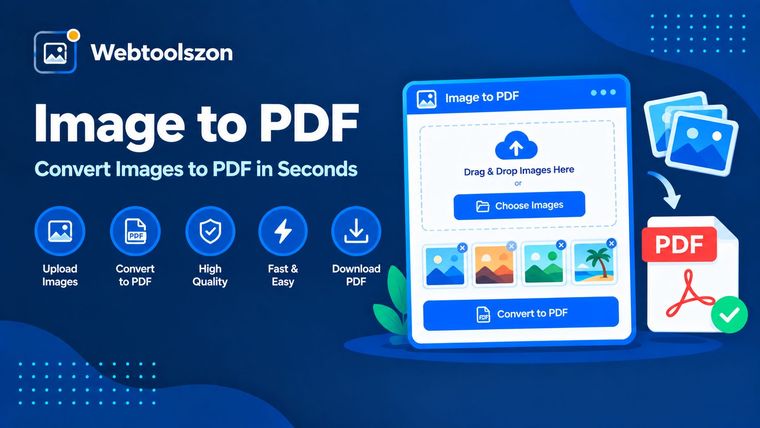
Your images
Drag & drop images here
or browse your files — JPG, PNG, or WEBP, multiple allowed
PDF settings
Each image becomes a page in the order shown on the left.
Reviews
Here's everything you need to know about converting images to PDF.
Learn how page sizing works, what "fit to image" means, and when it's useful to combine images into a PDF.
- Add images, reorder them, and download one combined PDF.
- Everything runs locally in your browser — your images are never uploaded.
- Use "Fit to image" if you want each page to exactly match its source image, with no white space.
How to use Image to PDF
- Drag and drop or choose one or more JPG, PNG, or WEBP files.
- Use the up and down arrows to put the images in the order you want them to appear.
- Choose a page size and click "Create PDF" to download the combined file.
Why combine images into a PDF
It is often easier to share and print scanned pages, receipts, screenshots, or photos of documents as a single PDF file than as a folder of loose images. Most forms, portals, and email attachments expect PDF files.
This tool combines your images into a single PDF directly in your browser. Each image becomes its own page, and you can choose the order.
Choosing a page size
| Page size | Best for | Why it's worth checking |
|---|---|---|
| A4 Good default | Most of the world prints at home or in the office. | This is the standard paper size outside of North America. |
| Letter | US and Canada printing | This is the standard paper size in North America. |
| Fit to image | Photos, screenshots, digital-only use | Every page matches its image exactly, with no white borders or cropping. |
Convert images to PDF without uploading your files.
Your images are read directly by JavaScript in your browser. They are then drawn onto a canvas and assembled into a PDF using a client-side library — all without a network request. Nothing is transmitted to a server, logged, or stored.
Since there is no upload involved, there is no server-side file size cap. The only practical limit is how many images your browser can comfortably hold in memory at once.
Your images never leave your device. The PDF is assembled entirely client-side, with nothing logged or stored.
Need to shrink the images first? The Image Compressor tool can reduce file sizes before you combine them.
One image per page vs. a photo grid
| Layout | Best for | Trade-off |
|---|---|---|
| One image per page This tool | Documents, scans, forms, receipts | It's straightforward and matches how most PDF readers expect content, but it uses more pages. |
| Multiple images per page | Photo contact sheets, catalogs | It's more compact, but it needs a custom layout logic that this tool doesn't offer. |
For documents, receipts, and scans, it is almost always the right choice to include one image per page — this makes each page's content easy to read and print at full size.
What people use Image to PDF for
- Scanned documentsCombining photos of paper documents into one shareable PDF.
- Receipts & expensesBundling receipt photos into a single file for expense reports.
- Portfolios & samplesTurning a set of photos or artwork into one PDF to send or print.
- Form submissionsMeeting a portal's requirement for a single PDF instead of multiple images.
- PrintingPreparing a photo set for consistent, page-by-page printing.
How This Tool Works
Each image is drawn onto an HTML canvas, normalized to a consistent format, and embedded into a PDF document. This document is built with a client-side JavaScript library. The entire process takes place in your browser. Nothing is uploaded, stored, or logged.
Last updated: September 14, 2026.
Was this guide helpful?
More tools in the box
There are fourteen more free tools without an API key on the homepage.
Word Counter
Live word, character, sentence, and paragraph counts.
Image Resizer
Resize JPG, PNG, and WebP images by pixels or percentage.
Image to PDF
Combine the images into one downloadable PDF.
JSON Formatter
Use Beautify, Minify, and Validate to beautify, minify, and validate JSON with error hints.
Password Generator
Generate strong, random passwords with custom rules.