
פיתוח אתרים ואפליקציות
טען נתוני גיליון אלקטרוני לממשק משתמש, ל-API מדומה או למתקן בדיקה מבלי לכתוב מפרש.
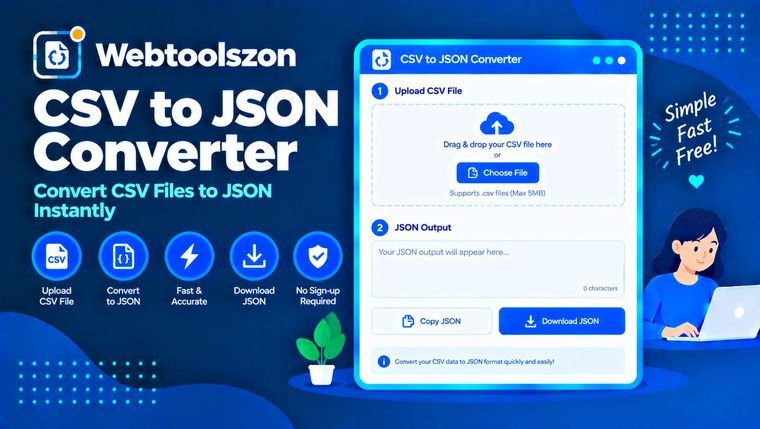
הדבק קובץ CSV או פתח קובץ וקבל מיד קובץ JSON. התוכנה מזהה את תו המפריד עבורך, מטפלת בערכים המוקפים במרכאות ובפסיקים בתוך התאים, ומאפשרת להמיר מספרים למספרים ממשיים. העתק את התוצאה או הורד אותה כקובץ .json. לא מתבצע שום העלאה.
למד מה כל אפשרות עושה וכיצד להשיג קובץ JSON שהקוד שלך יכול להשתמש בו.
CSV הוא טבלה פשוטה: שורה אחת בכל שורה, והערכים מופרדים באמצעות פסיק או תו מפריד אחר. JSON מאחסן את אותם נתונים כאובייקטים ומערך, שהקוד יכול לקרוא ישירות. ממיר הופך כל שורה ב-CSV לאובייקט JSON, תוך שימוש בשורת הכותרת כשמות המפתחות.
הדבק את קובץ ה-CSV שלך או פתח קובץ, וה-JSON יתעדכן תוך כדי. ערכים המופיעים במרכאות, פסיקים בתוך מרכאות, מרכאות כפולות ושורות ריקות בתוך תא מטופלים באופן שבו תוכנות גיליונות אלקטרוניים מייצאות אותם. אם קובץ ה-CSV מכיל רווחים מיותרים, נקה אותו תחילה באמצעות הכלי להסרת רווחים.
טען נתוני גיליון אלקטרוני לממשק משתמש, ל-API מדומה או למתקן בדיקה מבלי לכתוב מפרש.
הפוך קבצים המיוצאים מ-Excel, Google Sheets או ממסד נתונים לפורמט JSON, כפי שנדרש על ידי ממשק API או סקריפט ייבוא.
העבר רשימות מוצרים, תרגומים או הגדרות השמורות בגליון לקובץ JSON שהפרויקט שלך יכול להשתמש בו.
הזיהוי האוטומטי בודק בשורה הראשונה אם יש פסיקים, נקודות פסיק, תווי טאב או קווים אנכיים. בחר אחד מהם באופן ידני אם הקובץ מכיל שילוב של סימנים אלה. בייצוא אירופי רב נעשה שימוש בנקודות פסיק.
מערך של אובייקטים מכיל אובייקט אחד בכל שורה, הממוין לפי הכותרת. מערך של מערכים שומר כל שורה כרשימה פשוטה, כולל שורת הכותרת.
כאשר האפשרות מופעלת, השורה הראשונה הופכת לשורות המפתחות. כאשר האפשרות כבויה, שמות המפתחות נקראים column_1, column_2 וכן הלאה. שמות כותרות ריקים או חוזרים מתוקנים באותו אופן.
ממיר את המספר 42 למספר ואת המילה "true" לערך בוליאני. ערכים כמו 007 או מספרי זיהוי ארוכים בני יותר מ-15 ספרות נשמרים כטקסט, כך ששום מידע לא הולך לאיבוד.
האפשרות "Trim" מסירה רווחים מסביב לערכים, האפשרות "Skip empty rows" מדלגת על שורות ריקות, והאפשרות "Use null for empty values" כותבת את הערך null במקום מחרוזת ריקה.
הפסיק בתוך "Delhi, NCR" נשאר חלק מהערך מכיוון שהתא מוקף במרכאות. כדי לכתוב מרכאות בתוך תא המוקף במרכאות, יש להכפיל את המרכאות: "".
קובץ ה-CSV שלך מומר בדפדפן שלך. הוא אינו מועלה, אינו נשלח לשרת שלנו ואינו נשמר. רק הבחירות שלך נשמרות במכשיר שלך.
קובצים גדולים מאוד תלויים בזיכרון המכשיר שלך, ולכן קבצים שגודלם עולה על כ-15 מגה-בייט לא מתקבלים. הכלי קורא טבלה שטוחה אחת. הוא אינו בונה JSON מקונן מכותרות מופרדות בנקודות ואינו קורא קבצי .xlsx באופן ישיר.
הדבק את קובץ ה-CSV בתיבה או פתח קובץ. ה-JSON יופיע מיד, כאשר כל שורה תהפוך לאובייקט המשתמש בשורת הכותרות כמפתחות. לאחר מכן, העתק אותו או הורד אותו כקובץ .json.
כן. הזיהוי האוטומטי בודק בשורה הראשונה אם יש פסיקים, נקודות פסיק, טאבים וצינורות. ניתן גם לבחור את התוחם בעצמך אם הניחוש שגוי.
בטל את הסימון של האפשרות "השורה הראשונה היא כותרת". לאחר מכן, הערכים ייקראו column_1, column_2 וכן הלאה, והשורה הראשונה תישאר בנתונים.
תא המוקף במרכאות כפולות יכול להכיל פסיקים, מעברי שורה ומרכאות כפולות, בדיוק כמו בייצוא מגליון אלקטרוני. המרכאות מוסרות ב-JSON והטקסט נשמר.
כאשר האפשרויות "המר מספרים", "נכון/לא נכון" ו-"null" מסומנות, מספרים רגילים הופכים למספרים, ו-"נכון" או "לא נכון" הופכים לערכי בוליאניים. ערכים עם אפסים בתחילתם, כגון 007, ומספרים בעלי יותר מ-15 ספרות נשארים כטקסט, ולכן אינם משתנים.
כן. הגדר את מבנה ה-JSON כ"מערך של מערכים". כל שורה, כולל שורת הכותרת, הופכת לרשימה של ערכים.
לא קבצי .xlsx. שמור תחילה את הגיליון כקובץ CSV מ-Excel או מ-Google Sheets, ולאחר מכן פתח או הדבק את הקובץ כאן.
לא. תהליך ההמרה מתבצע בדפדפן שלך, והנתונים שלך לעולם אינם עוזבים את המכשיר שלך. רק הבחירות שלך נשמרות לפעם הבאה.
בדף הבית ניתן למצוא עוד עשרות כלים חינמיים שאינם דורשים מפתח API.
אין שאלה תואמת.
שתפו את דעתכם על הכלי הזה עם מבקרים אחרים.