
Pautan dan menu
Hantar orang ke laman web, menu, portfolio, borang atau profil sosial daripada poster atau kad.
Jadikan kod QR untuk pautan, teks, Wi-Fi, e-mel atau nombor telefon dalam beberapa saat. Taip atau tampal apa yang anda mahu orang imbas dan kod itu akan dijana serta-merta. Pilih pembetulan ralat, saiz dan warna, kemudian muat turun PNG atau SVG berkualiti tinggi untuk dicetak. Tiada pendaftaran diperlukan, dan tiada apa yang anda taip dimuat naik.
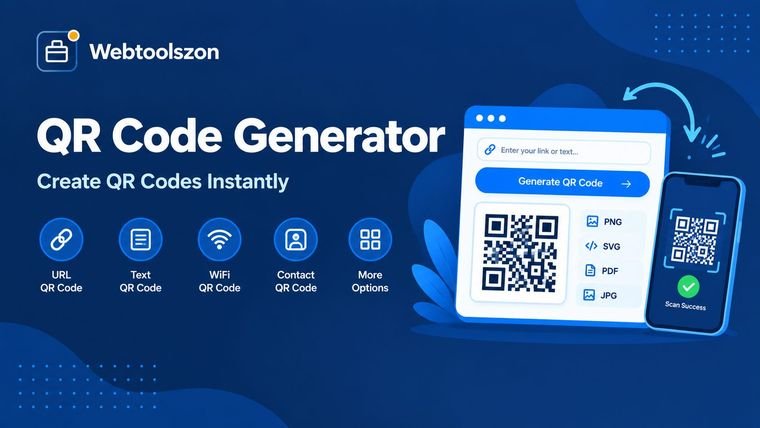
Pelajari apa yang dilakukan oleh setiap jenis dan cara membuat kod yang sentiasa mengimbas.
Kod QR ialah corak segi empat sama yang boleh dibaca oleh kamera telefon dalam sekelip mata. Penjana kod QR, juga dipanggil pembuat kod QR atau pencipta kod QR, menukarkan pautan web, satu baris teks, butiran Wi-Fi, alamat e-mel atau nombor telefon kepada corak tersebut dan membolehkan anda memuat turunnya sebagai imej.
Penjana QR percuma ini melukis kod dalam pelayar anda, jadi tiada apa yang perlu dipasang dan tiada akaun yang perlu dibuka. Hasilnya ialah kod QR standard, jadi mana-mana kamera telefon atau aplikasi imbasan boleh membacanya, dan anda boleh mencetaknya dalam apa jua saiz.
Hantar orang ke laman web, menu, portfolio, borang atau profil sosial daripada poster atau kad.
Benarkan tetamu menyambung ke Wi-Fi anda tanpa menaip kata laluan, atau memulakan e-mel atau panggilan dengan satu imbasan.
Tambah kod pada tiket, risalah, kotak produk dan label untuk berkongsi arahan atau halaman sokongan.
Apa sahaja yang anda taip disimpan seadanya. Alamat web dibuka dalam pelayar, dan teks biasa dipaparkan pada skrin, jadi ia juga berfungsi sebagai penjana kod QR teks untuk nota, kod dan alamat.
Menyimpan nama rangkaian, kata laluan dan jenis keselamatan supaya telefon boleh menyambung selepas imbasan. Kedua-dua kamera iPhone dan Android menyokong ini.
Membuka e-mel baru ke alamat anda, dengan subjek dan mesej pilihan yang sudah diisi.
Membuka pemanggil dengan nombor anda sudah sedia untuk membuat panggilan.
Kebanyakan orang datang ke sini untuk menukar pautan kepada kod QR. Untuk menjana kod QR daripada URL, tampal alamat web penuh, termasuk https://, ke dalam medan Pautan atau teks dan kodnya akan siap serta-merta. Ia berfungsi untuk laman web, borang dalam talian, menu, profil sosial, PDF yang disimpan dalam talian atau video, dan ia percuma untuk dimuat turun.
Buka pautan itu sendiri sebelum anda mencetak, untuk memastikan ia berfungsi. Pautan yang lebih pendek menghasilkan kod yang lebih kemas dan lebih mudah diimbas dari jauh.
Pilih rangkaian Wi-Fi, kemudian masukkan nama rangkaian, kata laluan dan jenis keselamatan: WPA/WPA2/WPA3, WEP atau tiada kata laluan. Centang rangkaian tersembunyi jika penghala anda tidak menyiarkan namanya. Kod akan muncul serta-merta.
Tamu mengimbasnya dengan kamera pada telefon iPhone atau Android dan menyambung tanpa menaip apa-apa. Cetaknya dan letakkan berhampiran penghala, atau di bilik tetamu atau kafe. Jika anda menukar kata laluan kemudian, buat kod baru.
Ingin tahu cara membuat kod QR? Berikut cara membuat kod QR dalam talian dalam masa kurang daripada satu minit, tanpa pendaftaran dan tiada pemasangan.
Kod QR anda dijana dalam pelayar anda. Teks, pautan dan kata laluan Wi-Fi anda tidak pernah dihantar ke pelayan kami atau disimpan.
Ini adalah kod statik yang menyimpan data anda secara langsung, jadi ia tidak boleh diubah atau dijejaki selepas dicetak. Jika anda perlu menukar destinasi kemudian, tujukan kod itu ke pautan yang anda kawal. Teks yang sangat panjang menghasilkan kod yang padat dan sukar untuk diimbas.
Pilih jenis, masukkan pautan atau teks anda, dan kod QR akan muncul serta-merta. Kemudian tekan Muat Turun PNG atau Muat Turun SVG untuk menyimpannya.
Ya, ia percuma. Kod ini menyimpan data anda secara langsung, jadi ia tidak akan tamat tempoh dan tidak bergantung pada laman web kami. Sesiapa sahaja boleh mengimbasnya pada bila-bila masa.
Ya. Pilih rangkaian Wi-Fi, masukkan nama, kata laluan dan jenis keselamatan, dan imbas kod dengan kamera telefon untuk menyertai rangkaian.
Ia membolehkan kod terus diimbas walaupun sebahagiannya kotor atau tertutup. Tahap L memulihkan kira-kira 7% kerosakan dan H kira-kira 30%. Tahap yang lebih tinggi menjadikan kod lebih padat, jadi M adalah keseimbangan yang baik.
Gunakan PNG untuk skrin, slaid dan perkongsian pantas. Gunakan SVG untuk cetakan kerana ia kekal tajam pada mana-mana saiz dan berfungsi dalam alat reka bentuk.
Punca biasa ialah kontras rendah, warna cerah pada gelap, kod yang dicetak terlalu kecil, atau pemotongan yang membuang sempadan putih. Cuba warna gelap pada latar putih, saiz yang lebih besar, dan pautan yang lebih pendek.
Ya. Kod ini boleh menampung sehingga kira-kira 2,900 bait pada tahap pembetulan ralat terendah. Alat ini akan memberitahu anda jika teks anda terlalu panjang.
Tidak. Kod QR dijana di pelayar anda, dan tiada apa yang anda taip dimuat naik atau disimpan.
Pilih pautan atau teks, tampal alamat web penuh, dan kod QR akan muncul serta-merta. Uji dengan telefon anda, kemudian muat turun PNG atau SVG.
Tidak. Tiada akaun atau emel diperlukan. Kod QR dijana dalam pelayar anda, jadi anda boleh menciptanya dan memuat turunnya serta-merta.
Tidak tersedia dalam alat ini buat masa ini. Anda boleh menetapkan pembetulan ralat kepada H, memuat turun SVG dan meletakkan logo kecil di tengah menggunakan aplikasi reka bentuk. Kemudian imbas hasil tersebut untuk memastikan ia masih berfungsi.
Kod statik, seperti yang dibuat di sini, menyimpan data anda di dalam corak. Ia tidak pernah tamat tempoh, tetapi ia tidak boleh disunting atau dijejaki. Kod dinamik menunjuk kepada pautan penalaan semula, jadi destinasi boleh berubah kemudian, tetapi biasanya ia bergantung pada perkhidmatan berbayar.
Alat ini hanya menghasilkan kod QR. Untuk kod bar standard, gunakan Penjana Kod Bar di laman ini.
Alat ini percuma untuk digunakan dan anda tidak perlu mempunyai akaun. Kod yang anda muat turun tidak akan tamat tempoh kerana data anda disimpan dalam kod dan tidak bergantung pada laman web kami.
Ya. Pilih pautan atau teks dan taip sebarang teks biasa, seperti nota, kod atau alamat. Sesiapa yang mengimbas kod itu akan melihat teks tersebut pada skrin mereka.
Ya. Kedua-dua muat turun PNG dan SVG adalah percuma dan tidak memerlukan akaun. Gunakan PNG untuk skrin dan SVG untuk cetakan.
Ia bergantung pada apa yang anda perlukan. Untuk kod statik pantas bagi pautan, teks, Wi-Fi, e-mel atau nombor telefon tanpa pendaftaran, alat ini direka untuk tujuan itu. Jika anda perlu menukar destinasi kemudian atau menjejaki imbasan, anda memerlukan perkhidmatan QR dinamik sebaliknya.
Halaman utama menampilkan puluhan alat percuma lagi yang tidak memerlukan kunci API.
Menukar kod warna dengan HSL dan memeriksa kontras.
Buka alatHapuskan ruang tambahan, tab dan baris kosong.
Buka alatTukar teks kepada huruf besar, huruf besar untuk tajuk dan lain-lain.
Buka alatKetahui berapa lama teks anda mengambil masa untuk dibaca atau diucapkan.
Buka alatTiada soalan yang sepadan.
Berkongsi pandangan anda mengenai alat ini dengan pelawat lain.