
Odczytywanie odpowiedzi API
Wklej zminimalizowaną odpowiedź i od razu zobacz jej strukturę, zamiast jednej długiej linii.
Wklej kod JSON, a zostanie on sprawdzony i sformatowany na bieżąco podczas wpisywania. Wybierz formatowanie z 2 spacjami, 4 spacjami, tabulatorem lub zminimalizowane, posortuj klucze według własnego uznania i uzyskaj dokładną informację o wierszu i kolumnie, w której wystąpił błąd. Twoje dane nigdy nie są przesyłane.
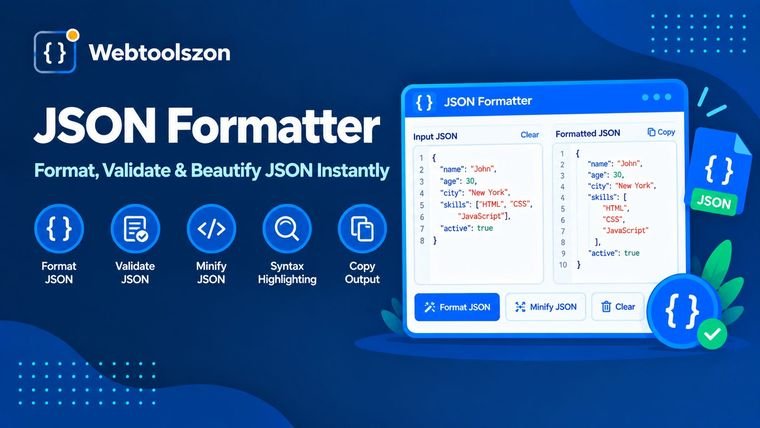
Czym jest JSON, dlaczego pojawiają się w nim błędy i jak szybko je naprawić.
Formater JSON przekształca tekst JSON w przejrzysty, wcięty układ, który jest czytelny dla ludzi, lub kompresuje go do jednej zwięzłej linii w celu wysłania. Walidator sprawdza, czy tekst rzeczywiście jest w formacie JSON, i wskazuje miejsca, w których tak nie jest.
To narzędzie wykonuje obie te czynności jednocześnie. Analizuje plik JSON za pomocą parsera ścisłego, wyświetla wynik w wybranym przez Ciebie formacie oraz wskazuje wiersz i kolumnę, w których znajduje się błąd, dzięki czemu możesz go poprawić bez konieczności przeszukiwania tekstu.
Wklej zminimalizowaną odpowiedź i od razu zobacz jej strukturę, zamiast jednej długiej linii.
Przed wystąpieniem błędu podczas ładowania aplikacji sprawdź, czy w pakiecie, ustawieniach i plikach danych nie ma literówek.
Zminifikuj plik JSON, aby usunąć spacje przed osadzeniem go na stronie, w żądaniu lub w teście.
JSON ma niewielki zestaw reguł. Tekst jest ujęty w podwójne cudzysłowy, łącznie z każdym kluczem. Wartościami mogą być ciągi znaków, liczby, „true”, „false”, „null”, tablice lub obiekty. Elementy są oddzielone przecinkami, przy czym po ostatnim elemencie nie stawia się przecinka, a komentarze są niedozwolone.
Większość błędów wynika z kilku nawyków przejętych z języka JavaScript lub innych formatów: pojedynczych cudzysłowów, kluczy bez cudzysłowów, przecinków na końcu, komentarzy oraz wartości takich jak „undefined” czy „NaN”. Narzędzie sprawdzające podaje nazwę wykrytego problemu oraz numer linii i kolumny, w której się on pojawia.
Formatowanie w tym miejscu odbywa się z zachowaniem ostrożności w odniesieniu do danych. Liczby i ciągi znaków są kopiowane dokładnie tak, jak zostały wpisane, więc długi identyfikator, taki jak 12345678901234567890, nie traci cyfr, a 1,0 nie zamienia się w 1. Zmieniają się jedynie spacje oraz kolejność kluczy, jeśli włączysz opcję „Sortuj klucze”. Jeśli ten sam klucz pojawi się dwukrotnie w jednym obiekcie, narzędzie wyświetli ostrzeżenie, ponieważ większość parserów zachowuje tylko ostatnią wartość.
Twój plik JSON jest analizowany i formatowany w przeglądarce za pomocą kodu JavaScript na tej stronie. Nie jest on przesyłany, przechowywany ani rejestrowany, a pobrane pliki są tworzone na Twoim urządzeniu.
Akceptowany jest wyłącznie standardowy format JSON. Komentarze, przecinki na końcu wyrażenia, pojedyncze cudzysłowy oraz wartości NaN są zgłaszane jako błędy, a narzędzie nie naprawia ich automatycznie. Bardzo duże pliki, przekraczające około 10 MB, nie są przetwarzane.
Wklej swój plik JSON do pola wprowadzania danych. Zostanie on natychmiast sformatowany zgodnie z wybranym przez Ciebie wcięciem: 2 spacje, 4 spacje lub tabulator. Następnie skopiuj wynik lub pobierz go jako plik .json.
Narzędzie analizuje tekst za pomocą precyzyjnego parsera JSON. Jeśli wykryje błąd, wskazuje wiersz i kolumnę, w których znajduje się problem, wraz z krótkim wyjaśnieniem, a przycisk pozwala przejść do tego miejsca w tekście.
Funkcja „Beautify” dodaje znaki końca linii i wcięcia, dzięki czemu kod JSON jest czytelny. Funkcja „Minify” usuwa wszystkie opcjonalne spacje, aby tekst był jak najkrótszy. W obu przypadkach dane pozostają takie same.
Najczęstszymi przyczynami są: przecinek na końcu, pojedyncze cudzysłowy zamiast podwójnych, klucze bez cudzysłowów, brakujący przecinek między elementami lub komentarze. Standard JSON nie dopuszcza żadnej z tych sytuacji, a komunikat o błędzie wskazuje dokładne miejsce błędu.
Nie. Ciągi znaków i liczby są zachowywane dokładnie tak, jak je wpisałeś, w tym bardzo duże liczby oraz wartości takie jak 1,0 czy 1e3. Zmieniają się jedynie spacje oraz kolejność kluczy, jeśli włączysz opcję „Sortuj klucze”.
Nie w standardowym formacie JSON. Formaty takie jak JSON5 i JSONC dopuszczają ich stosowanie, ale ten walidator działa zgodnie ze standardem, więc zgłasza komentarze i przecinki na końcu zdania jako błędy.
Nie. Formatowanie i sprawdzanie poprawności odbywa się w przeglądarce, a dane JSON nigdy nie opuszczają Twojego urządzenia. Dzięki temu rozwiązanie to jest bezpieczne w przypadku odpowiedzi API i plików konfiguracyjnych, które wolisz zachować jako prywatne.
Tekst o wielkości do około 10 MB. Szybkość zależy od posiadanego urządzenia, więc przetwarzanie bardzo dużych plików na telefonie może chwilę potrwać. Całość jest przetwarzana w pamięci przeglądarki.
Na stronie głównej znajdziesz dziesiątki innych bezpłatnych narzędzi, które nie wymagają klucza API.
Połącz wiersze i usuń znaki końca wiersza z tekstu.
Otwórz narzędzieUsuń spacje, tabulatory i puste wiersze z tekstu.
Otwórz narzędzieUsuń powtarzające się wiersze z dowolnej listy.
Otwórz narzędzieSprawdź swój adres IP i wyszukaj dowolny adres IP.
Otwórz narzędzieBrak pasującego pytania.
Podziel się swoją opinią na temat tego narzędzia z innymi użytkownikami.