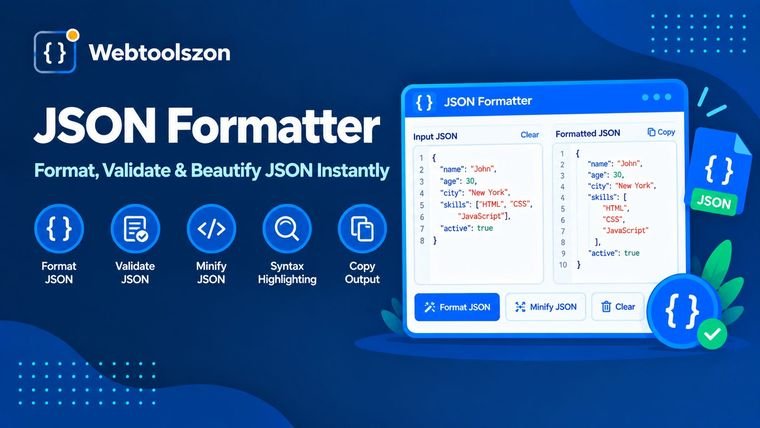
JSON Formatter & JSON Validator

Paste any JSON, beautify or minify it, and catch syntax errors with a clear line-and-column pointer — right in your browser, with nothing uploaded.

No API key Nothing leaves your browser Unlimited use
JSON Formatter — free online JSON beautifier and validator

Input JSON

0Characters
0Lines
Status

Formatted output

Indent
Paste JSON on the left to see it formatted here.

Waiting for input…

What is it and how does it work

How do I create JSON

  1. Copy or paste your JSON into the input field, or select "Load sample" to test it.
  2. Choose to beautify or minify, then select an indent size for beautifying.
  3. Copy the formatted result or download it as a .json file.
Why is it important

Why formatting JSON matters

APIs, logs and configuration files typically generate JSON in one long line. This is quick for computers, but difficult for humans to read. Beautifying the JSON restores indentation and line breaks so you can actually scan the structure, find the field you're looking for, and identify mistakes.

Going the other direction, minifying strips out every space and newline. This shrinks payload size for production APIs and configuration files, where every byte counts.

Common JSON mistakes this catches

ErrorExampleFix
Trailing comma{"a":1,}Take out the comma before the closing brace
Single quotes{'a':1}Double quotes are required for strings and keys
Unquoted keys{a:1}Wrap every key in double quotes
Missing comma{"a":1 "b":2}Add a comma between properties
Comments{"a":1 // note}Remove comments — JSON doesn't support them
JSON fundamentals

What exactly is JSON data?

JSON (JavaScript Object Notation) is a lightweight format used for storing and exchanging structured data. JSON represents data as nested JSON objects, arrays, strings, numbers, booleans and nulls, using a small set of punctuation — braces, brackets, colons and commas — instead of the tags or fixed columns other formats require.

It's that simple. That's why JSON is the preferred file format used by APIs, configuration files, and application settings on almost every platform: it's compact enough for machines to process quickly, but still readable text when it's correctly indented, which makes it easy to read for anyone debugging a request or checking a config file at a glance.

Since JSON isn't tied to any specific language, the same JSON file can be created and consumed by mobile apps, web servers and command-line scripts written in a range of different programming languages — from JavaScript and Python to Java, C# and Go — with no conversion step between them.

Validator & formatter

Validator, formatter, beautifier — what's the difference?

These are terms that often get used interchangeably, but each does differ in what it does. A formatter (or beautifier) rearranges json data with consistent indentation and line breaks to make it easier to read, without altering the actual data. A JSON validator instead checks whether the text conforms to syntactically correct JSON at all — matching braces, correctly quoted keys, no trailing commas — and identifies exactly where it fails when it doesn't.

This page serves as a combined formatter and validator: paste in JSON data and it's parsed, checked for errors, and — when it's valid — beautified or minified in the same step. If there's a problem, you get a line and column number instead of an unclear failure, which is typically quicker than examining a dense, unformatted JSON file by eye to find a missing comma.

As an online JSON formatter and JSON tool that runs entirely in your browser, there's nothing to download, and nothing you paste ever leaves your device — useful when the JSON data you're checking includes real API responses or config values you'd rather not upload anywhere.

Most frequently asked questions

FAQ

Is this JSON formatter really free, with no sign-up?+

Yes. The formatter is run entirely by JavaScript inside your browser, so there is no account, no API key, and no limit on how much JSON you can format.

Does my JSON get uploaded anywhere?+

No. Your JSON data is processed and stored locally on your computer. Nothing is transferred over a network, saved, or stored.

What happens if my JSON isn't correct?+

The tool shows the line and character position where parsing failed, along with a plain-language explanation of the issue, so you can fix it quickly.

Can I minify JSON instead of beautifying it?+

Yes. Switch to minify mode to remove all whitespace and produce the smallest valid JSON, which is useful for production payloads.

Can I change the indentation size?+

Yes. Choose 2 spaces, 4 spaces, or a tab character from the indent option before formatting.

Is this the same as a JSON linter?+

Yes. Formatting and validating JSON together is commonly called linting, and that's exactly what this tool does — it checks your JSON's syntax and formats it in one step.

Can this convert JSON to CSV or XML?+

Not currently — this tool focuses on formatting, minifying and validating JSON itself, not converting between data formats.

Related tools

Tools for Developers

Methodology

How This Formatter Works

Your JSON is parsed and re-serialized entirely with JavaScript's built-in JSON engine, running in your browser tab. Nothing you paste is ever sent to a server, logged, or stored.

Last updated: August 28, 2026.

Keep going

More tools in the box

Eleven more free, no-API-key tools live on the homepage.