
Lesing av API-svar
Lim inn et minifisert svar og få oversikt over strukturen på et øyeblikk, i stedet for én lang linje.
Lim inn JSON, så blir det sjekket og formatert mens du skriver. Velg mellom 2 mellomrom, 4 mellomrom, et tabulatortegn eller minifisert utdata, sorter nøklene hvis du ønsker det, og få nøyaktig linje og kolonne når noe er feil. Dataene dine blir aldri lastet opp.
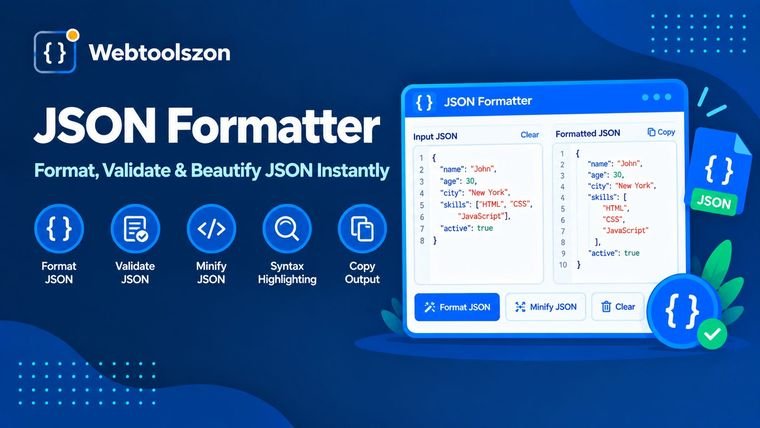
Hva JSON er, hvorfor det oppstår feil, og hvordan man raskt kan løse problemet.
En JSON-formaterer omformer JSON-tekst til et ryddig, innrykket oppsett som er lett å lese, eller komprimerer den til én kompakt linje for overføring. En valideringsfunksjon sjekker om teksten faktisk er JSON og viser deg hvor den ikke er det.
Dette verktøyet gjør begge deler samtidig. Det analyserer JSON-filen din med en streng parser, viser resultatet i den stilen du velger og angir linjenummer og kolonne for eventuelle feil, slik at du kan rette dem uten å måtte lete gjennom teksten.
Lim inn et minifisert svar og få oversikt over strukturen på et øyeblikk, i stedet for én lang linje.
Sjekk pakken, innstillingene og datafilene for skrivefeil før en app ikke klarer å laste dem inn.
Komprimer JSON for å fjerne mellomrom før du legger den inn på en side, i en forespørsel eller i en test.
JSON har et lite sett med regler. Teksten settes inn i doble anførselstegn, inkludert hver enkelt nøkkel. Verdiene kan være strenger, tall, «true», «false», «null», matriser eller objekter. Elementene skilles med komma, uten komma etter det siste, og kommentarer er ikke tillatt.
De fleste feil skyldes noen få vaner som er overført fra JavaScript eller andre formater: enkle anførselstegn, nøkler uten anførselstegn, kommaer på slutten av verdier, kommentarer og verdier som «undefined» eller «NaN». Valideringsverktøyet angir hvilket problem det finner, samt linjen og kolonnen der det oppstår.
Formateringen her tar hensyn til dataene dine. Tall og tekststrenger kopieres nøyaktig slik de er skrevet, så en lang ID som 12345678901234567890 mister ikke sifre, og 1,0 blir ikke til 1. Det er kun mellomrom som endres, samt rekkefølgen på nøklene hvis du aktiverer «Sorter nøkler». Hvis den samme nøkkelen forekommer to ganger i ett objekt, gir verktøyet deg en advarsel, fordi de fleste parsere kun beholder den siste verdien.
JSON-filen din blir analysert og formatert i nettleseren din ved hjelp av JavaScript på denne siden. Den blir ikke lastet opp, lagret eller loggført, og nedlastede filer opprettes på enheten din.
Bare standard JSON godtas. Kommentarer, kommaer på slutten av linjen, enkle anførselstegn og NaN rapporteres som feil, og verktøyet retter dem ikke for deg. Svært store filer, på over ca. 10 MB, behandles ikke.
Lim inn JSON-koden din i innskrivingsfeltet. Den formateres umiddelbart med den innrykkingen du velger: 2 mellomrom, 4 mellomrom eller en tabulator. Deretter kan du kopiere resultatet eller laste det ned som en .json-fil.
Verktøyet analyserer teksten din med en streng JSON-parser. Hvis det er noe galt, viser det linjen og kolonnen der feilen ligger, sammen med en kort forklaring, og en knapp fører deg til det aktuelle stedet i inndataene.
«Beautify» legger til linjeskift og innrykk slik at JSON blir lett å lese. «Minify» fjerner alle valgfrie mellomrom for å gjøre teksten så kort som mulig. Dataene er de samme uansett.
De vanligste årsakene er et komma på slutten, enkle anførselstegn i stedet for doble, nøkler uten anførselstegn, et manglende komma mellom elementene eller kommentarer. Standard JSON tillater ikke noe av dette, og feilmeldingen peker på det nøyaktige stedet.
Nei. Tekststrenger og tall beholdes nøyaktig slik du skrev dem, inkludert svært store tall og verdier som 1,0 eller 1e3. Det er kun mellomrom som endres, samt rekkefølgen på tastene hvis du aktiverer «Sorter taster».
Ikke i standard-JSON. Formater som JSON5 og JSONC tillater dette, men denne validatoren følger standarden og rapporterer derfor kommentarer og kommaer på slutten av setninger som feil.
Nei. Formatering og validering skjer i nettleseren din, og JSON-dataene dine forlater aldri enheten din. Dette gjør det trygt å bruke for API-svar og konfigurasjonsfiler som du helst vil holde private.
Opptil ca. 10 MB tekst. Hastigheten avhenger av enheten din, så det kan ta litt tid å behandle svært store filer på en mobiltelefon. Alt behandles i nettleserens minne.
Hjemmesiden inneholder dusinvis av andre gratisverktøy som ikke krever en API-nøkkel.
Slå sammen linjer og fjern linjeskift fra teksten.
Åpne verktøyFjern mellomrom, tabulatorer og tomme linjer fra teksten.
Åpne verktøyFjern gjentatte linjer fra en hvilken som helst liste.
Åpne verktøyFinn din IP-adresse og slå opp hvilken som helst IP-adresse.
Åpne verktøyIngen spørsmål som samsvarer.
Del dine tanker om dette verktøyet med andre besøkende.