
Prezentacje i posty w mediach społecznościowych
Zmień jedną stronę raportu lub broszury w obrazek, który możesz wstawić do prezentacji, wpisu lub czatu.
Załaduj plik PDF, wybierz żądane strony i zapisz każdą z nich jako ostry obraz. Wybierz format, ustaw rozdzielczość – od rozdzielczości ekranowej aż po jakość drukarską – i pobierz obrazy pojedynczo lub w jednym pliku ZIP. Wszystko jest renderowane na Twoim urządzeniu, a plik nigdy go nie opuszcza.
Ten plik PDF jest zabezpieczony. Aby go otworzyć, wprowadź hasło.
Każdy, kto posiada ten link, może pobrać plik. Zostanie on automatycznie usunięty po 7 dniach.
Wybierz strony, format i rozdzielczość, a otrzymasz zdjęcia, które możesz wykorzystać gdziekolwiek.
Konwerter plików PDF na obrazy wyświetla każdą stronę pliku PDF na obszarze roboczym i zapisuje wynik jako zwykły plik graficzny. Tekst i grafika nie są już elementami aktywnymi, dzięki czemu stronę można z łatwością umieścić niemal wszędzie tam, gdzie dopuszczalne jest umieszczanie obrazów.
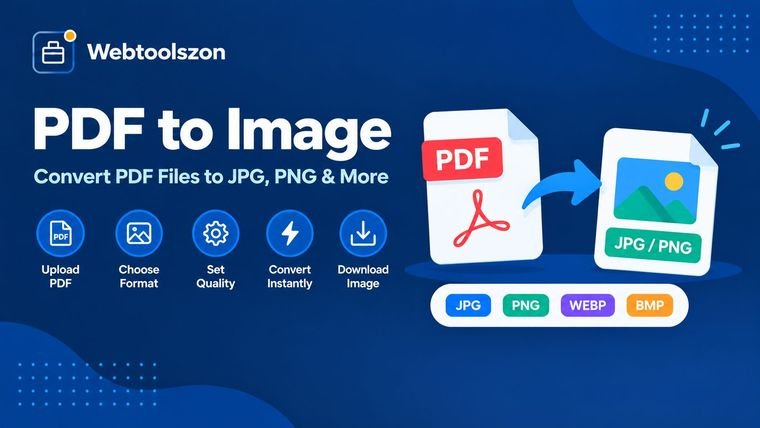
To narzędzie działa w przeglądarce. Załaduj plik PDF, zaznacz wybrane strony, wybierz format PNG, JPG lub WebP, ustaw rozdzielczość i naciśnij „Konwertuj”. Otrzymasz jeden obraz na stronę, który możesz pobrać pojedynczo lub wszystkie razem w pliku ZIP.
Zmień jedną stronę raportu lub broszury w obrazek, który możesz wstawić do prezentacji, wpisu lub czatu.
Zapisz stronę, wykres lub schemat w formacie PNG lub WebP, aby ładował się tak samo jak każdy inny obraz na Twojej stronie.
Wyślij pojedynczą stronę w formie obrazka, jeśli odbiorca nie potrzebuje całego pliku PDF lub nie może go otworzyć.
Wyeksportuj w rozdzielczości 300 DPI dla drukarni lub w celu załadowania stron do programu OCR, który wymaga obrazów.
Otwórz stronę w edytorze zdjęć, aby ją przyciąć, opatrzyć adnotacjami lub zaznaczyć, a następnie wyeksportuj ją ponownie.
Stwórz obrazek na okładkę dokumentu, katalogu lub strony z plikami do pobrania.
Format PNG zachowuje każdy piksel dokładnie tak, jak został narysowany, dlatego jest najbezpieczniejszym wyborem w przypadku tekstu, tabel i grafiki liniowej; umożliwia też zachowanie przezroczystego tła. Format JPG dobrze kompresuje zdjęcia i pozwala uzyskać małe pliki, ale powoduje niewielkie rozmycie drobnego tekstu i nie obsługuje przezroczystości. WebP to nowszy format, który zazwyczaj zajmuje mniej miejsca niż oba poprzednie i również obsługuje przezroczystość, ale niektóre starsze programy nadal nie potrafią go otworzyć.
DPI to liczba pikseli przypadająca na każdy cal strony. Strona PDF ma stały rozmiar fizyczny, więc wyższa wartość DPI oznacza po prostu większą liczbę pikseli: podwojenie wartości DPI powoduje podwojenie szerokości i wysokości oraz około czterokrotny wzrost liczby pikseli. Zeskanowany plik PDF nie może być ostrzejszy niż zawarty w nim skan, więc zwiększenie wartości DPI znacznie powyżej tej wartości powoduje jedynie powiększenie rozmiaru pliku.
| DPI | Strona formatu A4 (px) | Format US Letter (px) | Dobre dla |
|---|---|---|---|
| 72 | 595 × 842 | 612 × 792 | Małe podglądy i miniatury |
| 96 | 794 × 1123 | 816 × 1056 | Strony internetowe i ekrany |
| 150 | 1240 × 1754 | 1275 × 1650 | Codzienne dzielenie się i czytanie |
| 200 | 1654 × 2339 | 1700 × 2200 | Wyraźniejsze dokumenty, oszczędny druk |
| 300 | 2480 × 3508 | 2550 × 3300 | Drukowanie i OCR |
Wymiary są zaokrąglone i odnoszą się do standardowej strony. Twój plik PDF może mieć inny rozmiar strony.
Plik PDF jest otwierany i wyświetlany bezpośrednio w przeglądarce. Nie jest on przesyłany, kopiowany na serwer ani przechowywany po zamknięciu strony, a wpisane hasło służy wyłącznie do otwarcia pliku na Twoim urządzeniu. Obrazy również nie są zapisywane, więc pobierz je przed opuszczeniem strony.
W rezultacie powstaje obraz, więc tekst na obrazku nie może być już zaznaczany ani przeszukiwany. Przeglądarki ograniczają rozmiar obszaru roboczego, więc bardzo duże strony o wysokiej rozdzielczości (DPI) są skalowane w dół. Pliki PDF, które wykorzystują czcionki, których nie zawierają, mogą wyglądać nieco inaczej niż oryginał. Wyświetlanie bardzo długich plików PDF zależy od pojemności pamięci urządzenia.
Nie. Plik PDF jest otwierany i wyświetlany bezpośrednio w przeglądarce, więc żadne dane nie są wysyłane na serwer ani zapisywane. Obrazy są również generowane na Twoim urządzeniu. Po zamknięciu karty znikną, więc najpierw pobierz to, czego potrzebujesz.
Do tekstu, rysunków liniowych i wszystkiego, co musi zachować ostrość, używaj formatu PNG, ponieważ jest to format bezstratny i pozwala zachować przezroczyste tło. Format JPG nadaje się do stron zawierających dużo zdjęć, gdy zależy Ci na małym rozmiarze pliku. Format WebP jest zazwyczaj mniejszy od obu powyższych i działa w aktualnych przeglądarkach, ale niektóre starsze aplikacje nie potrafią go otworzyć.
DPI określa, z jaką liczbą pikseli rysowana jest strona. Wartości 72 lub 96 są odpowiednie dla stron internetowych i ekranów, 150 nadaje się do codziennego udostępniania i czytania, a 300 to typowy wybór do drukowania lub rozpoznawania tekstu (OCR). Strona formatu A4 ma wymiary około 1240 × 1754 pikseli przy rozdzielczości 150 DPI i około 2480 × 3508 pikseli przy rozdzielczości 300 DPI.
Tak. Dotknij podglądów stron, aby je włączyć lub wyłączyć, wybierz opcję „Wszystkie”, „Żadna”, „Nieparzyste” lub „Parzyste” albo wpisz listę, np. 1–3, 5, 8–10. Przekonwertowane zostaną tylko te strony, które pozostaną zaznaczone.
Przeglądarki ograniczają maksymalny rozmiar obszaru roboczego, zwłaszcza na telefonach. Gdy strona przekracza ten limit, narzędzie zmniejsza ją na tyle, by zmieściła się na ekranie, i informuje o tym użytkownika. Niższa wartość DPI lub mniejszy rozmiar strony pozwalają uniknąć skalowania.
Tak, w przypadku formatów PNG i WebP. Wybierz opcję „Przezroczyste” w sekcji „Tło”, a puste obszary strony pozostaną przezroczyste. Format JPG nie obsługuje przezroczystości, więc zawsze stosuje kolor biały. Strona z własnym kolorowym tłem zachowuje je.
Jeśli znasz hasło, to tak. Narzędzie prosi o jego podanie podczas wczytywania pliku i wykorzystuje je wyłącznie w przeglądarce w celu otwarcia dokumentu. Bez hasła strony nie mogą zostać odczytane, więc narzędzie nie może ich przekonwertować.
Po konwersji dwóch lub więcej stron pojawia się przycisk „Pobierz wszystko jako plik ZIP”. Spowoduje to spakowanie wszystkich obrazów do jednego pliku ZIP. Każdy obraz ma również własny przycisk „Pobierz”, jeśli chcesz pobrać tylko jeden z nich.
Na stronie głównej znajdziesz dziesiątki innych bezpłatnych narzędzi, które nie wymagają klucza API.
Brak pasującego pytania.
Podziel się swoją opinią na temat tego narzędzia z innymi użytkownikami.