Kalkulador ng BMI
Enter your height and weight to instantly find your Body Mass Index and general weight category — in metric or imperial units.
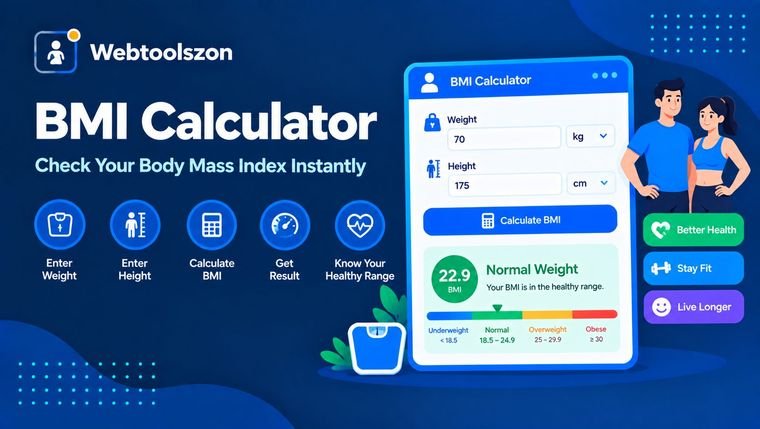
Your details
Your BMI
Updates instantly as you type.
Enter your height to see a healthy weight range.
BMI is a general screening measure, not a diagnosis. It doesn't account for muscle mass, bone density, or body composition — talk to a healthcare provider for a full picture of your health.
Mga pagsusuri
Everything you need to know about BMI Calculator
How BMI is calculated, what the categories mean, and where BMI falls short.
- Enter your height and weight in metric or imperial units and get your BMI instantly.
- Everything runs locally in your browser — nothing you enter is ever uploaded.
- BMI is a screening tool, not a diagnosis — it doesn't distinguish muscle from fat.
How to use BMI Calculator
- Pick metric (cm, kg) or imperial (ft/in, lb) units.
- Type your current height and weight into the fields.
- Your BMI and weight category appear instantly, along with a healthy weight range for your height.
Why check your BMI
Doing the BMI math by hand means converting units, squaring a height, and dividing carefully — easy to get wrong, especially when switching between metric and imperial measurements.
This tool takes care of the conversion and the arithmetic instantly in your browser, and shows you where your result falls on the standard weight-category scale, plus a healthy weight range for your height.
Standard adult BMI categories
| BMI range | Category | What it generally means |
|---|---|---|
| Below 18.5 | Underweight | May indicate insufficient body weight for your height. |
| 18.5–24.9 Typical target | Normal weight | Associated with lower risk in most population studies. |
| 25–29.9 | Overweight | Body weight above the typical range for your height. |
| 30 and above | Obese | Substantially above the typical range for your height. |
BMI Calculator without uploading anything
Your height and weight are read directly by JavaScript running in your own browser tab, used to calculate the result on the spot, and shown back to you — they're never transmitted to a server, logged, or stored anywhere.
That matters especially for health-related numbers: this tool has no accounts, no tracking of your inputs, and no record of what you calculate.
Your height and weight never leave your device. The calculation is pure client-side JavaScript, with nothing logged or stored.
Want to double-check the math yourself? See the "How BMI is calculated" section below for the exact formula and a worked example.
How BMI is calculated
BMI = weight (kg) ÷ height (m)². For example, a person weighing 70 kg at 1.75 m tall has a BMI of 70 ÷ (1.75 × 1.75) = 22.9, which falls in the "normal weight" range.
| Units | Formula | Note |
|---|---|---|
| Metric Standard | kg ÷ m² | The formula BMI was originally defined in. |
| Imperial | (lb ÷ in²) × 703 | Mathematically equivalent — this tool converts to metric internally either way. |
Note that BMI treats all body weight the same, whether it comes from muscle, fat, or bone — that's the tool's main limitation, covered in the FAQ below.
What people use BMI Calculator for
- General health awarenessGetting a quick, rough sense of where your weight falls relative to your height.
- Tracking progressChecking BMI periodically alongside other health goals.
- Fitness & nutrition planningUsing BMI as one input among several when setting goals.
- Health screeningsUnderstanding the same metric clinics and questionnaires often reference.
- EducationLearning how the BMI formula works and what its limitations are.
Paano Gumagana ang Kasangkapang Ito
The calculation runs live in your browser via JavaScript using the standard BMI formula (kg/m²), converting imperial units to metric first when needed — nothing is uploaded, stored, or logged.
Last updated: September 12, 2026.
Nakatulong ba ang gabay na ito?
Mas maraming kasangkapan sa kahon
Labing-apat pang libreng kasangkapan na hindi nangangailangan ng API key ang makikita sa homepage.
Tagabibilang ng mga salita
Mga live na bilang ng salita, karakter, pangungusap, at talata.
Tagapag-ayos ng Laki ng Larawan
Baguhin ang laki ng mga larawang JPG, PNG, at WEBP ayon sa pixels o porsyento.
Larawan sa PDF
Pag-isahin ang mga imahe sa isang PDF na maaaring i-download.
Tagapag-format ng JSON
Pagandahin, paliitin, at i-validate ang JSON na may mga pahiwatig ng error.
Tagabuo ng password
Mga malalakas na random na password na may pasadyang mga patakaran.