Invoice Generator
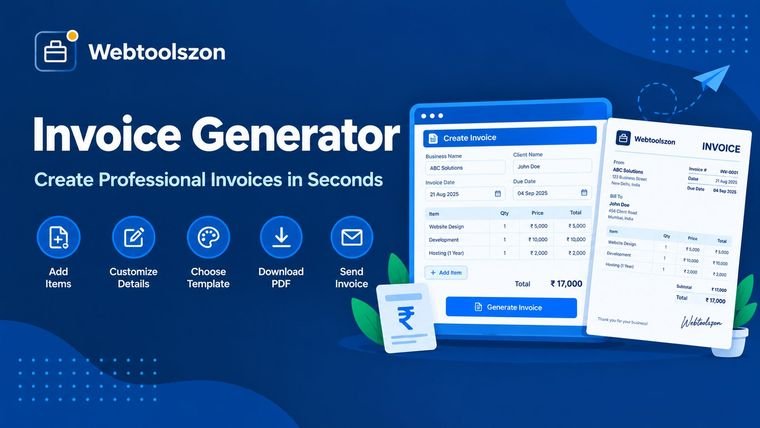
Add your business details, client info and line items to create a professional invoice and download it as a PDF instantly.
Invoice details
Reviews
Everything you need to know about Invoice Generator
What makes an invoice complete, how tax is calculated, and what to check for your country.
- Fill in your details, add line items, and download a finished PDF invoice.
- Everything runs locally in your browser — your invoice details are never uploaded.
- Check your local invoicing rules — requirements like tax IDs vary by country.
How to use Invoice Generator
- Enter your business info, your client's info, and the invoice number and dates.
- Add a row for each item or service, with a description, quantity, and price.
- Review the totals, then click "Download PDF" to save your finished invoice.
Why use an invoice generator
Building an invoice from scratch in a word processor means fighting with alignment, redoing the math every time a line item changes, and starting over for each new client. A dedicated tool keeps the layout consistent and does the totals for you.
This tool lays out a clean, professional invoice as you type, and produces a print-ready PDF the moment you're done — with no software to install.
What a complete invoice needs
| Element | Why it matters | Where it goes |
|---|---|---|
| Invoice number Required | Lets you and your client track and reference the invoice | Top of the invoice |
| Dates | Establishes when payment is due | Below the invoice number |
| Line items | Breaks down exactly what's being charged for | Main table |
| Totals & tax | Shows the final amount owed clearly | Bottom of the invoice |
Invoice Generator without uploading anything
Every field you type — your business details, your client's details, line items, amounts — is read directly by JavaScript running in your browser and used only to lay out the PDF locally. None of it is transmitted to a server, logged, or stored.
That matters here more than most tools, since invoices carry business and client information you'd rather not see pass through a third party. This tool has no accounts, no invoice history saved anywhere, and no record of what you generate.
Your invoice data never leaves your device. The PDF is generated entirely client-side, with nothing logged or stored.
Need to convert the finished invoice into images for a different workflow? The Image to PDF tool works in the opposite direction if you ever need it.
Tax-inclusive vs. tax-added pricing
| Approach | Best for | Trade-off |
|---|---|---|
| Tax added on top This tool | Most B2B invoicing, itemized billing | Clear breakdown of subtotal, tax, and total — the most common expectation. |
| Tax-inclusive pricing | Retail-style pricing where the price shown already includes tax | Simpler for the client to read, but requires backing the tax out of each line item yourself first. |
If your prices already include tax, enter the tax-inclusive amount as the price and set the tax rate to 0 — the subtotal and total will then match what your client actually pays.
What people use Invoice Generator for
- FreelancingBilling clients for hours worked or deliverables completed.
- Small business salesInvoicing customers for products or services.
- Contract workSending a professional bill for one-off or project-based work.
- ConsultingItemizing billable time and expenses for a client.
- Side incomeFormalizing occasional or part-time work with a proper paper trail.
How This Tool Works
Your invoice details are laid out and rendered directly into a PDF document using a client-side JavaScript library — all live in your browser, with nothing uploaded, stored, or logged.
Last updated: September 14, 2026.
Was this guide helpful?
More tools in the box
Fourteen more free, no-API-key tools live on the homepage.
Word Counter
Live word, character, sentence and paragraph counts.
Image Resizer
Resize JPG, PNG and WEBP images by pixels or percent.
Image to PDF
Combine images into a single downloadable PDF.
JSON Formatter
Beautify, minify and validate JSON with error hints.
Password Generator
Strong random passwords with custom rules.