
Forms, exams and job portals
Hit the exact size or the maximum KB that an application form or portal asks for, without guessing.
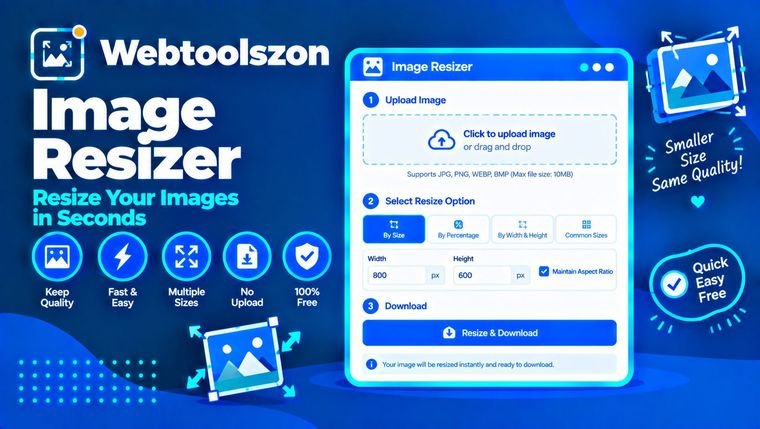
Drop in a photo (or up to twenty), type the size you need and download it. Resize by pixels or percent, or squeeze a JPG down to a set file size in KB for forms and uploads. It all happens in your browser, so your pictures never leave your device.
| املاک | اصلی | تغییر اندازه داده شد | تغییر |
|---|
Plain answers to the things people usually get stuck on.
It changes how many pixels wide and tall a picture is. Smaller means a lighter file that fits a form, a page or a phone screen. Bigger means more pixels, but not more real detail.
This one smooths the picture as it scales, so edges stay clean. You can type exact pixels or pick a percentage of the original, and the same settings are applied to every image in the batch.
Hit the exact size or the maximum KB that an application form or portal asks for, without guessing.
A 4000 px photo shown at 800 px is wasted weight. Scale it down and the page loads quicker.
Get pictures to a size that sends fast and does not get cropped in a strange place.
In Pixels mode you can type a width, a height or both. With Lock aspect ratio on, one number is enough: the other is worked out for you so the picture keeps its proportions. If you enter both with the lock on, the image is fitted inside that box without stretching. Turn the lock off when you need that exact width and height, even if it distorts the picture.
In Percent mode, 50 gives half the width and half the height, which is a quarter of the pixels. Enlarging works too, but the new pixels are estimated, so big enlargements look soft. Start from the largest original you have.
One thing that trips people up: pixel size, resolution and file size are different things. Pixels are the width and height. People often say "resolution" when they mean those pixels, though in print it means DPI. File size in KB is how much space the file takes, and it depends on the pixels, the format and the quality setting.
Type your limit into Max file size (KB) and choose JPG or WebP as the output. The tool lowers the quality a step at a time until each file fits under the number you set.
If lowering the quality is not enough, the tool also makes the picture a little smaller until it fits, and tells you the new size. Starting from a smaller width, such as 1200 px instead of 4000 px, keeps more quality. PNG files cannot be shrunk this way, so switch the format to JPG or WebP first.
Most of these are in the presets, so you can pick one instead of typing it.
تصاویر شما در مرورگرتان با استفاده از canvas رمزگشایی و تغییر اندازه میشوند. هیچ چیزی آپلود یا ذخیره نمیشود و فایلهای دانلودشده روی دستگاه شما ایجاد میشوند.
فقط JPG، PNG و WebP پشتیبانی میشوند. خروجی به ۸۰۰۰ پیکسل در بلندترین ضلع محدود است. تصاویر متحرک انیمیشن خود را از دست میدهند، شفافیت هنگام تبدیل به JPG به سفید تغییر میکند و متادیتاهایی مانند جزئیات دوربین حذف میشوند.
Add your image, type a new width or height, and the resized version appears with its new size. Press Download to save it. Keep Lock aspect ratio on so the picture does not look stretched.
Leave Lock aspect ratio on. Enter a width or a height and the other value is worked out automatically.
Yes. Switch to Percent and enter a number. For example, 50 gives half the width and half the height.
Yes. Add up to 20 images and the same settings are applied to all of them. Each one is listed with its new dimensions and file size.
With the lock on, the image is fitted inside that size without stretching. With the lock off, it is resized to exactly that width and height.
خیر. بزرگنمایی با تخمین پیکسلها انجام میشود، بنابراین تصویر بزرگتر میشود اما جزئیات بیشتری پیدا نمیکند و بزرگنماییهای بزرگ نرم به نظر میرسند.
Shrinking an image keeps it looking sharp. Quality only drops noticeably if you enlarge a lot or set a low quality for JPG or WebP to hit a small file size.
همانند نسخهٔ اصلی، کارها را ساده نگه میدارد. برای گرافیکها و شفافیت از PNG استفاده کنید و وقتی میخواهید فایلهای کوچکتری داشته باشید، برای عکسها از JPG یا WebP بهره ببرید.
Enter the number in Max file size (KB) and choose JPG or WebP. The tool lowers the quality step by step until each file fits. PNG files cannot be shrunk this way, so switch the format to JPG or WebP. If lowering the quality is not enough, the tool also makes the picture smaller until it fits.
Pixels are the width and height of the picture. KB is the file size on your device. Fewer pixels usually means fewer KB, but the format and quality setting matter too.
یک پیشتنظیم مانند «پست اینستاگرام» را انتخاب کنید، یا عرض و ارتفاع را وارد کرده و گزینه «پر کردن و برش» را انتخاب کنید. تصویر مقیاسبندی میشود تا کل کادر را بپوشاند و لبههایی که جا نمیشوند بریده میشوند.
Yes. Press Download all (ZIP) to get every resized image in one ZIP file. A single image downloads directly.
بله. گزینهٔ «چاپ» را انتخاب کنید، عرض و ارتفاع را بر حسب سانتیمتر، میلیمتر یا اینچ وارد کنید و DPI را، مثلاً ۳۰۰، تعیین کنید. این ابزار اندازهٔ پیکسل را محاسبه میکند و DPI را در فایلهای JPG و PNG ذخیره میکند.
بله. گزینههای بیشتر را باز کنید، متن خود را زیر «آبنمای متن» تایپ کنید و موقعیت، اندازه و شفافیت آن را انتخاب کنید. این متن به هر تصویر در مجموعه اضافه میشود.
خیر. همهچیز در مرورگر شما اتفاق میافتد و عکسهای شما هرگز دستگاه شما را ترک نمیکنند.
صفحهٔ اصلی دهها ابزار رایگان دیگر را ارائه میدهد که به کلید API نیاز ندارند.
تصاویر JPG، PNG و WebP را در یک فایل PDF ترکیب کنید.
ابزار را باز کنیداز یک تصویر یا متن، فایلهای PNG و ICO فاوآیکون بسازید.
ابزار را باز کنیدواحدهای کیلوگرم، پوند، اونس، استون و تن را تبدیل کنید.
ابزار را باز کنیدهشهای MD5، SHA-1، SHA-256 و SHA-512 متن یا فایلها.
ابزار را باز کنیدسؤال مطابقی وجود ندارد.
نظرات خود را در مورد این ابزار با سایر بازدیدکنندگان به اشتراک بگذارید.