
రోజువారీ లక్ష్య ట్రాకింగ్
వాస్తవికమైన రోజువారీ లక్ష్యాన్ని నిర్దేశించుకోండి మరియు మీరు నడిచే కొద్దీ అడుగులను జోడించండి. ప్రగతి పట్టీ మీ లక్ష్యాన్ని చేరుకోవడానికి మీరు ఎంత దగ్గరగా ఉన్నారో చూపుతుంది.
This free step counter online counts your steps right in your phone’s browser, so there is no app to install and no sign-up. Tap “Start counting”, put your phone in your hand, pocket or bag, and walk. You will see today’s step count, plus estimated distance, active time, calories and progress toward your daily goal. On a computer or a phone without a motion sensor, tap the button once for every step or type your steps in. Your motion readings stay in your browser.
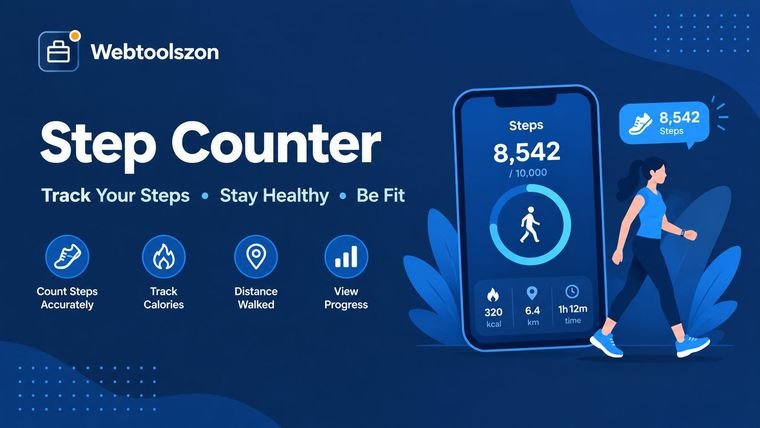
నడుస్తున్నప్పుడు మీ ఫోన్ను మీతో పాటు ఉంచుకోండి. "కౌంటింగ్ ప్రారంభించు" అని నొక్కండి మరియు స్క్రీన్ ఆన్ చేసి ఈ పేజీని తెరిచి ఉంచండి. మీ ఫోన్ మీ జేబులో లేదా మీ చేతిలో ఉండవచ్చు. ముఖ్యమైన విషయం ఏమిటంటే, అది మీతో పాటు సహజంగా కదలాలి.
మీ పురోగతి ఈ పరికరంలో సేవ్ చేయబడుతుంది, కాబట్టి మీరు తిరిగి వచ్చినప్పుడు మీ ఈ రోజు అడుగులు మరియు వారపు మొత్తాలు అక్కడే ఉంటాయి. ఏదీ మా సర్వర్లకు అప్లోడ్ చేయబడదు.
Pick a daily goal below to fill the ring
వారం పొడవునా మీ పురోగతిని సులభంగా ట్రాక్ చేయడానికి మీ రోజువారీ అడుగులను జోడించండి!
Use this online step counter to count steps on a compatible phone, or type in a total from your watch or health app. Review estimated walking distance, active time, calories, daily-goal progress, and weekly totals in one place. For distance estimates, the tool converts your step count using an estimated stride length; results vary with height, pace, and individual walking style.
A step counter, also called a pedometer, is a simple tool for tracking how much you walk. This one is an online pedometer: it runs on a web page instead of an app. In addition to counting your steps, it can provide context by estimating how far you've traveled, how long you've been active, how many calories you've burned, and your progress toward your daily goal.
మీ ఫోన్ అనుకూలంగా ఉంటే, మీరు నడుస్తున్నప్పుడు చిన్న కదలికలను గుర్తించడానికి ఈ పేజీ దాని యాక్సిలరోమీటర్ను ఉపయోగిస్తుంది. మీ ఫోన్ను మీ చేతిలో, జేబులో లేదా బ్యాగ్లో సహజంగా ఉంచి "స్టార్ట్" పై ట్యాప్ చేయండి. మీ పరికరం మోషన్ డేటాను అందించకపోయినా లేదా మీరు ఇప్పటికే వాచ్ లేదా ఇతర హెల్త్ ట్రాకర్ నుండి అడుగులను నమోదు చేసినా, మీరు మొత్తాన్ని మాన్యువల్గా నమోదు చేయవచ్చు. మిగిలిన లెక్కింపులు అలాగే పని చేస్తాయి.
You do not need to install a separate pedometer app to count your steps. Open Webtoolszon in a supported mobile browser, start the counter, and keep the page open while you walk. This browser-based step counter is useful when you want to count your steps online and keep a running steps count for the day without downloading another app.
మోషన్ యాక్సెస్ అందుబాటులో ఉన్నప్పుడు, మీ పరికరంలోని సెన్సార్ను ఉపయోగించి మీ అడుగులను లెక్కించడానికి కౌంటర్ ఉపయోగిస్తుంది. మోషన్ యాక్సెస్ అందుబాటులో లేకపోతే, మీరు మీ అడుగుల సంఖ్యను మాన్యువల్గా నమోదు చేసి, మీ దూరం, కాలరీల వినియోగం మరియు రోజువారీ లక్ష్యం అంచనాలను పొందవచ్చు. మీ వద్ద స్మార్ట్వాచ్ లేదా మరొక ఫిట్నెస్ ట్రాకర్ నుండి అడుగుల మొత్తం ఉంటే ఈ ఫీచర్ కూడా ఉపయోగపడుతుంది.
Your step count for today sits at the top of the counter and keeps updating while the page is open. It is saved on your device, so you can close the tab, come back later and carry on from the same number.
This page counts the steps it sees while it is open. It cannot read the totals stored in Apple Health or Google Fit. If you want to know how many steps you took today across the whole day, check your phone’s health app or watch and type that total into the counter. The distance, calories and goal progress will update straight away.
రోజువారీ జీవితానికి సంబంధించి చూసినప్పుడు, స్టెప్ టోటల్ను అర్థం చేసుకోవడం సులభం. సంఖ్యలను అర్థం చేసుకోవడానికి ఇక్కడ కొన్ని సులభమైన మార్గాలు ఉన్నాయి:
వాస్తవికమైన రోజువారీ లక్ష్యాన్ని నిర్దేశించుకోండి మరియు మీరు నడిచే కొద్దీ అడుగులను జోడించండి. ప్రగతి పట్టీ మీ లక్ష్యాన్ని చేరుకోవడానికి మీరు ఎంత దగ్గరగా ఉన్నారో చూపుతుంది.
మీరు నడకకు ప్రణాళిక వేస్తున్నారా? ఐదు కిలోమీటర్ల మార్గంలో ఎన్ని అడుగులు ఉంటాయో అంచనా వేసుకోవడానికి లేదా మీ మొత్తం రోజువారీ అడుగులను సుమారు దూరంగా మార్చుకోవడానికి ఈ అంచనాలను ఉపయోగించండి.
మీ మొత్తం, సగటు, మరియు ఉత్తమ రోజులను, అలాగే మీ లక్ష్యాన్ని చేరుకున్న రోజులను ట్రాక్ చేయడానికి ఏడు రోజుల రికార్డును ఉంచండి. వారం వారం మీ నడక విధానం ఎలా మారుతుందో చూడటం దీనివల్ల సులభం అవుతుంది.
ప్రతి ఒక్కరికీ ఒక కిలోమీటర్ లేదా ఒక మైలుకు సరిపడే నడక అడుగుల సంఖ్య నిర్దిష్టంగా ఏదీ ఉండదు. మీ ఎత్తు మరియు నడక వేగం మీ అడుగు వేసే విధానాన్ని ప్రభావితం చేస్తాయి, కాబట్టి కింద ఇవ్వబడిన సంఖ్యలు కేవలం అంచనాలు మాత్రమే. సగటు నడక వేగం కోసం, ఈ సాధనం మీ ఎత్తులో సుమారు 41.5%కు సమానమైన అడుగు పొడవును ఉపయోగిస్తుంది.
This works as a simple steps to distance calculator. Enter or track your steps and the tool shows the result in both kilometres and miles, so you can turn steps into km or steps into miles without doing any maths. For example, 5,000 steps is often roughly 3–4 km, but your actual distance depends on your stride length. Use the calculator’s estimate as a guide, not as a precise measurement.
| ఎత్తు | దశ పొడవు | కిలోమీటరుకు అడుగులు | మైలుకు అడుగులు |
|---|---|---|---|
| 150 సెం.మీ (4 అడుగుల 11 అంగుళాలు) | 62.2 సెం.మీ | 1,606 | 2,585 |
| 160 సెం.మీ (5 అడుగుల 3 అంగుళాలు) | 66.4 సెం.మీ | 1,506 | 2,424 |
| 170 సెం.మీ (5 అడుగుల 7 అంగుళాలు) | 70.5 సెం.మీ | 1,417 | 2,281 |
| 180 సెం.మీ (5 అడుగుల 11 అంగుళాలు) | 74.7 సెం.మీ | 1,339 | 2,154 |
| 190 సెం.మీ (6 అడుగుల 3 అంగుళాలు) | 78.8 సెం.మీ | 1,268 | 2,041 |
ఉదాహరణకు, 5 అడుగుల 7 అంగుళాల పొడవు ఉన్న వ్యక్తి సాధారణ వేగంతో నడిచినప్పుడు, వారికి ఉండే కొన్ని సాధారణ రోజువారీ అడుగుల లక్ష్యాలు ఇక్కడ ఉన్నాయి.
| రోజువారీ అడుగులు | దూరం (కి.మీ.) | దూరం (మైళ్ళలో) |
|---|---|---|
| 5,000 | 3.5 కి.మీ | 2.2 మైళ్ళు |
| 7,500 | 5.3 కి.మీ | 3.3 మైళ్ళు |
| 10,000 | 7.1 కి.మీ | 4.4 మైళ్ళు |
| 12,000 | 8.5 కి.మీ | 5.3 మైళ్ళు |
స్టెప్ కాలిక్యులేటర్లు కేవలం అంచనాలను మాత్రమే అందిస్తాయి కాబట్టి, అవి ఎలా పనిచేస్తాయో అర్థం చేసుకోవడం సహాయపడుతుంది. ఒకవేళ స్టెప్ కాలిక్యులేటర్ నుండి వచ్చిన ఫలితం, స్మార్ట్వాచ్ లేదా ఇతర పెడోమీటర్ నుండి వచ్చిన ఫలితంతో సరిగ్గా సరిపోలకపోతే ఇది ప్రత్యేకంగా ఉపయోగపడుతుంది.
ఈ పేజీ సెకనుకు సుమారు 60 సార్లు యాక్సిలరోమీటర్ను చదువుతుంది. ఇది గురుత్వాకర్షణ యొక్క నిరంతర లాగుడును తొలగించి, సిగ్నల్ను సున్నితంగా చేసి, ఒక అడుగు వేయడంలో ఉండే స్థిరమైన బౌన్స్ కోసం చూస్తుంది. ఒక పీక్, మునుపటి దాని నుండి తగినంత బలంగా మరియు తగినంత దూరంలో ఉంటే, అది ఒక అడుగుగా లెక్కించబడుతుంది.
కౌంటర్ నడకలను కలిపే ముందు, వాటిని వరుసగా నాలుగుసార్లు లెక్కిస్తుంది. ఇది చిన్న కుదుపులు, కంపాలు లేదా కేవలం ఫోన్ను పట్టుకోవడం వల్ల కలిగే తప్పుడు లెక్కలను తగ్గిస్తుంది. ఒకవేళ ఇది అడుగులను వదిలేస్తున్నట్లు అనిపిస్తే, అధిక సెన్సిటివిటీ సెట్టింగ్ను ప్రయత్నించండి. ఒకవేళ ఇది చాలా ఎక్కువ అడుగులను లెక్కిస్తుంటే, తక్కువ సెట్టింగ్ను ప్రయత్నించండి. అయితే, ఈ సర్దుబాట్లన్నింటితోనూ, ఫలితాలను ఖచ్చితమైన కొలతలుగా కాకుండా అంచనాలుగా పరిగణించండి.
ఈ కాలిక్యులేటర్ మీ ఎత్తు మరియు మీరు ఎంచుకున్న వేగాన్ని ఉపయోగించి మీ అడుగు పొడవును అంచనా వేస్తుంది. ఇది ఈ క్రింది సాధారణ నిష్పత్తులను ఉపయోగిస్తుంది: నెమ్మదైన నడకకు 37%, సాధారణ నడకకు 41.5%, చురుకైన నడకకు 48%, మరియు జాగింగ్కు 52%. అయితే, మీ వాస్తవ అడుగు పొడవు భిన్నంగా ఉండవచ్చు.
మీ అడుగుల సంఖ్యను, మీ అంచనా అడుగు పొడవుతో గుణించడం ద్వారా దూరాన్ని అంచనా వేస్తారు. ఈ అంచనా మరియు మీరు ఎంచుకున్న వేగం (గంటకు 3.2, 4.8, 6.4, లేదా 8 కిలోమీటర్లు) ఆధారంగా యాక్టివ్ సమయం లెక్కించబడుతుంది. కిలోమీటరుకు అడుగులు మరియు మైలుకు అడుగులు సంఖ్యలు కూడా ఇదే అంచనా నుండి తీసుకోబడతాయి. ఫలితాన్ని ఇతర యూనిట్లలోకి మార్చడానికి, యూనిట్ కన్వర్టర్ను ఉపయోగించండి.
కాలిరీల ఖర్చును నడక వేగానికి సంబంధించిన మెటబాలిక్ ఈక్వివలెంట్ (MET) విలువను ఉపయోగించి అంచనా వేస్తారు: నెమ్మదిగా నడవడానికి 2.8, సాధారణంగా నడవడానికి 3.5, వేగంగా నడవడానికి 5.0, మరియు జాగింగ్ చేయడానికి 8.3. ఈ లెక్కలో మీ బరువు మరియు మీరు ఎంతసేపు చురుకుగా ఉన్నారు అనే విషయాన్ని కూడా పరిగణనలోకి తీసుకుంటుంది. నిజమైన శక్తి వినియోగం వ్యక్తి నుండి వ్యక్తికి మారుతూ ఉంటుంది కాబట్టి, ఈ సంఖ్యను ఒక స్థూల అంచనాగా పరిగణించండి. మరింత పూర్తి దినచర్య అంచనా కోసం, కేలరీ కాలిక్యులేటర్ను ప్రయత్నించండి.
The familiar 10,000-step target is just a simple benchmark, not a requirement for everyone. If you want to set a personal goal, it may be more practical to start slightly above your usual activity level and increase gradually. Talk with a healthcare professional if you have a health condition or are unsure what level of activity is appropriate for you. To see how your height and weight compare, you can also try the BMI Calculator.
మీరు నడుస్తున్నప్పుడు, ఈ యాప్ మీ ఫోన్ యొక్క మోషన్ సెన్సార్ను ఉపయోగించి మీ అడుగులను లెక్కించి, వాటిని మీ మొత్తానికి జోడిస్తుంది. మీరు మీ సెట్టింగ్లను సర్దుబాటు చేసినప్పుడు, మీ అడుగు పొడవు, మీరు ప్రయాణించిన దూరం, మీ చురుకైన సమయం, మరియు మీరు కరిగించిన కేలరీల సంఖ్యను అంచనా వేయడానికి ఈ యాప్ మీ ఎత్తు, బరువు, మరియు మీరు ఎంచుకున్న వేగాన్ని ఉపయోగిస్తుంది. ఇది మీ పురోగతిని మీ రోజువారీ లక్ష్యంతో పోల్చి, వారపు లాగ్ను కూడా అప్డేట్ చేస్తుంది.
మీరు నడుస్తున్నప్పుడు, మీ బ్రౌజర్లోనే మోషన్ రీడింగ్లు ప్రాసెస్ చేయబడతాయి. అవి అప్లోడ్ చేయబడవు లేదా సర్వర్కు పంపబడవు. మీ అడుగులు, వారపు మొత్తాలు, ఎత్తు, బరువు మరియు లక్ష్యం ఈ పరికరంలోని మీ బ్రౌజర్ యొక్క లోకల్ స్టోరేజ్లో నిల్వ చేయబడతాయి. అందుకే మీరు తిరిగి వచ్చినప్పుడు ఈ సమాచారం ఇంకా అందుబాటులో ఉంటుంది. ఈ సమాచారాన్ని తొలగించడానికి, "అన్నీ తొలగించు" ఎంపికను ఎంచుకోండి లేదా మీ బ్రౌజర్ యొక్క సైట్ డేటాను క్లియర్ చేయండి.
లైవ్ కౌంటింగ్ ఉపయోగించడానికి, మీకు మోషన్ సెన్సార్ మరియు HTTPS కనెక్షన్ ఉన్న ఫోన్ లేదా టాబ్లెట్ అవసరం. అలాగే, స్క్రీన్ ఆన్ ఉన్నట్లుగా ఈ పేజీని తెరిచి ఉంచాలి. దయచేసి గమనించండి, అడుగుల గుర్తింపు పరిపూర్ణమైనది కాదు; అందువల్ల, కౌంటర్ అప్పుడప్పుడు ఒక అడుగును లెక్కించకపోవచ్చు లేదా అదనంగా లెక్కించవచ్చు. దూరం, సమయం, మరియు కేలరీల సంఖ్యలు సాధారణ విలువల ఆధారంగా అంచనా వేయబడినవి మరియు వైద్య సలహాను అందించడానికి ఉద్దేశించినవి కావు.
Quick answers about counting steps online, the tap counter, distance, calories and privacy.
ఈ పేజీని మీ ఫోన్లో తెరిచి, 'లెక్కించడం ప్రారంభించు' (Start counting) పై ట్యాప్ చేసి, అడిగితే మోషన్ యాక్సెస్ను అనుమతించండి. ఆ తర్వాత ఫోన్ను చేతిలో, జేబులో లేదా బ్యాగ్లో ఉంచుకుని నడవండి. మీరు నడుస్తున్నప్పుడు అడుగులు జోడించబడతాయి. దూరం, కేలరీలు మరియు లక్ష్య పురోగతిని చూడటానికి మీ ఎత్తు మరియు బరువును జోడించి, ఒక వేగాన్ని ఎంచుకోండి. మీరు వాచ్ లేదా హెల్త్ యాప్ నుండి మొత్తాన్ని కూడా టైప్ చేయవచ్చు.
అవును, మోషన్ సెన్సార్ ఉన్న ఫోన్లు మరియు టాబ్లెట్లలో. ఇది యాక్సిలరోమీటర్ను చదివి, నడవడంలో ఉండే సాధారణ తిరుగుదలను గమనిస్తుంది, మరియు వరుసగా నాలుగు అడుగులు చూసిన తర్వాతే లెక్కించడం ప్రారంభిస్తుంది, కాబట్టి ఒక్కసారి కుదిరితే అది లెక్కలోకి రాదు. డెస్క్టాప్ కంప్యూటర్లలో సాధారణంగా మోషన్ సెన్సార్ ఉండదు, కాబట్టి దానికి బదులుగా మీ అడుగులను టైప్ చేయండి.
iPhones and iPads make a page ask permission before it can read the motion sensor. Tap Allow when asked. If you chose Don't Allow, close the tab, open the page again and tap Start counting. The page also has to be loaded over HTTPS, and Android browsers may need motion sensors turned on in site settings.
Browsers pause motion sensors for a web page that is in the background or when the screen locks. Keep this page open and the screen on while you walk. The page asks the browser to keep the screen awake where that is supported, but not every browser allows it. For all-day counting, use your phone's built-in step tracking and enter the total here.
It is a close estimate, not an exact count. Where you carry the phone, how you walk and the sensitivity setting all matter. If it misses steps, raise the sensitivity. If it counts too many, lower it. A smartwatch or your phone's health app is usually more accurate over a whole day.
దూరం అనేది మీ అడుగుల సంఖ్యను మీ అడుగు పొడవుతో గుణించడం. అడుగు పొడవును మీ ఎత్తు మరియు నడక వేగం ఆధారంగా అంచనా వేస్తారు, సాధారణ నడకకు ఇది మీ ఎత్తులో సుమారు 41.5 శాతం ఉంటుంది, లేదా మరింత కచ్చితమైన ఫలితం కోసం మీరు మీరు కొలిచిన అడుగు పొడవును నమోదు చేసుకోవచ్చు.
కేలరీల లెక్కింపులో మీ వేగం కోసం ఒక ప్రామాణిక MET విలువ ఉపయోగించబడుతుంది: కాలరీల వినియోగం = MET x శరీర బరువు (కిలోగ్రాములలో) x చురుకైన గంటలు. మీరు ఎంచుకున్న వేగం కోసం అవసరమైన చురుకైన సమయం, మీరు ప్రయాణించిన దూరం మరియు మీ సాధారణ వేగంపై ఆధారపడి ఉంటుంది. ఇది కేవలం ఒక అంచనా మాత్రమే, మరియు వయస్సు, ఫిట్నెస్, భూభాగం మరియు అడుగు వేసే విధానం వంటి అంశాలు వాస్తవ సంఖ్యను మారుస్తాయి.
ఇది మీ ఎత్తు మరియు నడక వేగంపై ఆధారపడి ఉంటుంది. సాధారణ వేగంతో నడిచే 170 సెం.మీ (5 అడుగుల 7 అంగుళాలు) పొడవు ఉన్న వ్యక్తికి, ఇది ఒక కిలోమీటర్కు సుమారు 1,420 అడుగులు లేదా ఒక మైలుకు 2,280 అడుగులు. పొడవైన వ్యక్తులు అదే దూరానికి తక్కువ అడుగులు వేస్తారు, మరియు ఫలితాల ప్యానెల్ మీ స్వంత సంఖ్యల కోసం గణాంకాలను చూపుతుంది.
ఇది వైద్యపరమైన పరిమితి కంటే, ప్రచారంలో ఉన్న ఒక రౌండ్ సంఖ్య మాత్రమే. నడక మరియు ఆరోగ్యంపై జరిపిన పరిశోధనల ప్రకారం రోజుకు 10,000 అడుగుల కంటే తక్కువ సంఖ్యలో కూడా ప్రయోజనాలు ఉన్నాయి, కాబట్టి మీరు కొనసాగించగలిగే లక్ష్యాన్ని ఎంచుకుని, క్రమంగా దానిని పెంచుకోండి. మీకు ఎంత శారీరక శ్రమ సరిపోతుందో తెలియకపోతే, వైద్యుడిని అడగండి.
It is never uploaded. Motion readings are processed in your browser and never sent to a server. Your steps for today, this week's totals, height, weight and goal are saved only on this device, in your browser's local storage, so they are still there when you come back. Press Clear all or clear your browser data to remove them.
Yes. This page is a step counter that runs in your phone's browser, so there is nothing to download or sign up for. Open it, tap Start counting, allow motion access if asked, and keep the page open while you walk. If your phone has no motion sensor, you can type in your steps manually.
Your steps for today are shown at the top of the counter and saved on this device, so they are still here when you come back. The page counts steps while it is open and cannot read your phone's Health or Google Fit totals. If you already have today's total from a watch or health app, enter it manually to see distance and calories.
Yes. This page works as an online pedometer. Open it in your phone’s browser, tap Start counting and walk with the phone in your hand, pocket or bag. It counts steps from the motion sensor and shows distance, calories and goal progress, with nothing to install.
Multiply your steps by your step length. This tool does it for you: enter your steps, height and pace and it shows the distance in kilometres and miles, along with steps per kilometre and steps per mile. For a 170 cm (5 ft 7 in) person walking at a normal pace, 10,000 steps is about 7.1 km or 4.4 miles.
A laptop or desktop has no motion sensor, so it cannot detect steps by itself. Use the tap counter on this page instead: click the big circle, or press Enter, once for every step. You can also switch on the Space key option and press Space as you walk. Your total, distance and calories update with every tap. You can also type in a step total from your watch or phone.
Open this page. It is free, with nothing to download, pay for or sign up for. On a phone, tap Start counting and walk with the page open. On a computer, tap the big circle once for every step instead. Your total, distance and calories update as you go, and everything stays on your device.
హోమ్పేజీలో API కీ అవసరం లేని డజన్ల కొద్దీ ఇతర ఉచిత సాధనాలు ఉన్నాయి.
మీరు టైప్ చేసే పదాలు మరియు అక్షరాల సంఖ్యను, అలాగే వాటిని చదవడానికి మీకు ఎంత సమయం పడుతుందో ట్రాక్ చేయండి.
సాధనాన్ని తెరవండికేవలం కొన్ని ట్యాప్లతో గొప్ప డీల్స్ మరియు ఆదాను పొందండి!
సాధనాన్ని తెరవండిచిత్రాలను ముందుగా అప్లోడ్ చేయకుండానే మీ బ్రౌజర్లోనే నేరుగా పరిమాణం మార్చండి.
సాధనాన్ని తెరవండిటెక్స్ట్ను అప్పర్కేస్, కామెల్కేస్, టైటిల్ కేస్, మరియు మరిన్నిగా మార్చండి!
సాధనాన్ని తెరవండిసరిపోయే ప్రశ్న లేదు.
ఈ సాధనంపై మీ ఆలోచనలను ఇతర సందర్శకులతో పంచుకోండి.