
每日目標追蹤
設定一個切實可行的每日目標,並隨著進度逐步增加步數。進度條會顯示您距離達成目標還有多遠。
This free step counter online counts your steps right in your phone’s browser, so there is no app to install and no sign-up. Tap “Start counting”, put your phone in your hand, pocket or bag, and walk. You will see today’s step count, plus estimated distance, active time, calories and progress toward your daily goal. On a computer or a phone without a motion sensor, tap the button once for every step or type your steps in. Your motion readings stay in your browser.
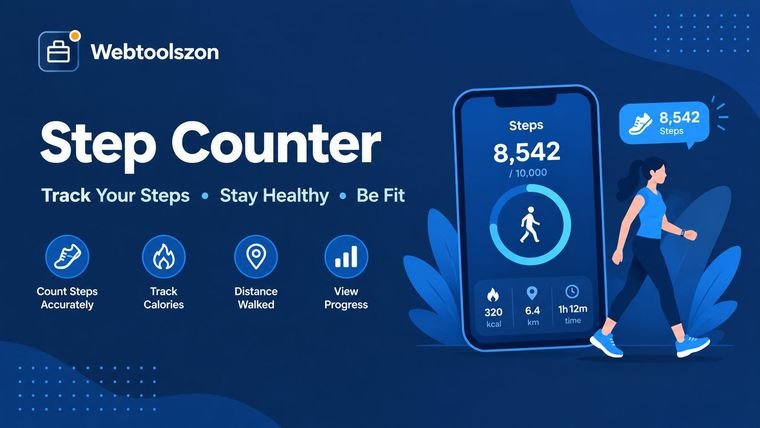
步行時請將手機隨身攜帶。點擊「開始計數」,並保持此頁面開啟且螢幕亮著。手機可以放在口袋裡,也可以拿在手上。重點在於它能隨著您的動作自然地移動。
您的進度會儲存在此裝置上,因此當您再次使用時,今天的步數和每週總步數仍會保留。所有資料均不會上傳至我們的伺服器。
Pick a daily goal below to fill the ring
輸入您的每日步數,輕鬆追蹤整週的進度!
Use this online step counter to count steps on a compatible phone, or type in a total from your watch or health app. Review estimated walking distance, active time, calories, daily-goal progress, and weekly totals in one place. For distance estimates, the tool converts your step count using an estimated stride length; results vary with height, pace, and individual walking style.
A step counter, also called a pedometer, is a simple tool for tracking how much you walk. This one is an online pedometer: it runs on a web page instead of an app. In addition to counting your steps, it can provide context by estimating how far you've traveled, how long you've been active, how many calories you've burned, and your progress toward your daily goal.
如果您的手機相容,該頁面將利用其加速度計來偵測您行走時的輕微動作。請將手機自然地握在手中、放入口袋或包包裡,然後點選「開始」。 若您的裝置無法提供動作數據,或是您已透過手錶或其他健康追蹤裝置記錄了步數,您可以手動輸入總步數。其餘的計算功能仍會正常運作。
You do not need to install a separate pedometer app to count your steps. Open Webtoolszon in a supported mobile browser, start the counter, and keep the page open while you walk. This browser-based step counter is useful when you want to count your steps online and keep a running steps count for the day without downloading another app.
當「動作感測」功能可用時,計步器會利用您的裝置感測器來計算步數。若「動作感測」功能不可用,您可以手動輸入步數,並獲得預估的行走距離、燃燒卡路里及每日目標。若您已從智慧手錶或其他健身追蹤器取得總步數,此功能同樣相當實用。
Your step count for today sits at the top of the counter and keeps updating while the page is open. It is saved on your device, so you can close the tab, come back later and carry on from the same number.
This page counts the steps it sees while it is open. It cannot read the totals stored in Apple Health or Google Fit. If you want to know how many steps you took today across the whole day, check your phone’s health app or watch and type that total into the counter. The distance, calories and goal progress will update straight away.
若能將步數總數與日常生活聯繫起來,便更容易理解其意義。以下是幾種解讀這些數字的簡單方法:
設定一個切實可行的每日目標,並隨著進度逐步增加步數。進度條會顯示您距離達成目標還有多遠。
您正在計畫去散步嗎?請參考這些估算值,了解五公里路線大約需要走多少步,或是將您每日的總步數換算成大致的距離。
請記錄七天的步數,以追蹤您的總步數、平均步數、步數最多的日子,以及達到目標的日子。這樣一來,您就能更清楚地觀察到自己的步行模式每週是如何變化的。
並沒有一個固定步數能適用於所有人,並等於一公里或一英里。您的身高和步行速度都會影響步幅,因此以下數據僅供參考。以平均步行速度為基準,本工具採用相當於您身高約 41.5% 的步長進行計算。
This works as a simple steps to distance calculator. Enter or track your steps and the tool shows the result in both kilometres and miles, so you can turn steps into km or steps into miles without doing any maths. For example, 5,000 steps is often roughly 3–4 km, but your actual distance depends on your stride length. Use the calculator’s estimate as a guide, not as a precise measurement.
| 高度 | 步長 | 每公里步數 | 每英里步數 |
|---|---|---|---|
| 150 公分(4 英呎 11 英吋) | 62.2 公分 | 1,606 | 2,585 |
| 160 公分(5 英尺 3 英寸) | 66.4 公分 | 1,506 | 2,424 |
| 170 公分(5 英尺 7 英寸) | 70.5 公分 | 1,417 | 2,281 |
| 180 公分(5 英尺 11 英寸) | 74.7 公分 | 1,339 | 2,154 |
| 190 公分(6 英尺 3 英寸) | 78.8 公分 | 1,268 | 2,041 |
例如,以下是身高 5 英尺 7 英寸、以正常步速行走的人,一些常見的每日步數目標。
| 每日步數 | 距離(公里) | 距離(英里) |
|---|---|---|
| 5,000 | 3.5 公里 | 2.2 英里 |
| 7,500 | 5.3 公里 | 3.3 英里 |
| 10,000 | 7.1 公里 | 4.4 英里 |
| 12,000 | 8.5 公里 | 5.3 英里 |
由於步數計算器僅提供估算值,了解其運作原理會有所幫助。當步數計算器的結果與智慧手錶或其他計步器的結果不完全一致時,這點尤其有用。
該頁面每秒約讀取加速度計 60 次。它會消除重力造成的恆定拉力、平滑訊號,並偵測步行的規律彈跳。若某個峰值強度足夠且與前一個峰值間隔足夠遠,則會被計為一步。
計步器會等待連續四步後才將其加總。此舉可減少因輕微顛簸、晃動,或單純拿起手機而造成的誤計。若發現計步器似乎漏計了步數,請嘗試將靈敏度調高;若計數過多,則嘗試調低靈敏度。不過,即使進行了這些調整,仍應將結果視為估計值,而非精確測量值。
此計算機會根據您的身高和所選步速,估算您的步長。它採用以下典型比例:慢走為 37%、正常步行為 41.5%、快走為 48%,以及慢跑為 52%。不過,您的實際步長可能有所不同。
距離是透過將您的步數乘以預估步長來估算的。活動時間則根據此估算值以及您選擇的步速(可選 3.2、4.8、6.4 或 8 公里/小時)來計算。 每公里步數和每英里步數的數值均源自同一估算值。若要將結果轉換為其他單位,請使用「單位轉換器」。
消耗的卡路里數是根據該步速的代謝當量(MET)值估算得出的:慢走為 2.8、正常步行為 3.5、快走為 5.0,慢跑為 8.3。 計算時亦會考量您的體重及活動時間長短。由於實際能量消耗因人而異,請將此數值視為粗略估算。若需更完整的每日估算,請試用「卡路里計算器」。
The familiar 10,000-step target is just a simple benchmark, not a requirement for everyone. If you want to set a personal goal, it may be more practical to start slightly above your usual activity level and increase gradually. Talk with a healthcare professional if you have a health condition or are unsure what level of activity is appropriate for you. To see how your height and weight compare, you can also try the BMI Calculator.
當您步行時,此應用程式會利用手機的動作感測器來計算您的步數,並將其加總至總步數中。 當您調整設定時,應用程式會根據您的身高、體重及所選步速,估算您的步長、行走距離、活動時間以及燃燒的卡路里數。它還會將您的進度與每日目標進行比較,並更新每週紀錄。
當您行走時,動作數據會在您的瀏覽器中進行本地處理。這些數據不會上傳或傳送至伺服器。 您的步數、每週總數、身高、體重及目標均儲存於本裝置瀏覽器的本地儲存空間中。因此,當您再次造訪時,這些資訊仍會保留。若要刪除這些資訊,請選擇「清除全部」選項,或清除瀏覽器的網站資料。
若要使用即時計數功能,您需要一部配備動作感測器且能建立 HTTPS 連線的手機或平板電腦。此外,您必須保持此頁面開啟,並讓螢幕保持亮起狀態。 請注意,步數偵測功能並非完美無缺;因此,計數器偶爾可能會漏計或多計一步。距離、時間及卡路里等數值均為根據典型值估算而得,並非旨在提供醫療建議。
Quick answers about counting steps online, the tap counter, distance, calories and privacy.
請在手機上開啟此頁面,點選「開始計步」,若系統提示,請允許動作權限,接著將手機拿在手中、放入口袋或包包裡,開始行走。步數會隨著您的移動而累積。輸入身高與體重,並選擇步行速度,即可查看行走距離、消耗卡路里及目標達成進度。您也可以直接輸入來自手錶或健康應用程式的總步數。
是的,在配備動作感測器的手機和平板電腦上可以。系統會讀取加速度計的數據,並偵測行走時規律的震動;只有在連續偵測到四步之後才會開始計數,因此單次震動不會被計入。桌上型電腦通常沒有動作感測器,因此請手動輸入您的步數。
iPhones and iPads make a page ask permission before it can read the motion sensor. Tap Allow when asked. If you chose Don't Allow, close the tab, open the page again and tap Start counting. The page also has to be loaded over HTTPS, and Android browsers may need motion sensors turned on in site settings.
Browsers pause motion sensors for a web page that is in the background or when the screen locks. Keep this page open and the screen on while you walk. The page asks the browser to keep the screen awake where that is supported, but not every browser allows it. For all-day counting, use your phone's built-in step tracking and enter the total here.
It is a close estimate, not an exact count. Where you carry the phone, how you walk and the sensitivity setting all matter. If it misses steps, raise the sensitivity. If it counts too many, lower it. A smartwatch or your phone's health app is usually more accurate over a whole day.
距離等於您的步數乘以步長。步長是根據您的身高和步速估算出來的,正常步行時約為身高的 41.5%;您也可以輸入自己實際測量的步長,以獲得更精確的結果。
卡路里消耗量是根據您的配速採用標準 MET 值計算:消耗卡路里 = MET × 體重(公斤)× 運動時間(小時)。運動時間是根據距離以及您所選配速的典型速度計算得出。這僅為估算值,實際數值會因年齡、體能、地形及步幅等因素而有所不同。
這取決於你的身高和步速。 以身高 170 公分(5 英尺 7 英寸)的人以正常步速行走為例,每公里約需 1,420 步,每英里則約需 2,280 步。身高較高的人在相同距離下所需步數較少,而結果面板會顯示根據您自身數值計算出的具體數據。
這只是個廣為人知的整數,而非醫學上的標準。關於步行與健康的研究所示,即使每天步數遠低於一萬步,也能帶來益處,因此請設定一個您能持續達成的目標,並逐步提高。如果您不確定哪種活動量適合自己,請諮詢醫師。
It is never uploaded. Motion readings are processed in your browser and never sent to a server. Your steps for today, this week's totals, height, weight and goal are saved only on this device, in your browser's local storage, so they are still there when you come back. Press Clear all or clear your browser data to remove them.
Yes. This page is a step counter that runs in your phone's browser, so there is nothing to download or sign up for. Open it, tap Start counting, allow motion access if asked, and keep the page open while you walk. If your phone has no motion sensor, you can type in your steps manually.
Your steps for today are shown at the top of the counter and saved on this device, so they are still here when you come back. The page counts steps while it is open and cannot read your phone's Health or Google Fit totals. If you already have today's total from a watch or health app, enter it manually to see distance and calories.
Yes. This page works as an online pedometer. Open it in your phone’s browser, tap Start counting and walk with the phone in your hand, pocket or bag. It counts steps from the motion sensor and shows distance, calories and goal progress, with nothing to install.
Multiply your steps by your step length. This tool does it for you: enter your steps, height and pace and it shows the distance in kilometres and miles, along with steps per kilometre and steps per mile. For a 170 cm (5 ft 7 in) person walking at a normal pace, 10,000 steps is about 7.1 km or 4.4 miles.
A laptop or desktop has no motion sensor, so it cannot detect steps by itself. Use the tap counter on this page instead: click the big circle, or press Enter, once for every step. You can also switch on the Space key option and press Space as you walk. Your total, distance and calories update with every tap. You can also type in a step total from your watch or phone.
Open this page. It is free, with nothing to download, pay for or sign up for. On a phone, tap Start counting and walk with the page open. On a computer, tap the big circle once for every step instead. Your total, distance and calories update as you go, and everything stays on your device.
首頁上還提供了數十種其他無需 API 金鑰即可使用的免費工具。
沒有符合的題目。
請與其他訪客分享您對此工具的看法。