
Daily goal tracking
Choose a daily target that feels realistic for you, then add steps as you go. The progress bar gives you a quick view of how close you are to that goal.
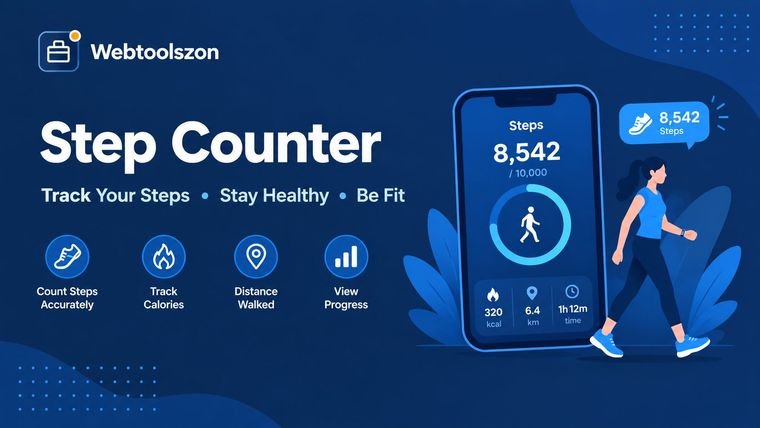
Want to keep an eye on your steps without installing another app? Open this step counter on your phone, tap Start, and take a walk. When your phone has a motion sensor, it can count your steps and turn them into an estimate of distance, active time, calories, and progress toward your daily goal. If motion tracking is not available, you can simply enter your step total yourself. The calculations happen in your browser, and your motion data is not uploaded.
Keep your phone with you while you walk, tap “Start counting,” and leave this page open with the screen on. A pocket or hand is fine; the important thing is that the phone moves naturally with you.
Your progress is saved on this device, so today’s steps and your weekly totals can still be there when you come back later. Nothing is uploaded to our servers.
Add your steps for each day and you can quickly see how your week is going.
Count steps with your phone or enter a total manually. You can then see estimated distance, active time and calories, check your daily goal, and look back at your week.
A step counter, sometimes called a pedometer, gives you a simple way to keep track of how much you walk. Besides your step total, it can help put that number into context by estimating your distance, active time, calories, and progress toward a daily goal.
On a supported phone, the page uses the accelerometer to recognize the small movements associated with walking. Carry your phone naturally in your hand, pocket, or bag and tap Start. If your device does not provide motion data, or you already have your steps from a watch or another health tracker, enter the total manually and the rest of the calculations still work.
You do not need to install a separate pedometer app to use this page. Open Webtoolszon in a supported mobile browser, start the counter, and keep your phone with you as you walk. It is a handy option when you just want a quick step count from the browser.
When motion access is available, the counter uses your device’s sensor to detect steps. If it is not available, you can enter your steps yourself and still get the distance, calorie, and daily-goal estimates. That also makes it useful when you already have a step total from a smartwatch or another fitness tracker.
A step total is easier to understand when you can see what it means in everyday terms. These are a few simple ways to use the numbers.
Choose a daily target that feels realistic for you, then add steps as you go. The progress bar gives you a quick view of how close you are to that goal.
Planning a walk? Use the estimates to get a feel for how many steps a 5 km route might take, or turn a day’s step total into an approximate distance.
Keep a seven-day record to see your total, average, best day, and which days you reached your goal. It can make it easier to notice your own walking pattern from week to week.
There is no single number of steps that equals a kilometre or a mile for everyone. Your height and walking pace affect your stride, so the figures below are estimates rather than exact measurements. For the normal walking pace, this tool uses a step length of about 41.5% of height.
| Height | Step length | Steps per km | Steps per mile |
|---|---|---|---|
| 150 cm (4 ft 11 in) | 62.2 cm | 1,606 | 2,585 |
| 160 cm (5 ft 3 in) | 66.4 cm | 1,506 | 2,424 |
| 170 cm (5 ft 7 in) | 70.5 cm | 1,417 | 2,281 |
| 180 cm (5 ft 11 in) | 74.7 cm | 1,339 | 2,154 |
| 190 cm (6 ft 3 in) | 78.8 cm | 1,268 | 2,041 |
For a simple example, here is what common daily step goals look like for someone who is 170 cm (about 5 ft 7 in) tall and walking at a normal pace.
| Daily steps | Distance (km) | Distance (miles) |
|---|---|---|
| 5,000 | 3.5 km | 2.2 miles |
| 7,500 | 5.3 km | 3.3 miles |
| 10,000 | 7.1 km | 4.4 miles |
| 12,000 | 8.5 km | 5.3 miles |
The numbers on a step calculator are estimates, so it helps to understand how they are produced. That is especially useful when your result does not exactly match a smartwatch or another pedometer.
The page reads the accelerometer about 60 times a second, removes the constant pull of gravity, smooths the signal and looks for the regular bounce of a step. A peak counts as a step when it is strong enough and not too close to the last one.
The counter waits for four steps in a row before it starts adding them. This helps reduce false counts from small bumps, shakes, or simply picking up the phone. If it seems to miss steps, try a higher sensitivity; if it counts too many, try a lower setting. Even with those adjustments, treat the result as an estimate rather than an exact measurement.
To estimate stride length, the calculator uses your height and the pace you select. It applies typical ratios: 37% for a slow walk, 41.5% for a normal walk, 48% for a brisk walk, and 52% for a jog. Your actual stride can be different.
Distance is estimated by multiplying your steps by the estimated step length. Active time then comes from that distance and the typical speed for your selected pace: 3.2, 4.8, 6.4, or 8 km/h. The steps-per-kilometre and steps-per-mile figures come from the same estimate.
Calories are estimated using a MET value for the pace: 2.8 for slow walking, 3.5 for normal walking, 5.0 for brisk walking, and 8.3 for jogging. The calculation uses your weight and estimated active time. Because real energy use varies from person to person, this number should be treated as a rough estimate.
The familiar 10,000-step target is a simple benchmark, not a requirement that everyone needs to meet. If you want a personal goal, starting a little above your usual activity and increasing it gradually can be more practical. If you have a health condition or are unsure what level of activity is appropriate, talk with a healthcare professional.
While you are counting, the page looks for walking patterns in your phone’s motion sensor and adds the detected steps to your total. When your steps or settings change, it uses your height, weight, and selected pace to estimate step length, distance, active time, and calories. It also compares your progress with your daily goal and updates the weekly log.
Motion readings are processed locally in your browser while you walk; they are not uploaded or sent to a server. Your steps, weekly totals, height, weight, and goal are stored in your browser’s local storage on this device, which is why they can still be available when you return. Use “Clear all,” or clear the browser’s site data, if you want to remove the saved information.
Live counting requires a phone or tablet with a motion sensor, an HTTPS connection, and this page kept open with the screen on. Step detection is not perfect, so the counter may occasionally miss or add a step. Distance, time, and calorie figures are estimates based on typical values, not measurements, and they are not medical advice.
Dozens more free, no-API-key tools live on the homepage.
Count words, characters and reading time as you type.
Open toolFind sale prices and savings in a couple of taps.
Open toolResize images in your browser without uploading them.
Open toolConvert text between UPPERCASE, camelCase, Title Case and more.
Open toolNo matching question.
Tell other visitors what you thought of this tool.